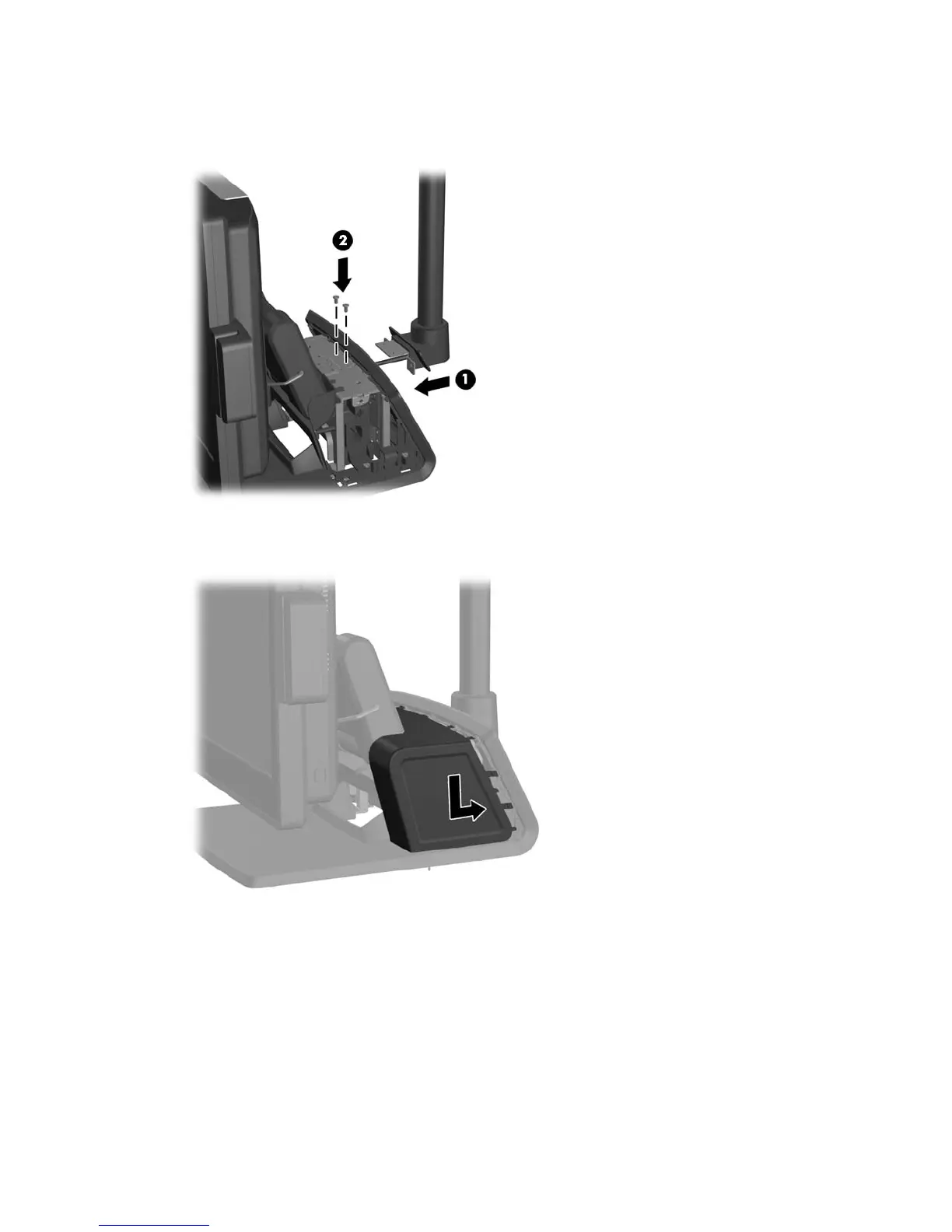
10. Slide the VFD mounting bracket into the mounting hole on the rear of the RP7 base (1), and
install the two screws included with the VFD into the screw holes on top of the mounting bracket
(2).
11. Replace the power supply cover by lowering it down over the neck of the base then sliding it
back until it snaps in place.
38 Chapter 4 Removal and replacement procedures













 To Next Page