Output
8
Sequence
of
Signals
3-7
7
Configure
DTMF
Signal
0
4.
Press the
12
On
T
i
rile
softkey
and
enter
44
ms.
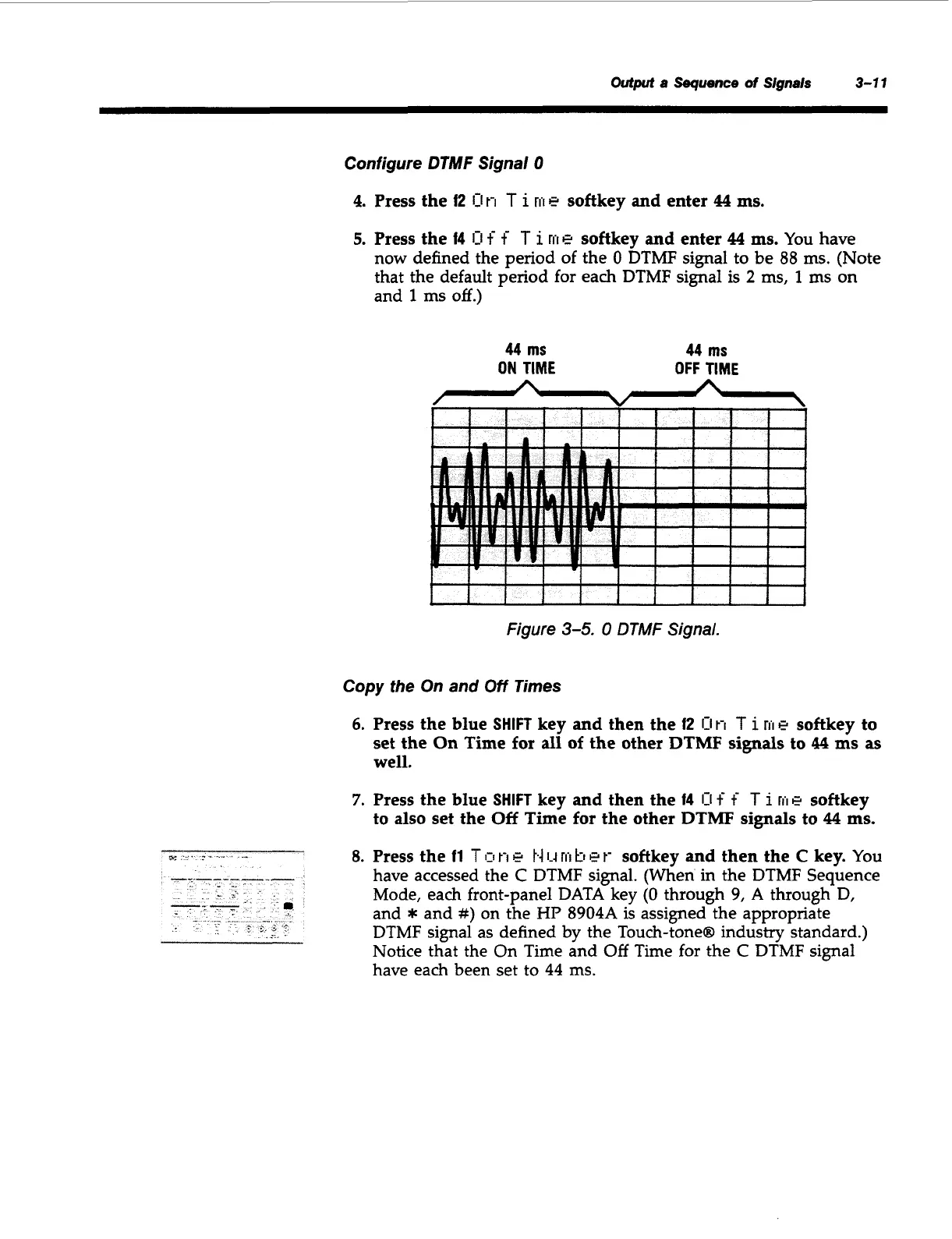
5.
Press the
14
0
f
f
T
i
rii
e
softkey
and
enter
44
ms.
You have
now defined the period of the
0
DTMF signal to be 88
ms.
(Note
that the default period for each DTMF signal is
2
ms,
1
ms
on
and
1
ms
off.)
44
ms
44
ms
ON
TIME
OFF
TIME
I
1
I
1
t
I
I
I
1
I
1
I I
f
i
I
I
i
I
Figure
3-5.
0
DTMF
Signal.
Copy
the
On and
Off
Times
6.
Press the blue
SHIFT
key
and
then the
f2
0
t-1
T
i
rrl
e
softkey to
set the
On
Time
for
all
of the other DTMF
signals
to
44
ms
as
well.
7.
Press the blue
SHIFT
key
and
then the
14
0
f
f
T
i
rrI
e
softkey
to also set the
Off
Time for the other DTMF
signals
to
44
ms.
8.
Press the
11
Ton
e
1.4
1-4
rrl
kl
et-
softkey
and
then the
C
key.
You
have accessed the
C
DTMF signal. (When in the DTMF Sequence
Mode, each front-panel DATA key
(0
through 9,
A
through
D,
and
*
and
#)
on the
HP
8904A is assigned the appropriate
DTMF signal as defined
by
the Touch-tone@ industry standard.)
Notice that the On Time and
Off
Time for the
C
DTMF signal
have each been set to
44
ms.
Artisan Technology Group - Quality Instrumentation ... Guaranteed | (888) 88-SOURCE | www.artisantg.com



 To Next Page