Output
a
Sequence
of
Signals
3-13
Manual Dial
You can also output the DTMF signals using the
HP
8904A’s
front-panel keys.
13.
Press the
LAST
key twice to return to the DTMF Configuration
display.
14.
Press the
13
PI
a
t-!
1-4
.a
1
D
i
1
softkey.
You have configured the
HP
8904A’s front-panel DATA keys to emulate
a
telephone key
pad.
15.
Press any one
of
the DATA keys
(0
through
9,
A
through D,
or
*
or
#)
to output the corresponding DTMF signal for
44
ms
at
2
Vpk.
If
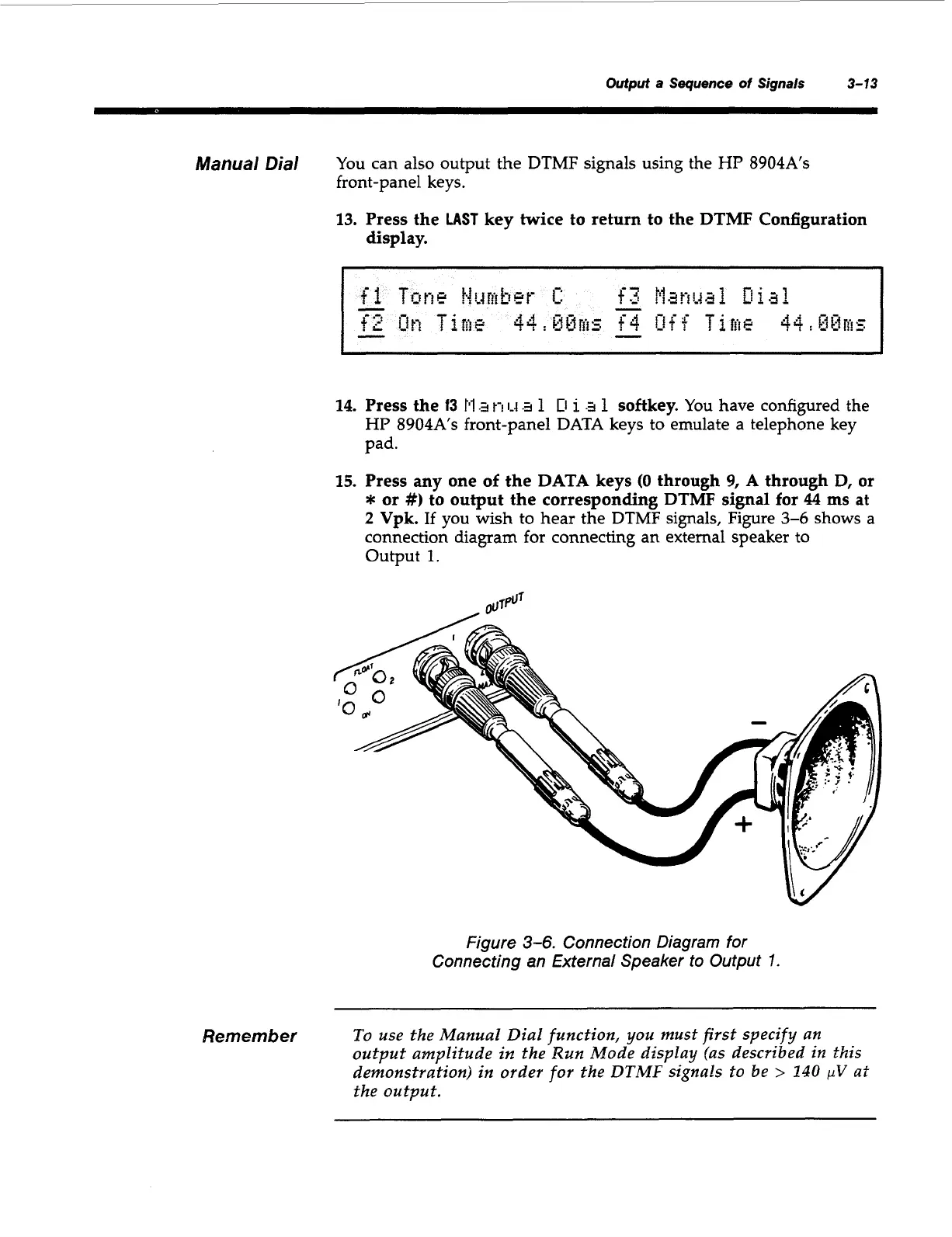
you wish to hear the DTMF signals, Figure
3-6
shows
a
connection diagram
for
connecting an external speaker
to
output
1.
Figure
3-6.
Connection Diagram for
Connecting an External Speaker to Output
I
Remember
To use the Manual Dial function, you must first specify an
output amplitude
in
the
Run
Mode display (as described in this
demonstration) in order for the DTMF signals
to
be
>
140
pV
at
the output.
Artisan Technology Group - Quality Instrumentation ... Guaranteed | (888) 88-SOURCE | www.artisantg.com



 To Next Page