5-6
Hop the Output
Signal
Save
and
Recall Your
Hop
Parameters
The HP
8904A
will reset the contents of all of its Hop Registers to
their default values
(0)
when it exits the Channel Configuration
Mode to return to the Main Selection Level. When you set up your
own Hop Mode applications, you can easily retain all of the hop
parameters that you have entered
by
storing them in a Save Register.
When you set up
a
Save Register (as described in Chapter
1
of this
guide), the
HP
8904A
will store the current parameter settings for all
of its Hop Registers as well as all of the current settings for
Channel
A.
Remember
Specify
the
Hop
Parameters
When
you
Recall
a
Save Register, the
HP
8904A
returns
all
of
its
operating modes to the same settings that existed when the Save
Register was selected.
13.
Press the
11
111
p
F?
.3
rc!
I?
d
t-
5
softkey, the
0
key and then the
ENTER
key to return to the
first
Hop Register.
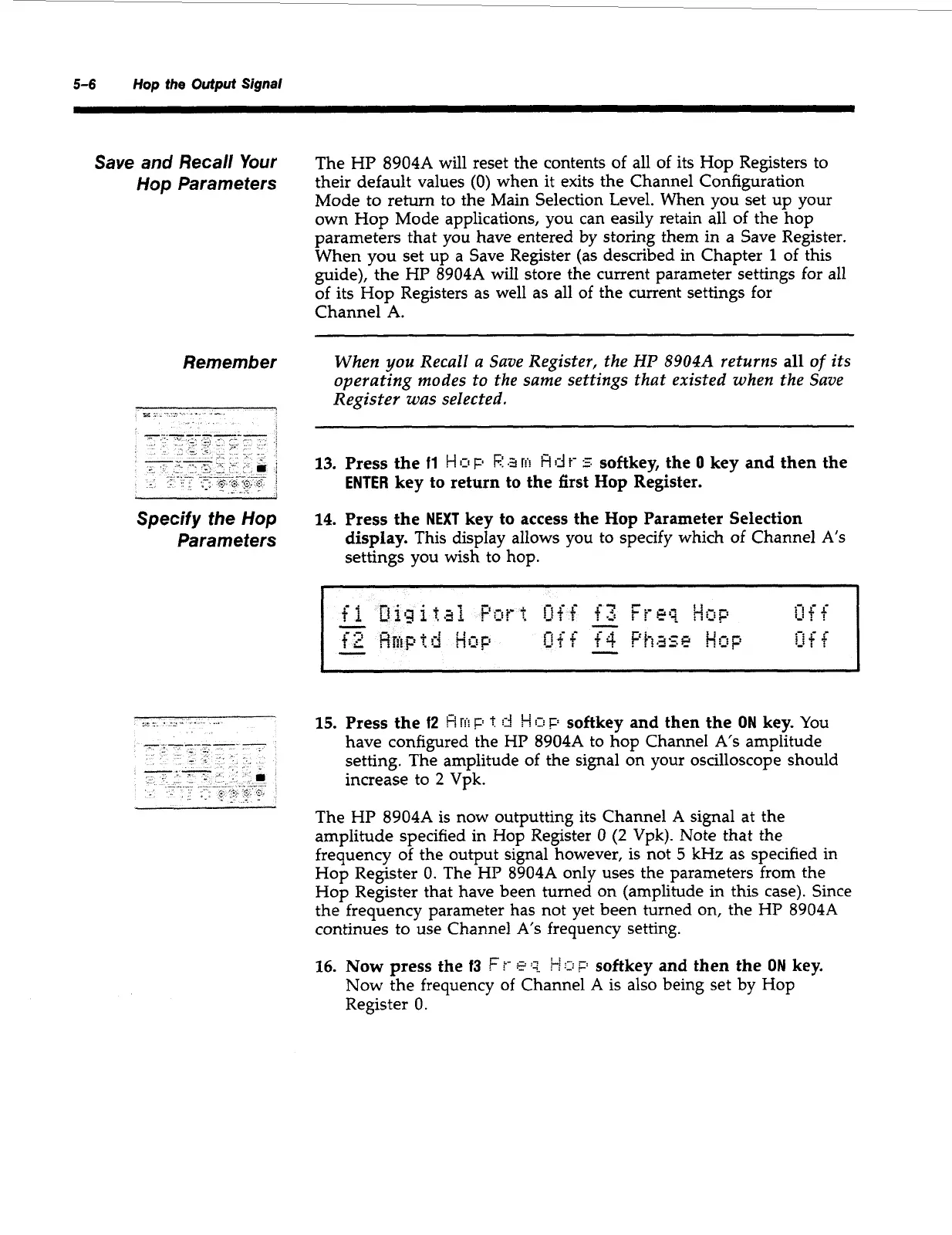
14.
Press the
NEXT
key to access the
Hop
Parameter Selection
display.
This display allows you to specify which of Channel
A's
settings you wish to hop.
15.
Press the
f2
8
T!'i
F;
t
!-!
IT!
F'
softkey and then the
ON
key.
You
have configured the
HP
8904A
to hop Channel
A's
amplitude
setting. The amplitude of the signal on your oscilloscope should
increase to
2
Vpk.
The HP
8904A
is now outputting its Channel
A
signal at the
amplitude specified in Hop Register
0
(2
Vpk). Note that the
frequency
of
the output signal however, is not
5
kHz as specified in
Hop Register
0.
The HP
8904A
only uses the parameters from the
Hop Register that have been turned on (amplitude in this case). Since
the frequency parameter has not yet been turned on, the HP
8904A
continues to use Channel
A's
frequency setting.
16.
Now
press the
13
Ft-
e:?.
softkey and then the
ON
key.
Now
the frequency
of
Channel
A
is also being set by Hop
Register
0.
Artisan Technology Group - Quality Instrumentation ... Guaranteed | (888) 88-SOURCE | www.artisantg.com



 To Next Page