7.
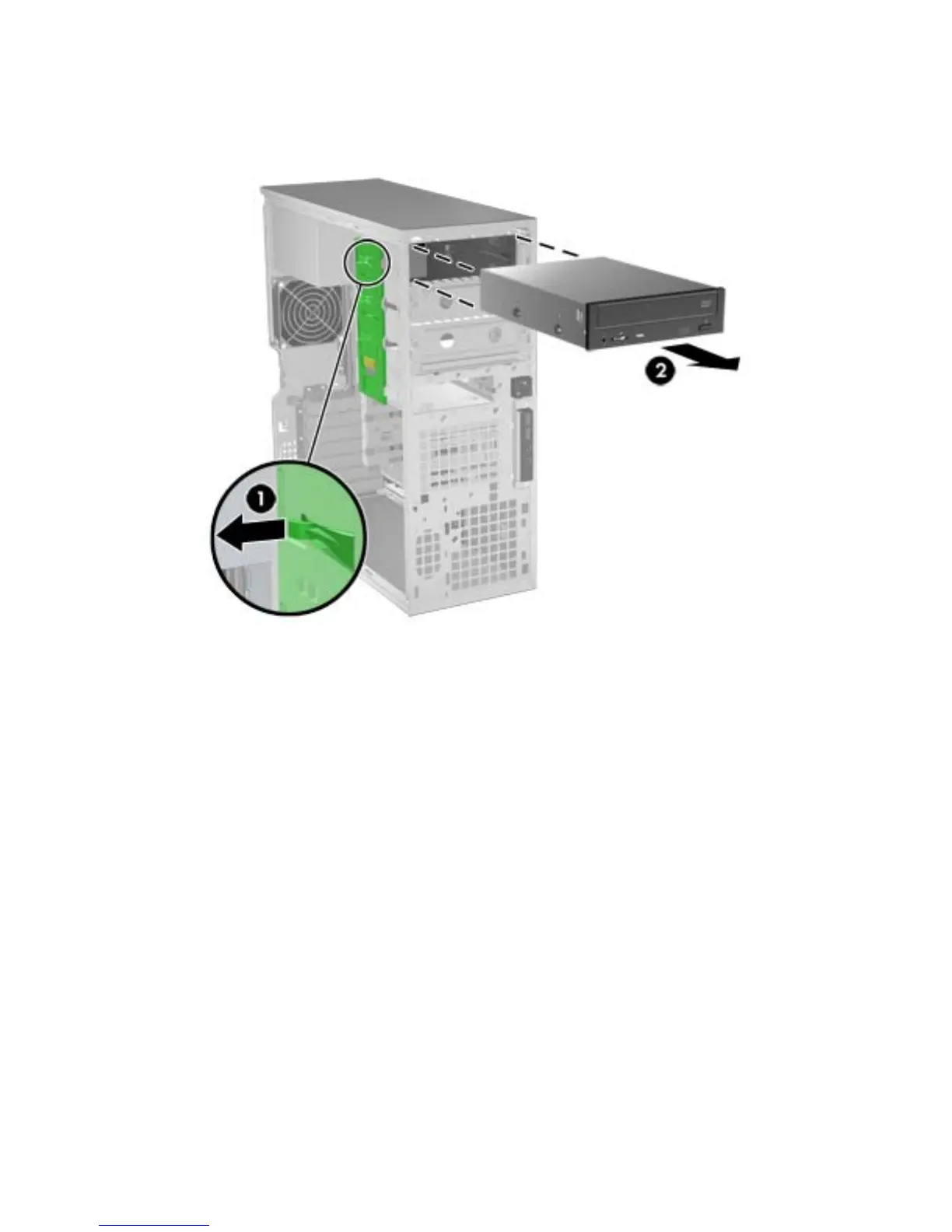
Lift the green drive-lock release lever (1) and gently slide the drive out of the chassis (2) as shown
in the following figure.
Figure 5-16 Removing the optical disk drive
8.
After removing the drive, remove the four guide screws on the sides of the drive (two per side) if
you plan to install another drive.
ENWW
Removing and installing components
89



 To Next Page