Power connections
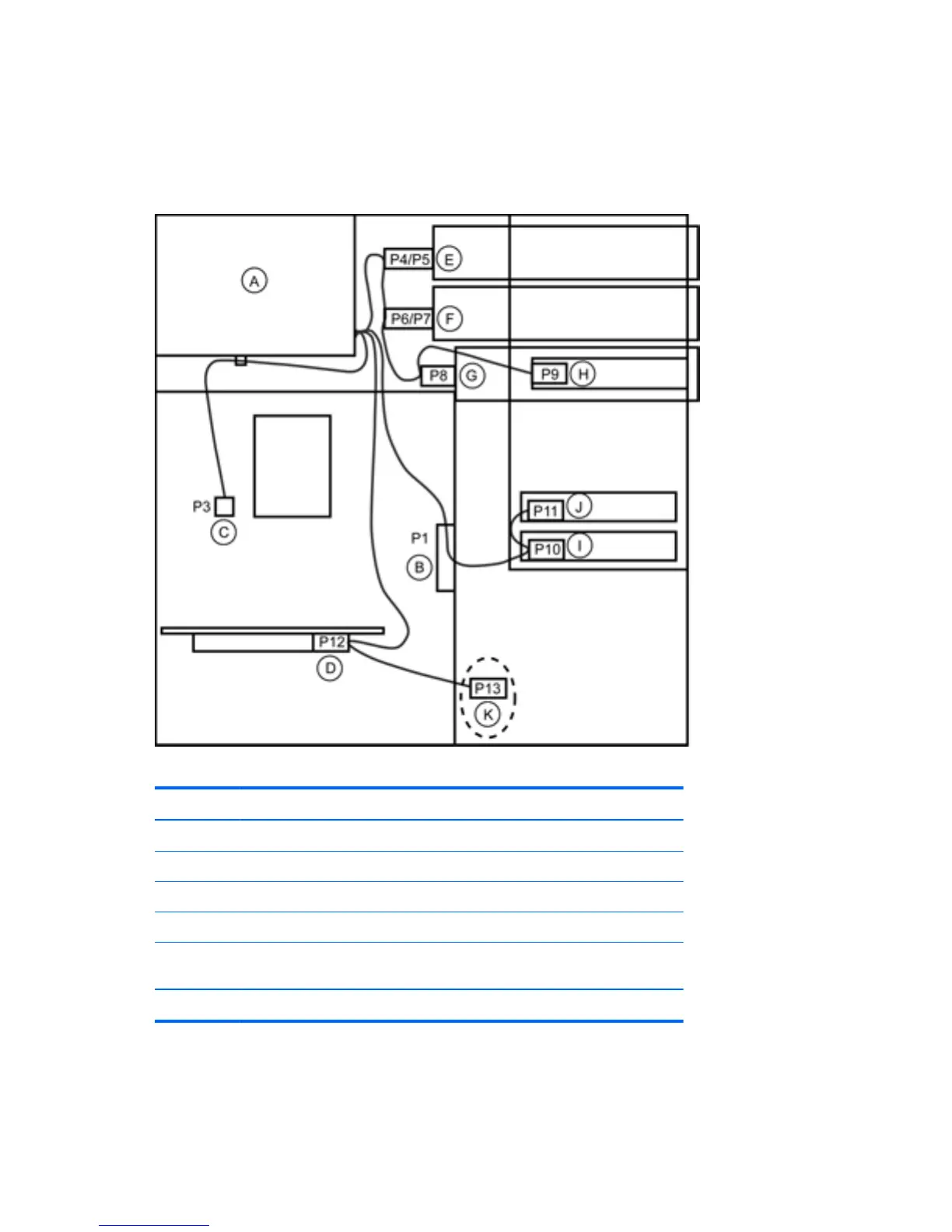
For help with identifying power cables, see the following figure and table. Make sure that you route or
tie all cables so they cannot interfere with the processor heatsink fan.
Figure 5-26 Power connector identification for a typical configuration
Table 5-5 Power connector description
Item Description Item Description
A Power supply G (P8) Optical drive
B (P1) Main power H (P9) Floppy diskette drive
C (P3) CPU power I (P10) Hard drive
D (P12) PCIe auxiliary power J (P11) Hard drive
E (P4/P5) Optical drive K (P13) Auxiliary/diskette
drive
F (P6/P7) Optical drive
98 Chapter 5 Replacing components ENWW



 To Next Page