8.
Remove the cold plate assembly.
a.
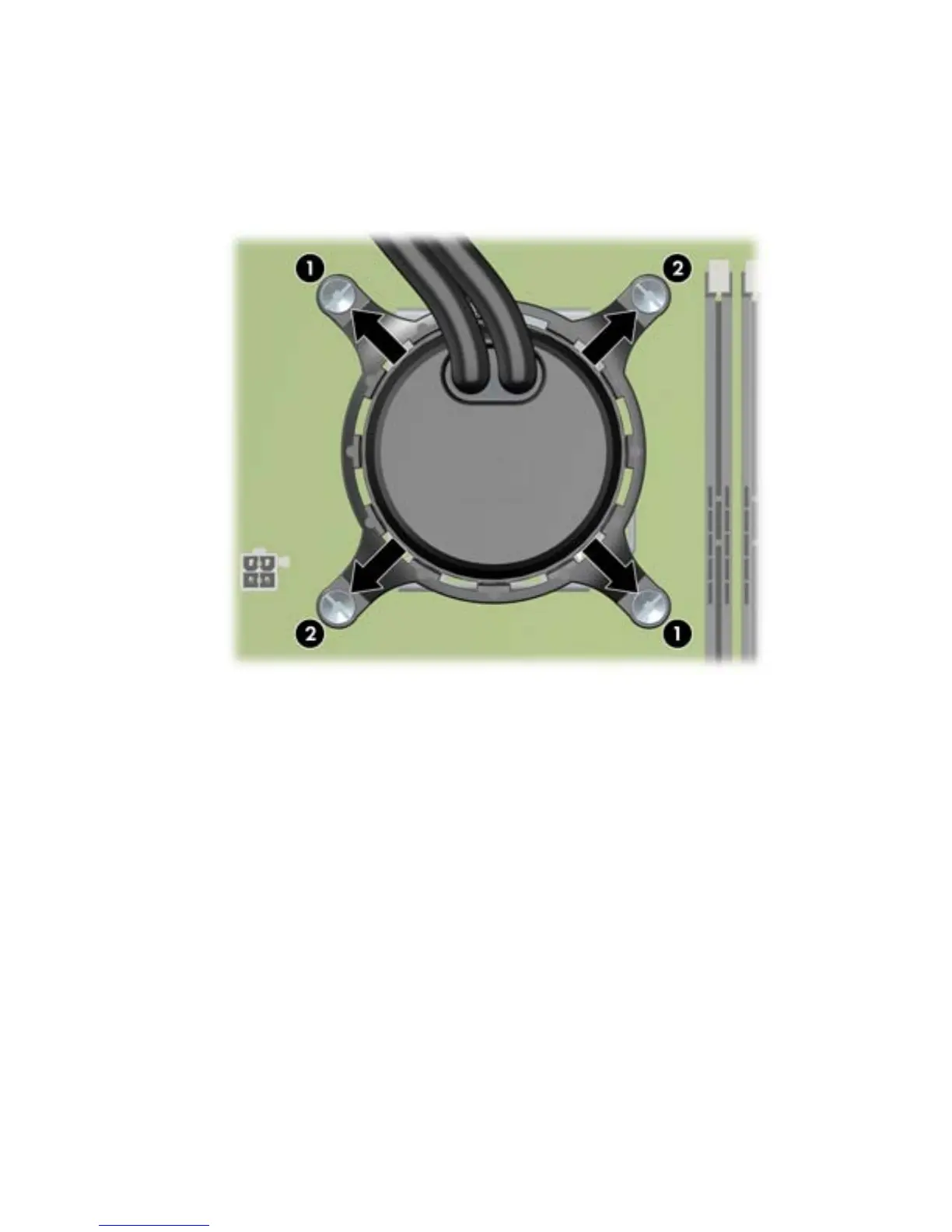
Slowly and evenly loosen one pair of diagonally opposite screws (1) on the LCS cold plate
assembly until the screw shanks disengage from the system board, and then loosen the
remaining pair (2), as shown below.
Figure 5-64 Loosening the LCS cold plate screws in sequence
b.
Lift the cold plate assembly from the CPU, and then remove the entire LCS unit from the
system.
138 Chapter 5 Replacing components ENWW



 To Next Page