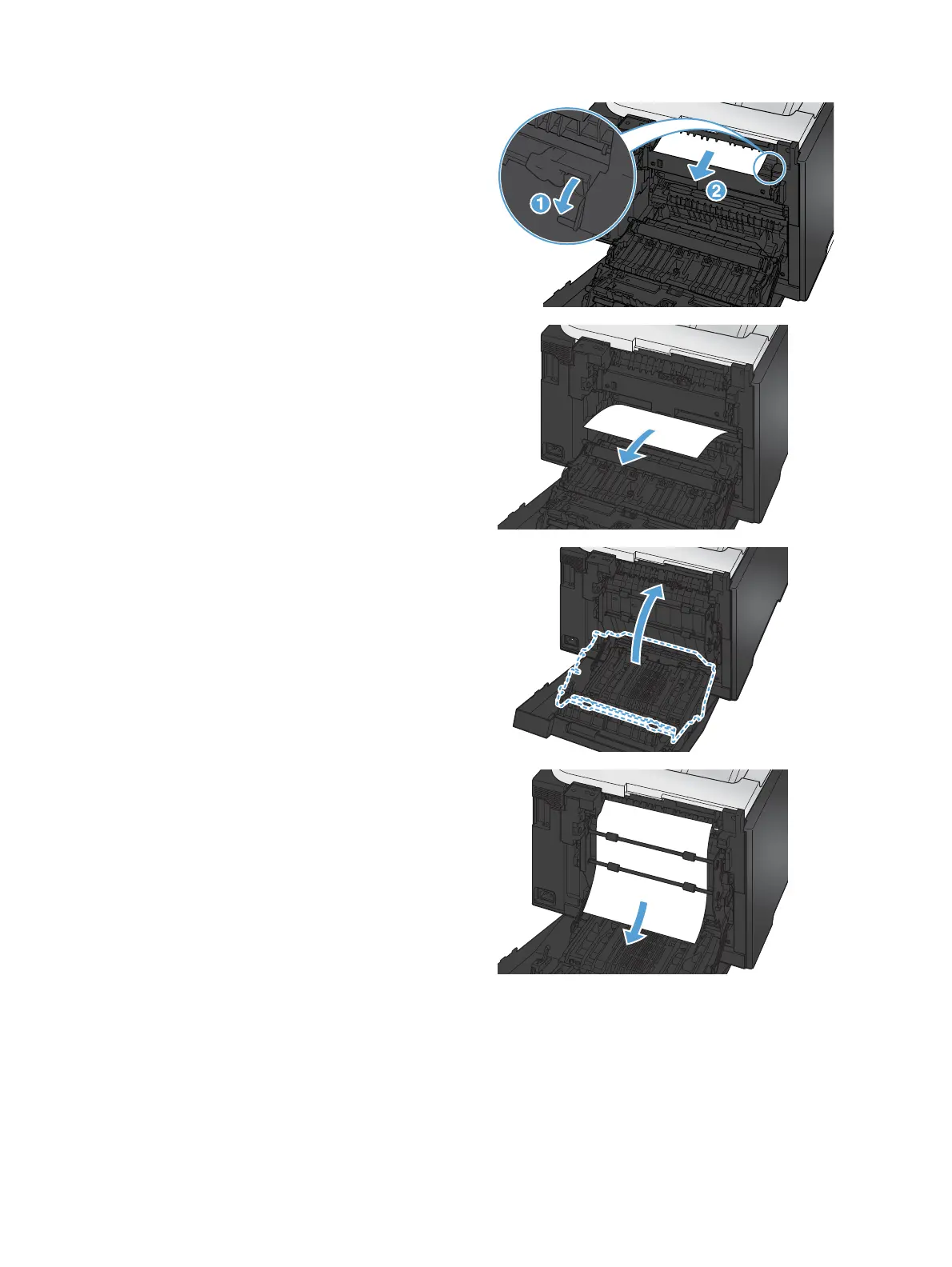
2. If necessary, pull the guide (callout 1) and
remove any visible paper (callout 2) from the
bottom of the delivery area.
3. If necessary, remove any visible paper from
bottom side of the duplexing unit.
4. If you can not see any jammed paper, lift the
duplexing unit using the tab on the side of the
duplexing unit.
5. If you can see the trailing edge of the paper,
remove the paper from the product.
118 Chapter 9 Solve problems ENWW



 To Next Page