Load paper trays
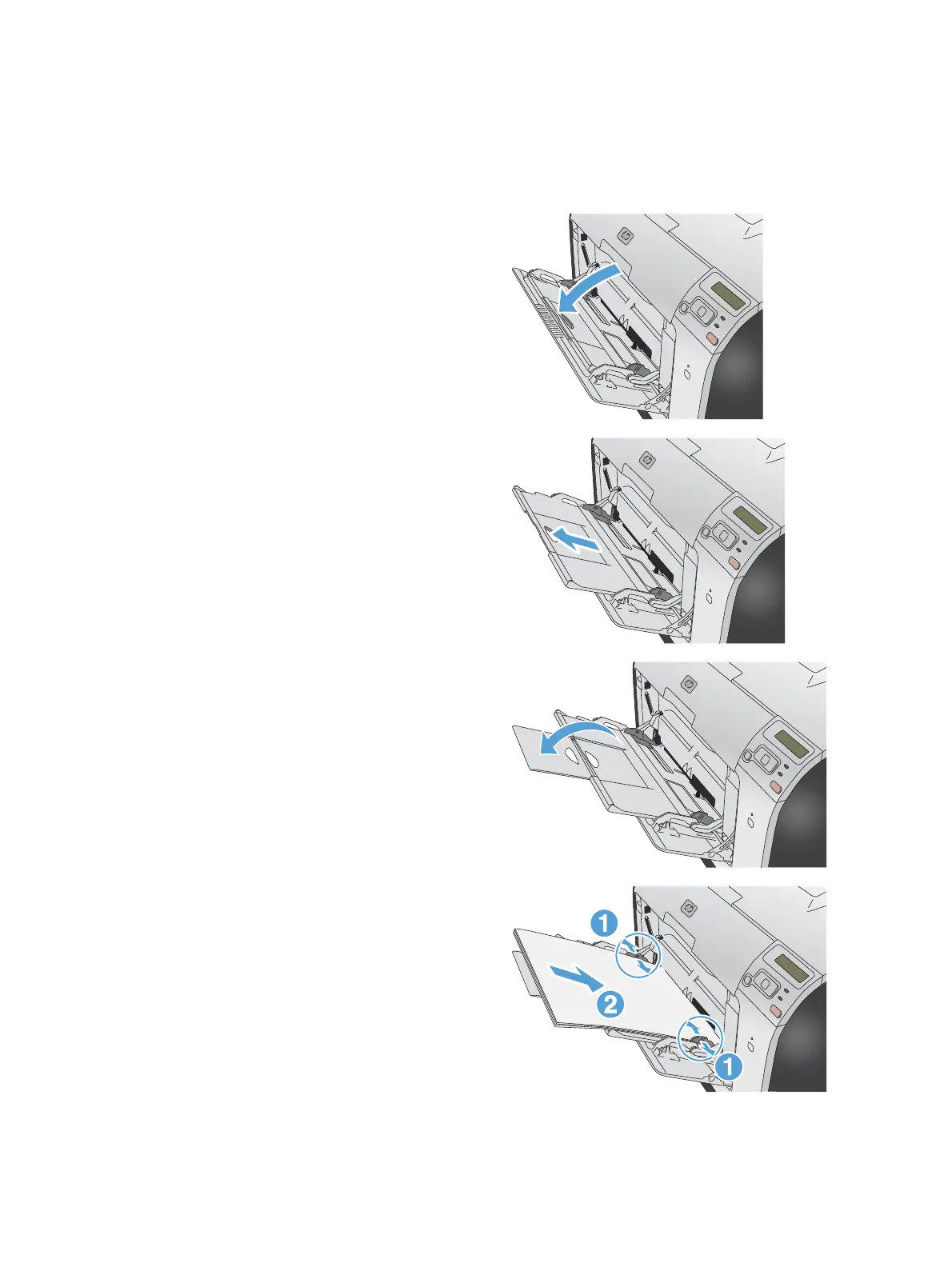
Load Tray 1
1. Open Tray 1.
2. Pull out the extension tray.
3. If you are loading long sheets of paper, flip
out the extension.
4. Extend the paper guides fully (callout 1) and
then load the paper stack into Tray 1 (callout
2). Adjust the paper guides to the size of the
paper.
NOTE: Place the paper into Tray 1 with the
side to be printed on face-up and the top
toward the product.
ENWW
Load paper trays
35



 To Next Page