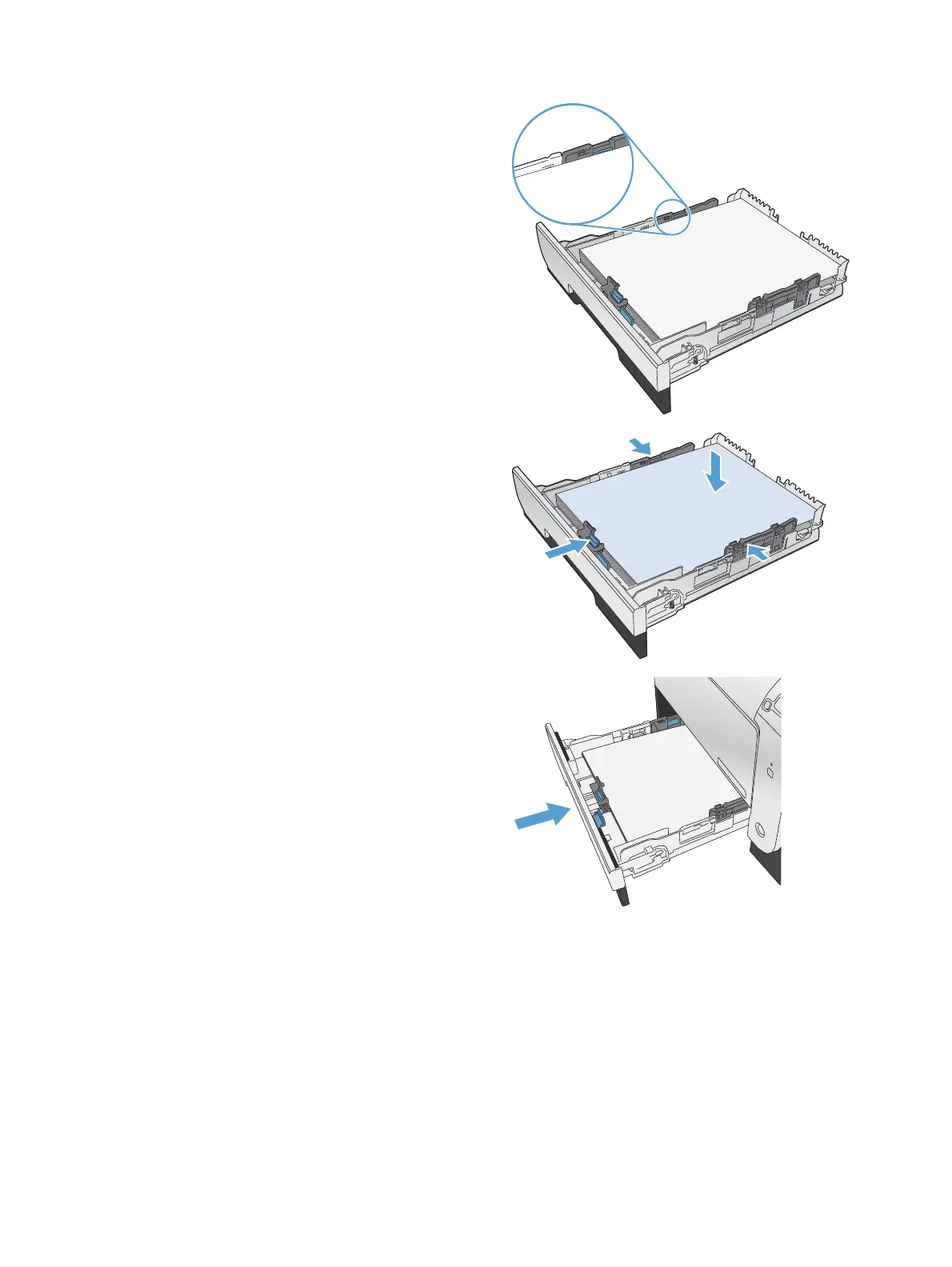
4. Place the paper in the tray and make sure that
it is flat at all four corners. Slide the side paper
width guides so that they align with the paper-
size marking in the bottom of the tray. Slide
the front paper length guide so that it pushes
the stack of paper against the back of the tray.
5. Push down on the paper to make sure that the
paper stack is below the paper limit tabs on
the side of the tray.
6. Slide the tray into the product.
ENWW
Load paper trays
37



 To Next Page