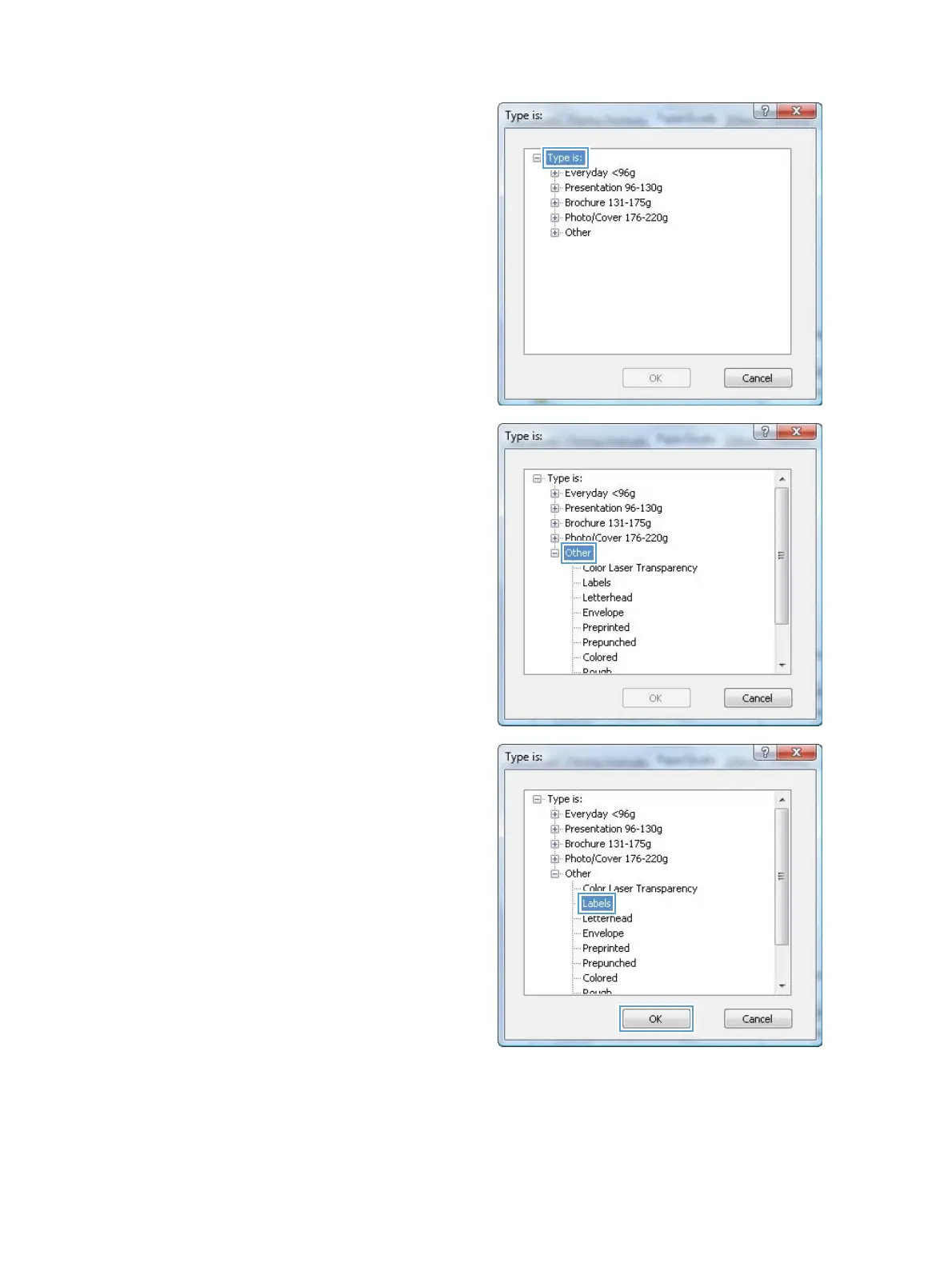
5. Expand the list of Type is: options.
6. Expand the category of paper types that best
describes your paper.
NOTE: Labels and transparencies are in the
list of Other options.
7. Select the option for the type of paper you are
using, and click the OK button.
68 Chapter 6 Print tasks ENWW



 To Next Page