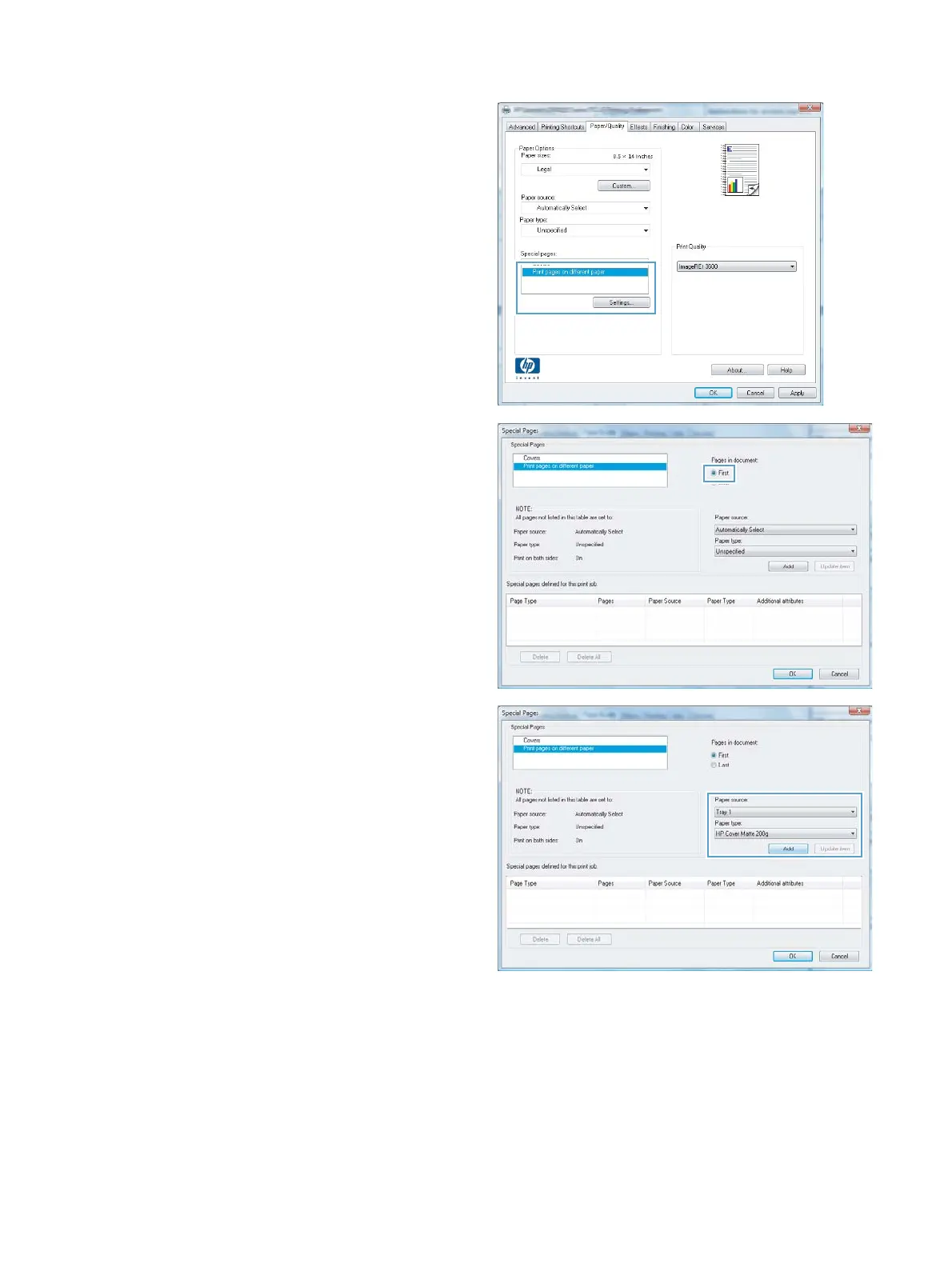
4. In the Special pages area, click the Print
pages on different paper option, and
then click the Settings button.
5. In the Pages in document area, select
either the First or Last option.
6. Select the correct options from the Paper
source and Paper type drop-down lists.
Click the Add button.
70 Chapter 6 Print tasks ENWW



 To Next Page