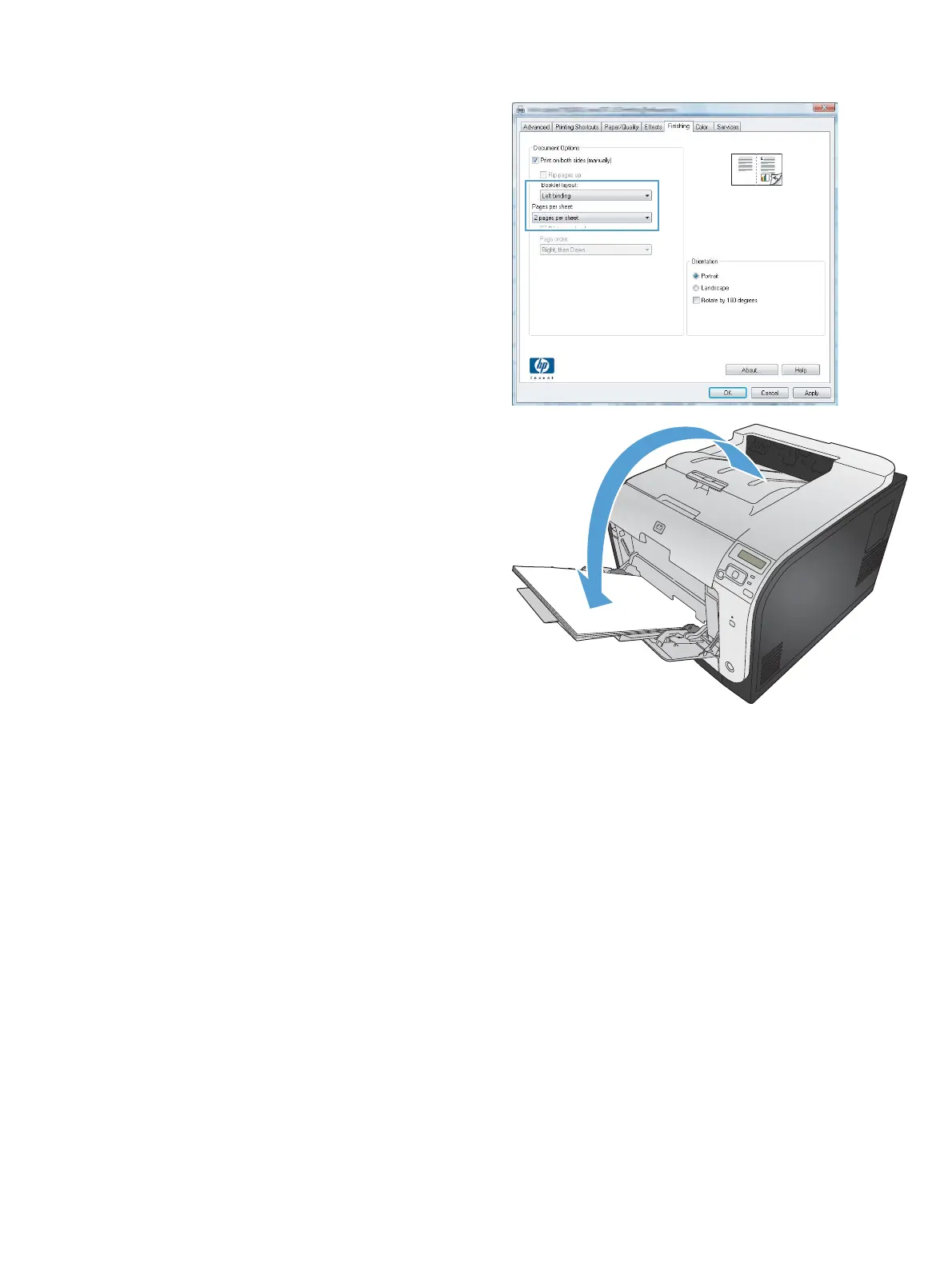
5. In the Booklet layout drop-down list, click
the Left binding or Right binding option.
The Pages per sheet option automatically
changes to 2 pages per sheet.
6. Retrieve the printed stack from the output bin,
and maintaining the same orientation, place it
with the printed side facing down in Tray 2.
7. On the control panel, press the OK button to
print the second side of the job.
ENWW
Additional print tasks with Windows
73



 To Next Page