6.4 Menus of DSC Playback
In DSC Recording Mode, touch the icon or press the
Playback button
to enter Playback Mode.
6.4.1 Delete
1. Power on the camcorder and make sure it is in the DSC
Playback Mode.
2. Touch the screen to select the file to be deleted and touch the
icon or press the Menu Button ( ) to enter Menu
mode.
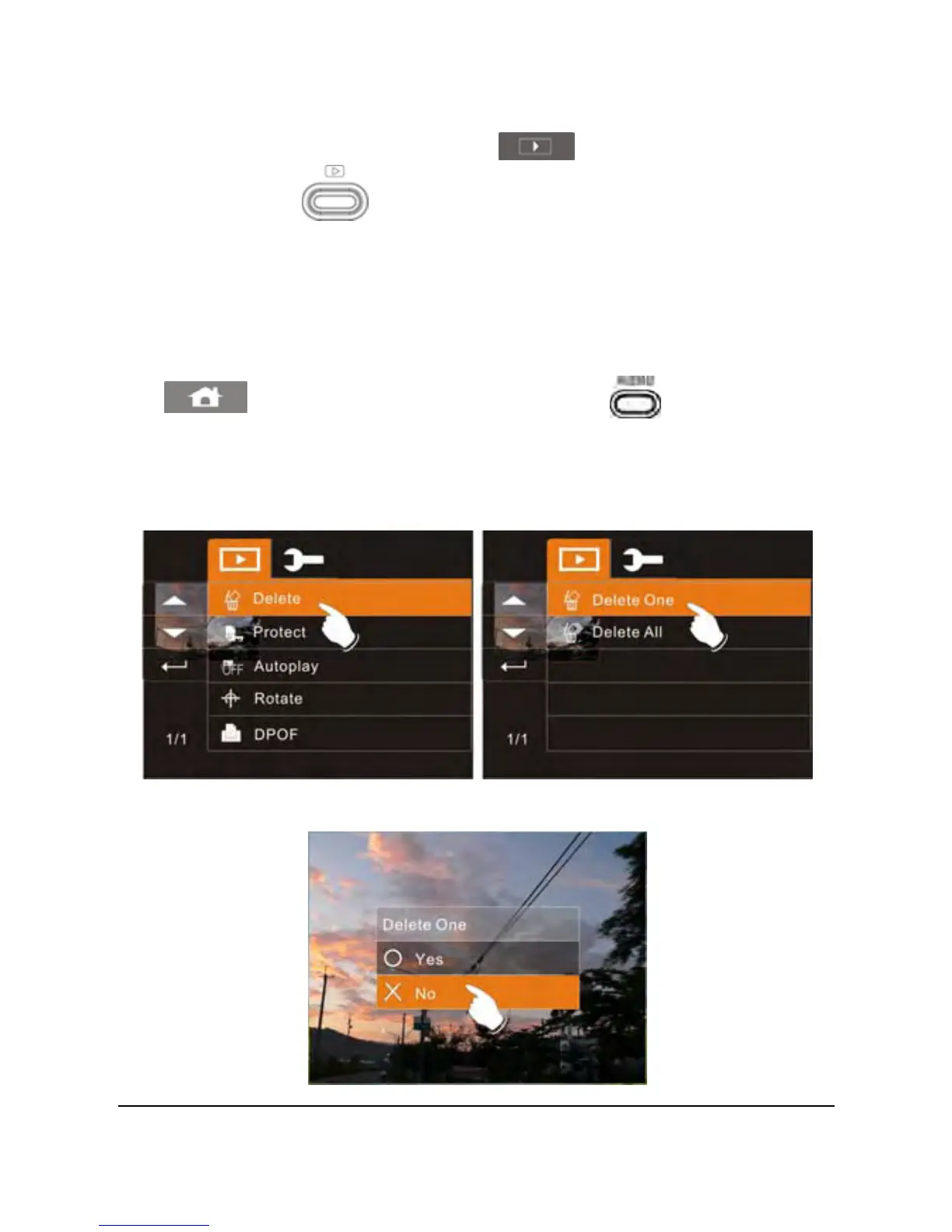
3. Touch the Delete option to enter the Delete submenu. Next,
touch the screen to select Delete One or Delete All.
4. Touch the screen to select “Yes” or “No” to delete file(s).
65



 To Next Page