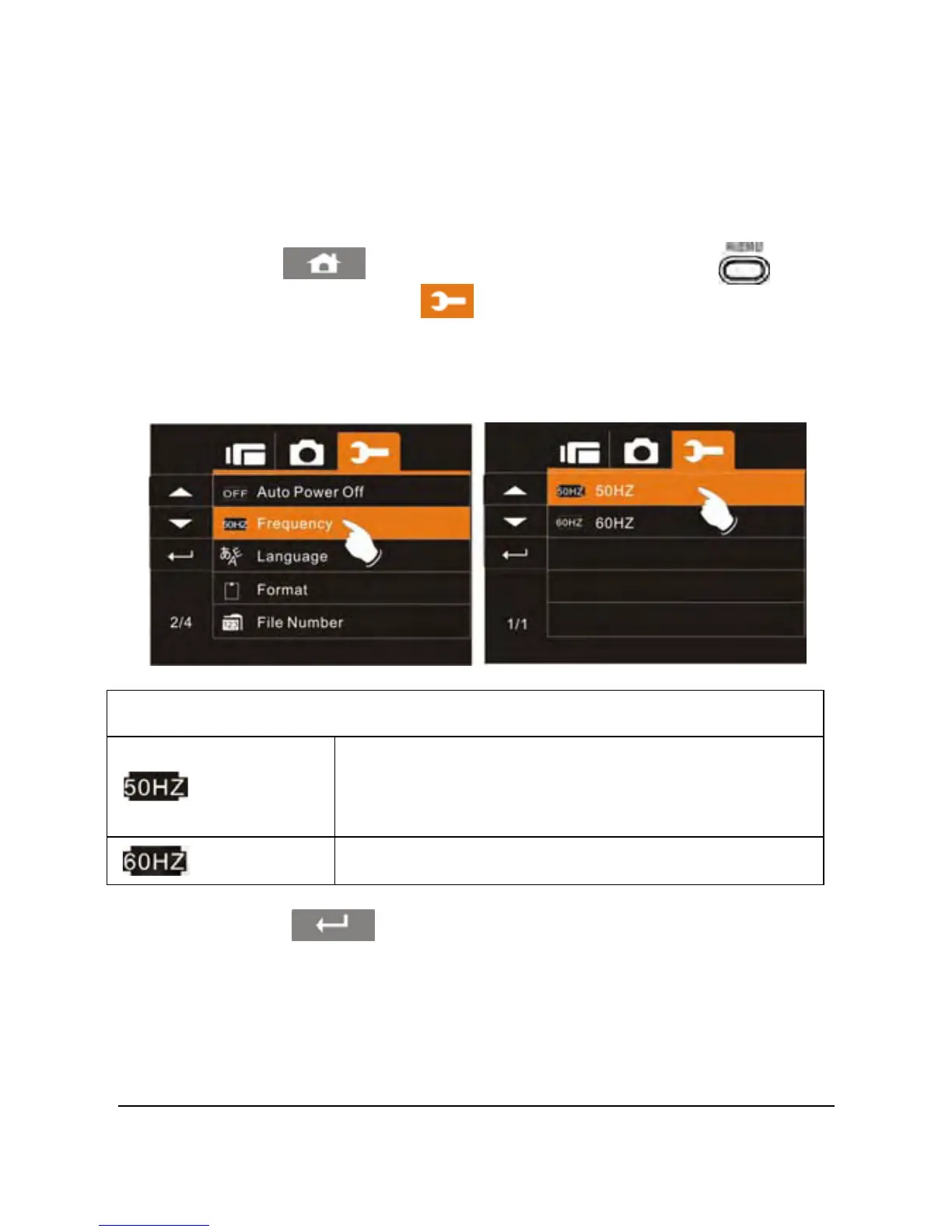
2. Touch the
icon or press the Menu Button ( ) then
touch the Settings icon
. Touch the Frequency option to
display the submenu.
3. Touch the desired option to match your area.
Frequency setting reference:
UK, Germany, Spain, Italy, France,
Netherlands, Portugal, Russia, China,
Japan
50HZ
60HZ
USA, Taiwan, Korea, Japan
4. Touch the icon to exit the Menu mode.



 To Next Page