7. Remove the chassis cover .
8. Remove the system board assembly .
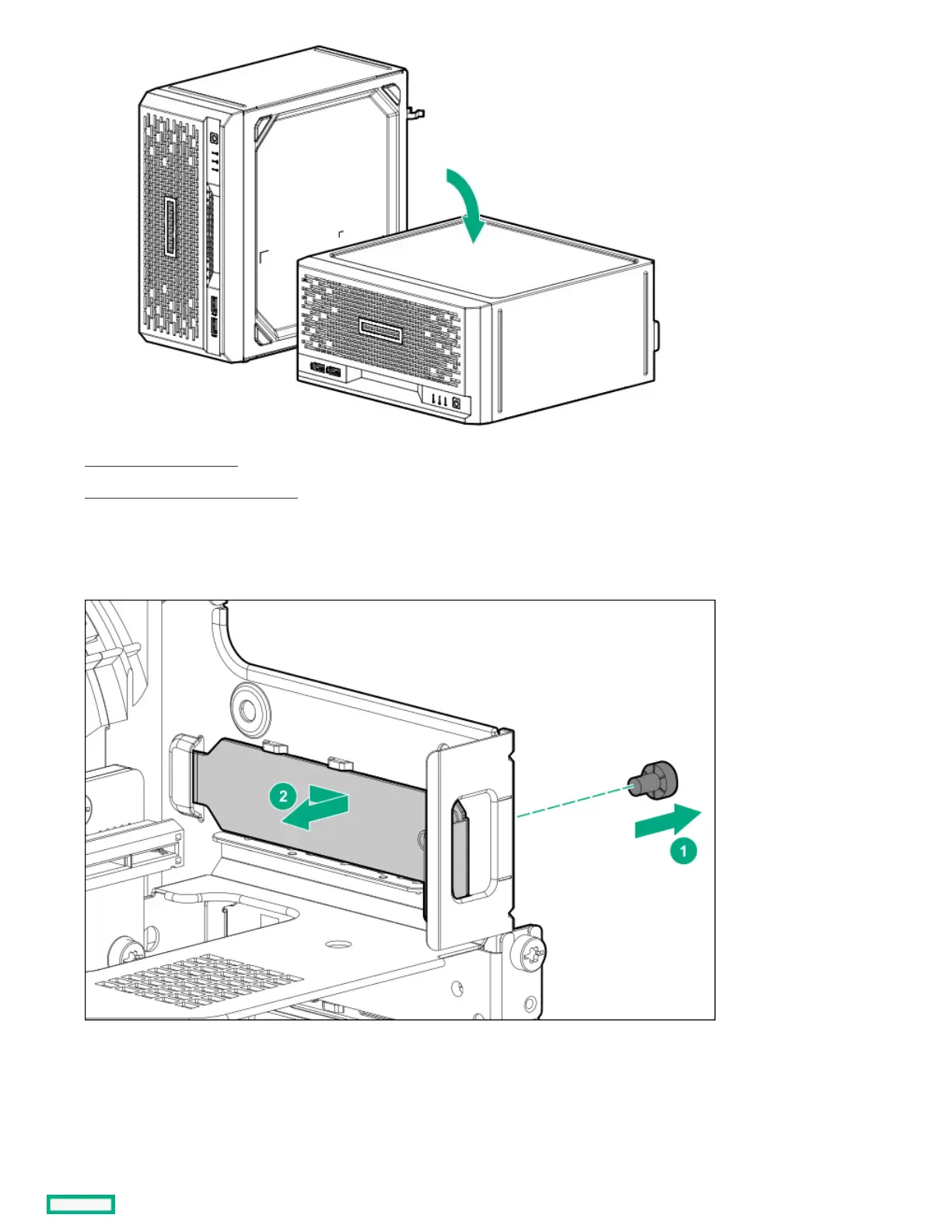
9. Remove the iLO enablement module blank.
Retain the blank for future use.
10. Install the iLO enablement module (callout 1), and then install the screw on the rear panel (callout 2). Make sure that the module is
firmly seated in the slot.















 To Next Page