Chapter 5 Operation Instructions Shenzhen Hpmont Technology Co., Ltd
―38― HD20 Series Inverters User Manual
The display panel of the HD20 inverter has five LED displays and their meanings are shown as
Table 5-3.
Table 5-3 LED display description
LED display
Meaning LED display
Meaning LED display
Meaning LED display Meaning
0
A
J
U
1
B
L
u
2
C
n
y
3
C
o
-
4
D
P
Point
5
E
q
Full display
6
F
r
No display
7
H
S
Flash
modifiable
8
H
T
9
i
t
5.2.2 Display Status
The display panel of the HD20 inverter can display the parameters at stopping, running, editing,
alarming and special status.
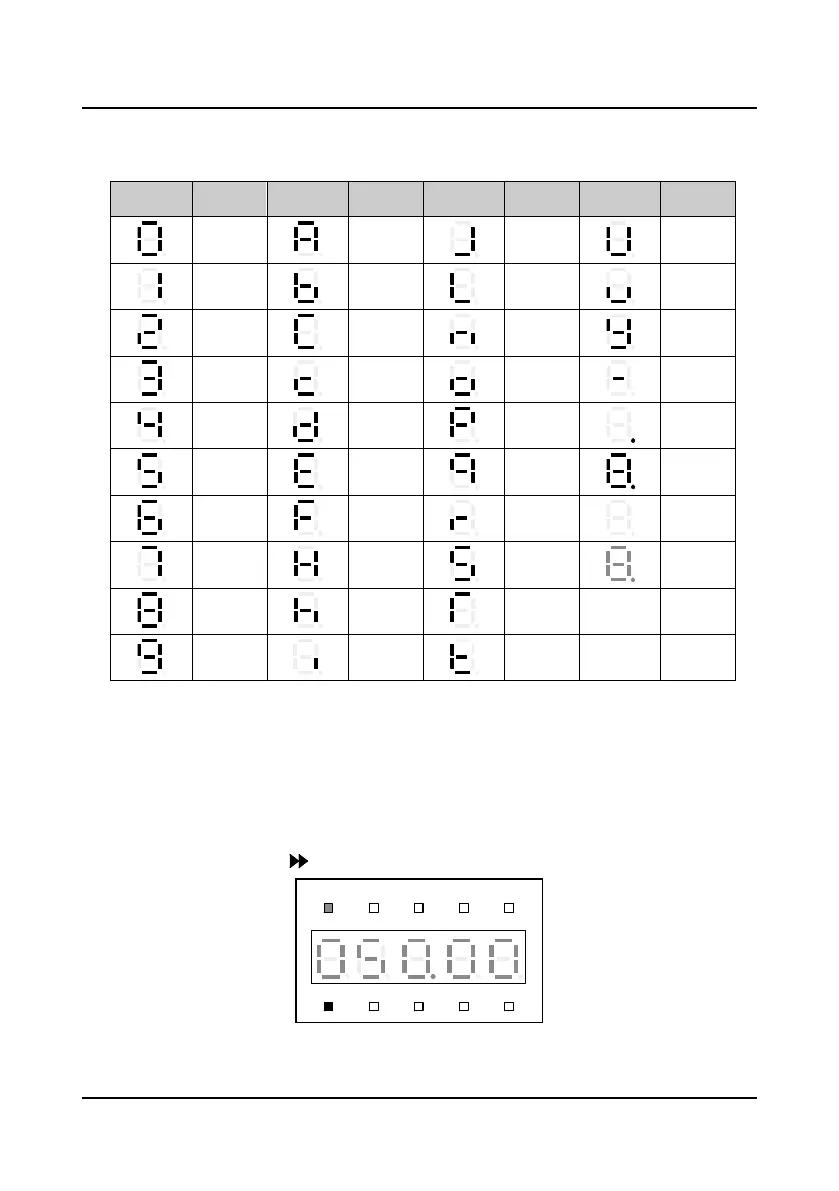
Parameter displayed status at stopping
When the inverter stops operating, the display panel will display stopping status parameter and
the unit indicator will display the parameter’s unit, as shown in Figure 5-2. Other parameters can
be displayed by pressing (defined by parameter F18.08
-
F18.13).
Figure 5-2 Display status of the display panel
Hz
A V RPM %
REVFWD ALM LO/RE LOCK

 To Next Page
 Loading...