EasyManua.ls Logo

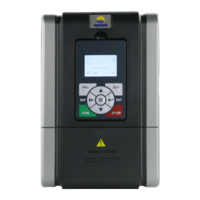
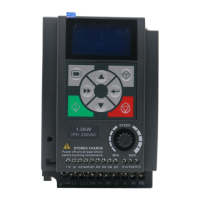
hpmont HD09-S Series - User Manual

hpmont HD09-S Series
110 pages
Print Icon
To Next Page IconTo Next Page
Loading...
V1.1 2018.07
HD09-S Series
High-performance Smart Inverter
User Manual
Single-phase 220 - 240V, 0.25 - 2.2kW
Three-phase 380 - 460V, 0.4 - 5.5kW

Table of Contents

Questions and Answers

  • C
    Catherine DavisAug 17, 2025
    What to do if my hpmont HD09-S is overloaded?
    • C
      charles55Aug 18, 2025
      If your hpmont Inverter is overloaded, there are several potential causes and solutions: * If the acceleration time is too short, adjust the acceleration time using parameters F03.01, F08.03, F08.05, and F08.07. * If the motor parameters are not set correctly, set the correct motor parameters using F08.00 - F08.04. * If the V/f curve or torque boost settings are improper, leading to overcurrent, adjust the V/f curve using F09.01 - F09.06 or the torque boost using F09.07 and F09.08. * If using vector control without parameter auto-tuning, perform parameter self-tuning (F08.06). * Check that the mains supply voltage is adequate. * If the motor load is too high, use an inverter with a proper power rating.
  • K
    Karen WilsonAug 20, 2025
    How to fix hpmont Inverter output over current?
    • E
      Erica CooperAug 20, 2025
      If your hpmont Inverter shows an output over current during acceleration, consider these possible causes and solutions: * Ensure the inverter and motor are properly connected. * Set the correct motor parameters using settings F08.00 - F08.04. * If the inverter's rating is too small, select an inverter with a higher rating. * Adjust the acceleration and deceleration times using parameters F03.01 - F03.08 if they are too short. * If using vector control, perform parameter self-tuning (F08.06).
  • R
    ramirezelizabethAug 22, 2025
    What causes motor overload in hpmont HD09-S and how to resolve it?
    • S
      sarahmirandaAug 22, 2025
      If you are experiencing motor overload with your hpmont Inverter, here are some possible causes and solutions: * If the V/f curve setting is improper, adjust it using parameters F09.01 - F09.06. * Ensure that the mains supply voltage is adequate. * For long-term, low-speed, high-load operation, consider replacing the motor with a variable frequency motor. * If the motor runs with blocked torque or the load is too heavy, check the load and mechanical transmission devices.
  • C
    christinepatelAug 26, 2025
    How to correct parameter setting errors on hpmont Inverter?
    • K
      Kevin KentAug 26, 2025
      To correct parameter setting errors on your hpmont Inverter: * Select a motor that matches the drive power if the motor's rated power is far from the drive's rated power. * Set the correct motor parameters using settings F08.00 - F08.04 if the motor parameter setting is improper.
  • M
    Matthew WoodsAug 27, 2025
    Why is my hpmont HD09-S showing stall overvoltage, and how can I fix it?
    • B
      blake13Aug 28, 2025
      If your hpmont Inverter is showing a stall overvoltage error, it could be due to: * Bus voltage being too high: Check the power input or the function of the brake. * The stall overvoltage setting being too low: Set the value of stall overvoltage properly (F19.19).
  • V
    Vickie NewtonAug 30, 2025
    How to resolve heatsink overheat on hpmont Inverter?
    • M
      Marcus YoungAug 30, 2025
      If your hpmont Inverter's heatsink is overheating: * If the ambient temperature is too high, use an inverter with higher power capacity. * If the inverter's external ventilation is poor, improve the ventilation around it. * If the fan is faulty, replace the cooling fan. * If a fault occurs to temperature detection circuit, please seek technical support.
  • R
    Robert StantonSep 1, 2025
    What causes a fault of output phase in hpmont Inverter?
    • D
      Dr. Larry BrownSep 1, 2025
      A fault in the output phase of your hpmont Inverter can be caused by: * Output phase disconnection or loss: Check the connection between the inverter and the motor. * Heavy imbalance of the inverter’s three-phase load: Check the quality of the motor.
  • R
    richardsinghSep 4, 2025
    What to do if hpmont HD09-S Inverter parameters auto-tuning fails?
    • D
      David SharpSep 4, 2025
      If the parameter auto-tuning fails on your hpmont Inverter: * Check the motor’s connection if the parameter auto-tuning times out. * Input the correct motor parameters (F08.01 - F08.04). * If the issue persists, seek technical support.
  • M
    martinalexisSep 6, 2025
    How to troubleshoot SCI communication errors on hpmont HD09-S?
    • T
      Tyler ShortSep 6, 2025
      To troubleshoot SCI communication errors on your hpmont Inverter: * Check the connection of the communication cable for faults. * Ensure the cable is securely connected. * Correctly set the communication format (F17.00) and baud rate (F17.01). * Verify the communication data for errors.
  • J
    Jose Bennett DDSSep 9, 2025
    What causes operation keypad EEPROM read and write problems in hpmont Inverter?
    • M
      Molly JordanSep 9, 2025
      If you're experiencing operation keypad EEPROM read and write problems with your hpmont Inverter, it could be due to: * The control keypad EEPROM memory circuit has failed: Replace the operator keypad. * If the issue persists, contact factory maintenance.

Summary

Foreword

Chapter 1 Safety Information

Safety Definition

Defines safety marks like Danger, Warning, and Note used in the manual.

Professional Staff

Specifies that only qualified and trained personnel should perform installation and maintenance.

Chapter 2 Product Information

Product Nameplate Information

Details the information found on the product's nameplate label.

Product Power Label Details

Explains the power label located below the keypad for product identification.

Rated Product Values

Lists the rated input/output values for single-phase and three-phase power supplies.

Chapter 3 Mechanical Installation

Product Dimensions and Weight

Details the physical dimensions, mounting dimensions, and weight for different product sizes.

Installation Site Requirements

Specifies environmental and spatial requirements for installing the inverter.

Exterior Keypad Installation

Describes the installation procedures for the optional HD-LED-P and HD-LED-P-S keypads.

Chapter 4 Electrical Installation

Electric Requirements

Covers grounding and wiring requirements for electrical installation.

Power Terminals and Connection

Details the description and connection of power terminals for different product sizes.

Control Terminals and Connection

Explains the control terminals and their wiring configurations.

External Keypad or Upper Computer Connection

Describes connecting external keypads or computers via RJ45 terminals.

Chapter 5 Technical Data

Peripheral Accessories Selection

Details wiring specifications for MCCB, contactors, and cables for inverter selection.

Braking Resistor Specifications

Lists resistance values and power ratings for braking resistors based on inverter size.

Technical Data Specifications

Provides detailed electrical, environmental, and accessory specifications for the inverter.

Chapter 6 Operation

Keypad Interface Overview

Details the standard LCD and optional LED keypads, including button functions and indicators.

Shutdown and Operating Status Parameters

Explains how to cycle through and view stop/run status parameters.

Keypad Control Operation

Guides on operating the inverter (start, stop, parameter setting) using the keypad.

Terminal Control Operation

Explains how to control the inverter (start, stop, direction) using external terminals.

Communication Control Operation

Details controlling the inverter via host computer communication (slave mode).

Chapter 7 Detailed Function Introduction

Status Display Parameters (d00)

Details various inverter status bits and parameters displayed on the keypad.

Basic Parameters (F00)

Covers fundamental settings like control mode, output frequency limits, and operation access.

Parameter Protection Function (F01)

Explains how to set user passwords and initialize parameters for security.

Start and Stop Control Parameters (F02)

Configures start modes, dwell frequencies, DC braking, and stopping modes.

Acceleration and Deceleration Parameters (F03)

Sets linear or S-curve acceleration/deceleration times and modes.

Process PID Control Parameters (F04)

Configures PID control for regulating pressure, level, temperature, etc.

External Setting Curve Parameters (F05)

Defines straight line or polyline curves for external frequency setting.

Multistage Speed Function (F06)

Allows setting up multiple predefined speed instructions for operation.

Motor Parameters (F08)

Input and self-tuning parameters for the connected motor.

V;f Control Parameters (F09)

Configures V/f curves, torque boost, and slip compensation for V/f control.

Motor Vector Control Speed Loop Parameters (F10)

Configures PID parameters for the speed regulator in vector control mode.

Motor Vector Control Current Loop Parameters (F11)

Configures PI parameters for the current loop regulator in vector control mode.

Digital Input;Output Terminals Parameter (F15)

Configures functions for digital inputs (DI) and outputs (DO).

Analogue Input;Output Terminal Parameters (F16)

Configures analogue inputs (AI) and outputs (AO) for settings and feedback.

SCI Communication Parameters (F17)

Configures serial communication (SCI) settings like data format and baud rate.

Display Control Parameters (F18)

Customizes parameters displayed on the keypad during running and stopping.

Enhancement Parameters (F19)

Configures auxiliary frequency settings, fan control, and zero-frequency operation.

Fault Protection Parameters (F20)

Configures overload protection, output phase faults, and automatic reset functions.

PWM Control Parameters (F23)

Configures carrier frequency, PWM modulation modes, and switching points.

AI Correction Parameters (R02)

Guides on calibrating analogue input signals for accurate readings.

Chapter 8 Troubleshooting and Maintenance

Troubleshooting Faults

Provides a table of common faults, their reasons, and corresponding counter-measures.

Maintenance Procedures

Details daily and periodical maintenance tasks to ensure inverter longevity and performance.

Chapter 9 MODBUS Communication Protocol

Communication Terminal Interface

Details the RJ45 communication terminal pinout and signal definitions.

Transmitted Value Calibration Relationship

Explains how transmitted values correspond to calibration relationships for parameters.

Protocol Functions

Lists supported MODBUS functions for reading and writing parameters.

Address Mapping Relationship

Maps function parameters, control commands, and status parameters to register addresses.

Chapter 10 Parameter

Status Display Parameters (d00)

Details the status display parameters and their meanings.

Basic Parameters (F00)

Covers fundamental settings like control mode, output frequency limits, and operation access.

Parameter Protection Function (F01)

Explains how to set user passwords and initialize parameters for security.

Start and Stop Control Parameters (F02)

Configures start modes, dwell frequencies, DC braking, and stopping modes.

Acceleration and Deceleration Parameters (F03)

Sets linear or S-curve acceleration/deceleration times and modes.

Process PID Control Parameters (F04)

Configures PID control for regulating pressure, level, temperature, etc.

External Setting Curve Parameters (F05)

Defines straight line or polyline curves for external frequency setting.

Multistage Speed Function (F06)

Allows setting up multiple predefined speed instructions for operation.

Motor Parameters (F08)

Input and self-tuning parameters for the connected motor.

V;f Control Parameters (F09)

Configures V/f curves, torque boost, and slip compensation for V/f control.

Motor Vector Control Speed Loop Parameters (F10)

Configures PID parameters for the speed regulator in vector control mode.

Motor Vector Control Current Loop Parameters (F11)

Configures PI parameters for the current loop regulator in vector control mode.

Digital Input;Output Terminals Parameter (F15)

Configures functions for digital inputs (DI) and outputs (DO).

Analogue Input;Output Terminal Parameters (F16)

Configures analogue inputs (AI) and outputs (AO) for settings and feedback.

SCI Communication Parameters (F17)

Configures serial communication (SCI) settings like data format and baud rate.

Display Control Parameters (F18)

Customizes parameters displayed on the keypad during running and stopping.

Enhancement Parameters (F19)

Configures auxiliary frequency settings, fan control, and zero-frequency operation.

Fault Protection Parameters (F20)

Configures overload protection, output phase faults, and automatic reset functions.

PWM Control Parameters (F23)

Configures carrier frequency, PWM modulation modes, and switching points.

AI Correction Parameters (R02)

Guides on calibrating analogue input signals for accurate readings.

hpmont HD09-S Series Specifications

General IconGeneral
Brandhpmont
ModelHD09-S Series
CategoryInverter
LanguageEnglish

Related product manuals