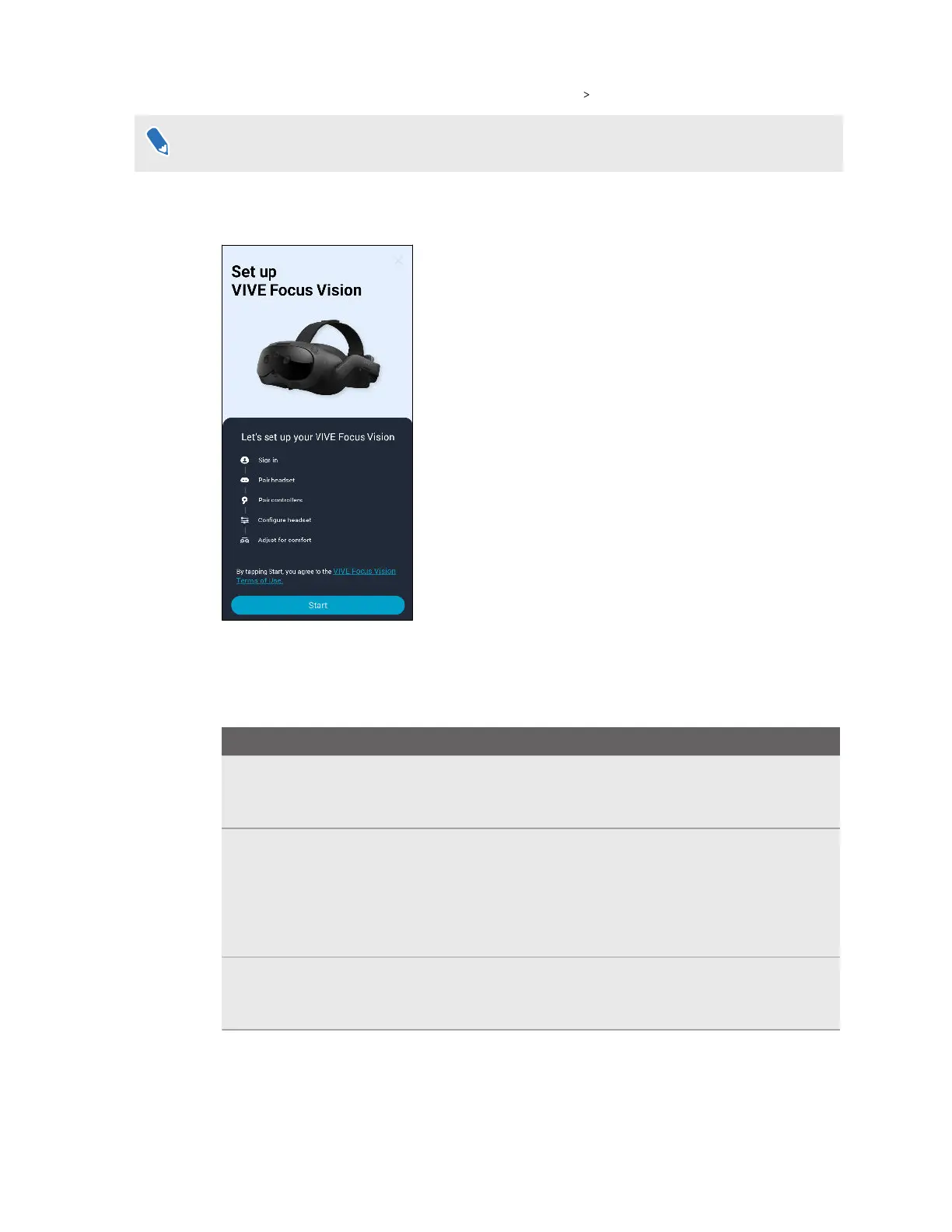
3. On the Welcome screen, select VIVE Focus Vision Next.
If you haven't installed the battery and turned on the headset, follow the onscreen instructions.
4. Follow the onscreen prompts to grant permission to VIVE Manager.
5. Tap Start to begin setting up your headset.
6.
Sign in with your HTC account, or create a new account using your email address or phone
number.
7. Follow the onscreen instructions to set up the following:
Task
Steps
Pair VIVE Manager
with your headset
When your headset receives a pairing request from VIVE
Manager, the front headset LED will flash white. When the LED
starts flashing, press the headset button.
Choose a Wi-Fi
®
network
Connect your headset to a Wi-Fi network by entering the login
credentials or scanning a Wi-Fi QR code.
Note: If you select a corporate or public network that requires
connecting through their login page, you'll need to complete
the login process in the headset.
Pair controllers Turn on the controllers. The headset can automatically pair
with the controllers that came in the box. You can also pair
controllers manually.
24 Getting started



 To Next Page