6. Review your profile information and click Create.
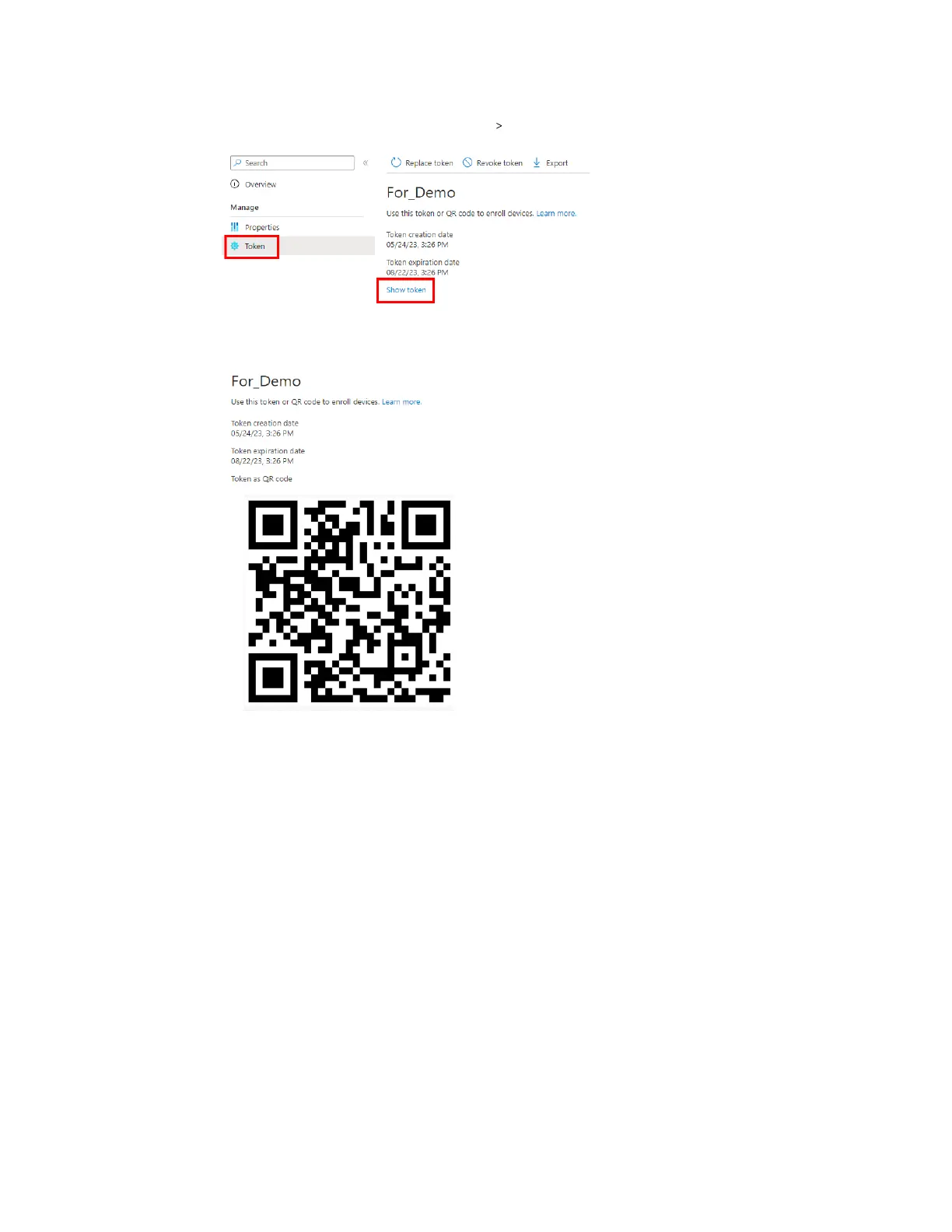
7. Open your profile page and click Token Show token.
The enrollment token's QR code will be displayed.
Keep this page open as you'll need to scan the QR code with your headset to enroll it and set it
up for Microsoft Intune. Also, zoom in on the webpage to make the QR code bigger. See Enrolling
the headset and setting it up for Microsoft Intune on page 77.
76 VIVE Focus Vision for Business



 To Next Page