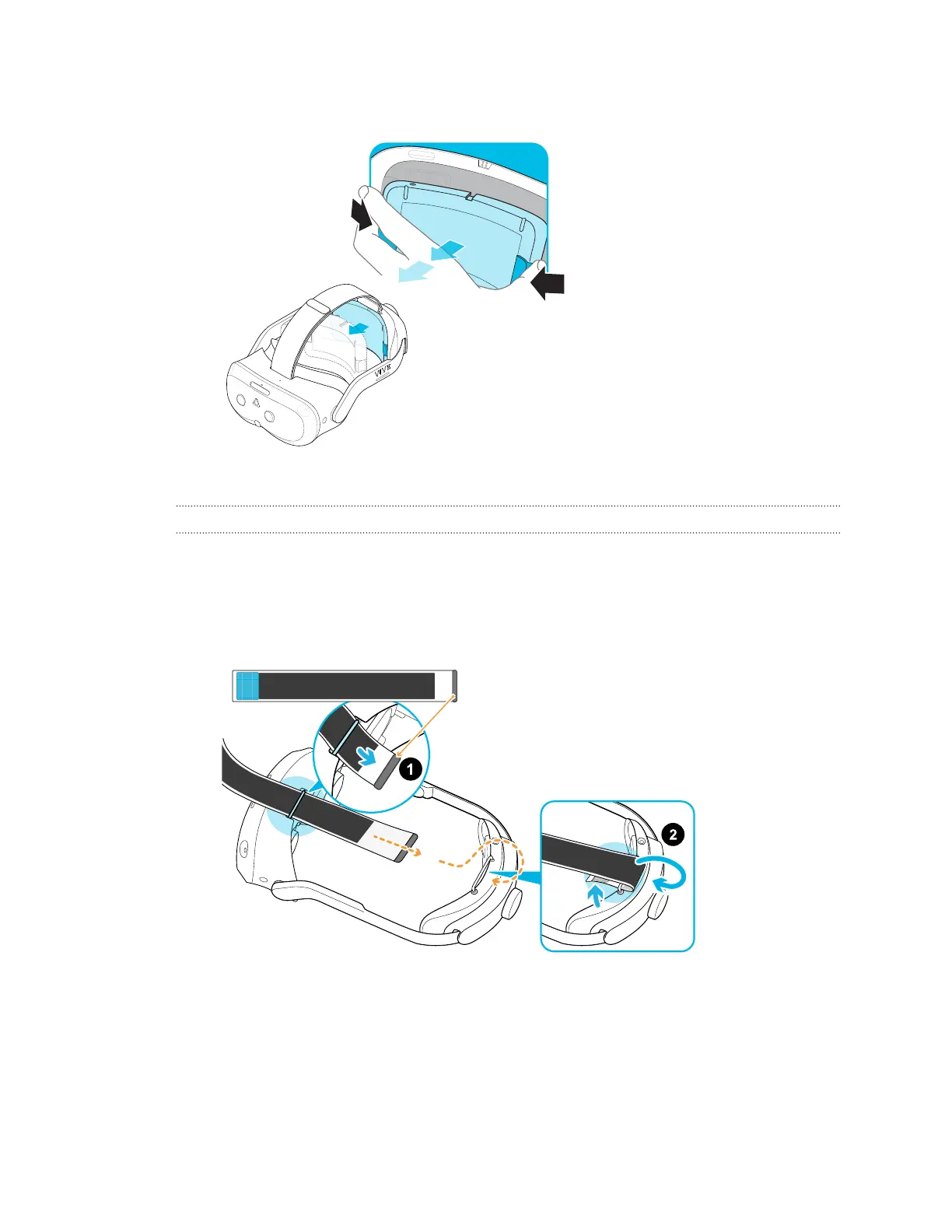
5. Take out the battery by squeezing and holding the latches on both sides, and then pull to
remove.
6. Pack the headset carefully and send it for repair.
How do I reassemble the headset after repair?
After receiving your repaired headset, reattach the accessories to your headset. Here's how:
1. Reattach the top strap. With the thin velcro strip facing forward, thread the top strap
through the top of the loop on the front of the headset. Pull through, and then thread
through the back loop from behind. Reattach the velcro.
2. Reattach the battery. See Attaching the battery to the headset on page 14.
86 Solutions and FAQs



 To Next Page