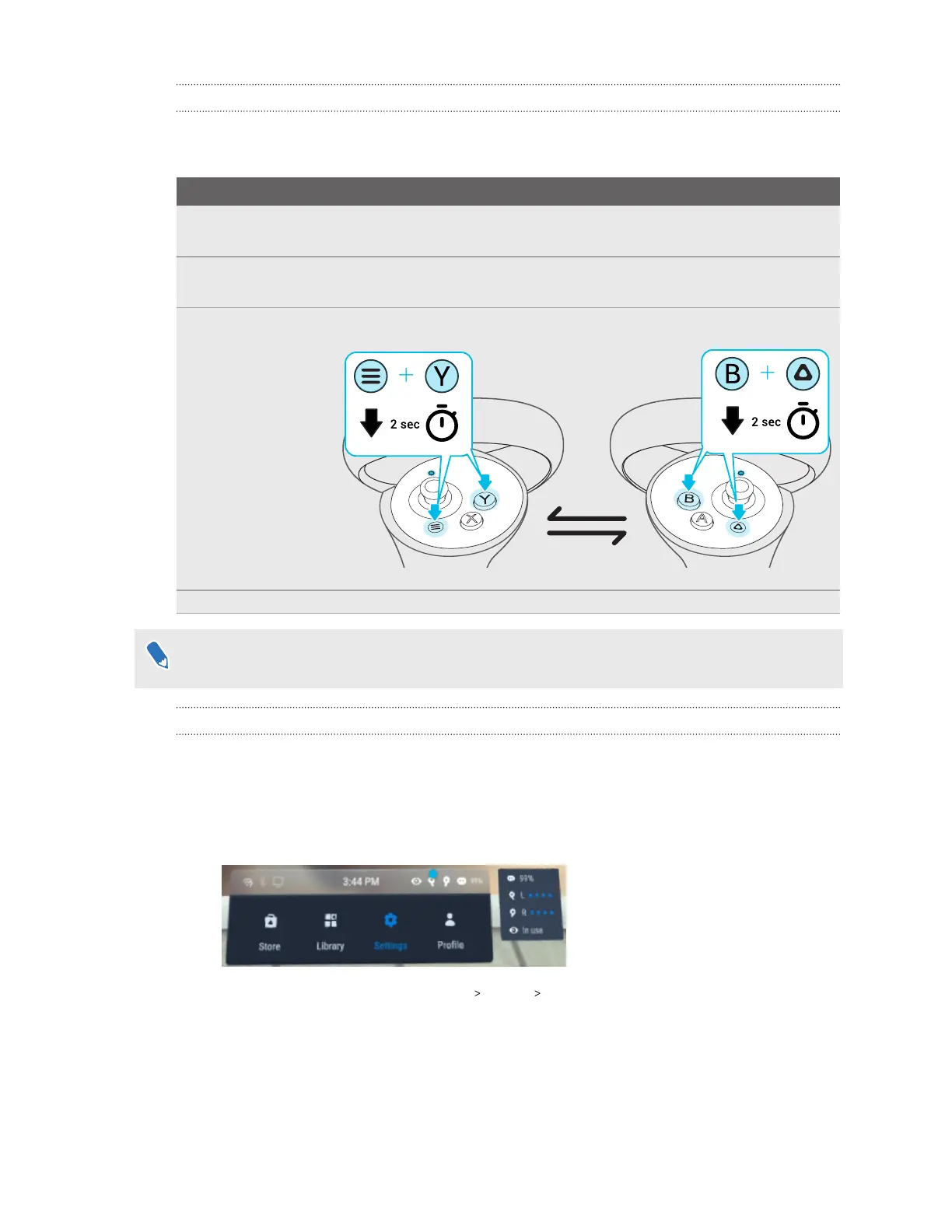
What do the controller buttons do?
Controls in VR are set by whatever content you're currently using, but there some controller-
specific functions for power and pairing. Here's what the additional controls do:
Function Button
Turn the controllers
on.
Briefly press the VIVE and Menu buttons.
Turn the controllers
off.
Press and hold the VIVE or Menu buttons for 2 seconds.
Put the controllers in
pairing mode.
Press and hold Menu + Y and VIVE + B for 2 seconds.
If your headset has previously paired with controllers, you will need to use the headset button
or VIVE Manager to forget the controllers before you can pair them again.
How do I check the power level of my controllers?
To check the power level of your controllers, put on the headset and do any of the following:
§ Look down at the dashboard. Use your controller to select any of the icons on the top-right
corner of the dashboard.
You'll then see the power level of the controllers.
§ From the dashboard, go to Settings Inputs Controllers.
89 Solutions and FAQs



 To Next Page