Can I cast VIVE Focus Vision to a computer?
Yes. You can cast VIVE Focus Vision to a Windows computer that supports Miracast.
Checking Miracast support
Here's how to check if your computer supports Miracast:
1. Open the command prompt window.
a) Press the Windows logo and R keys to open the Run dialog box.
b) Enter cmd, and then click OK.
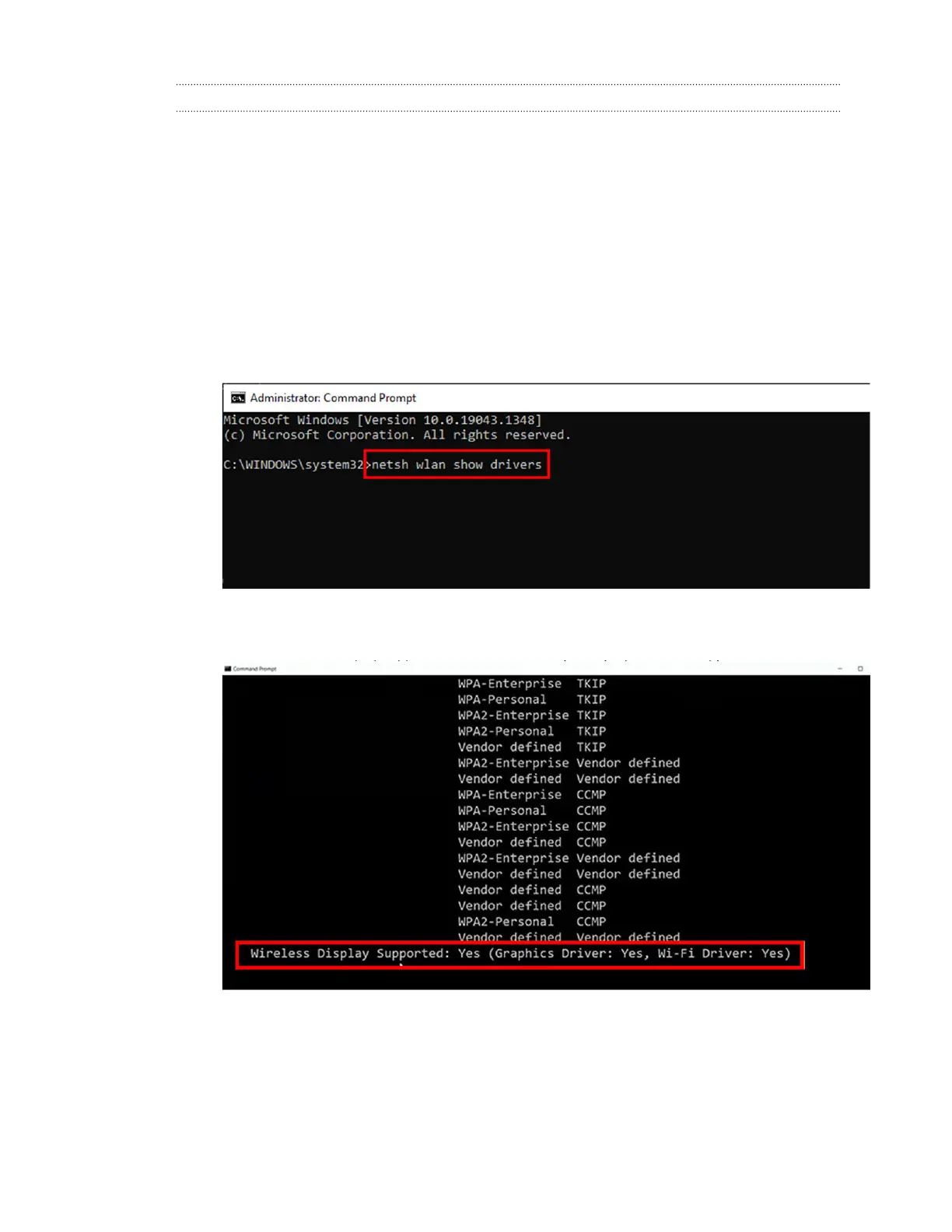
2. In the command prompt window, enter the following command:
netsh wlan show drivers
3. In the driver details, check if Wireless Display Supported displays Yes, which
means your computer supports Miracast.
99 Solutions and FAQs



 To Next Page