Setting up casting on your computer
Here's how to enable casting on your Windows computer:
1. Open the command prompt window as an administrator.
a) Press the Windows logo and R keys to open the Run dialog box.
b) Enter cmd, and then press Ctrl + Shift + Enter.
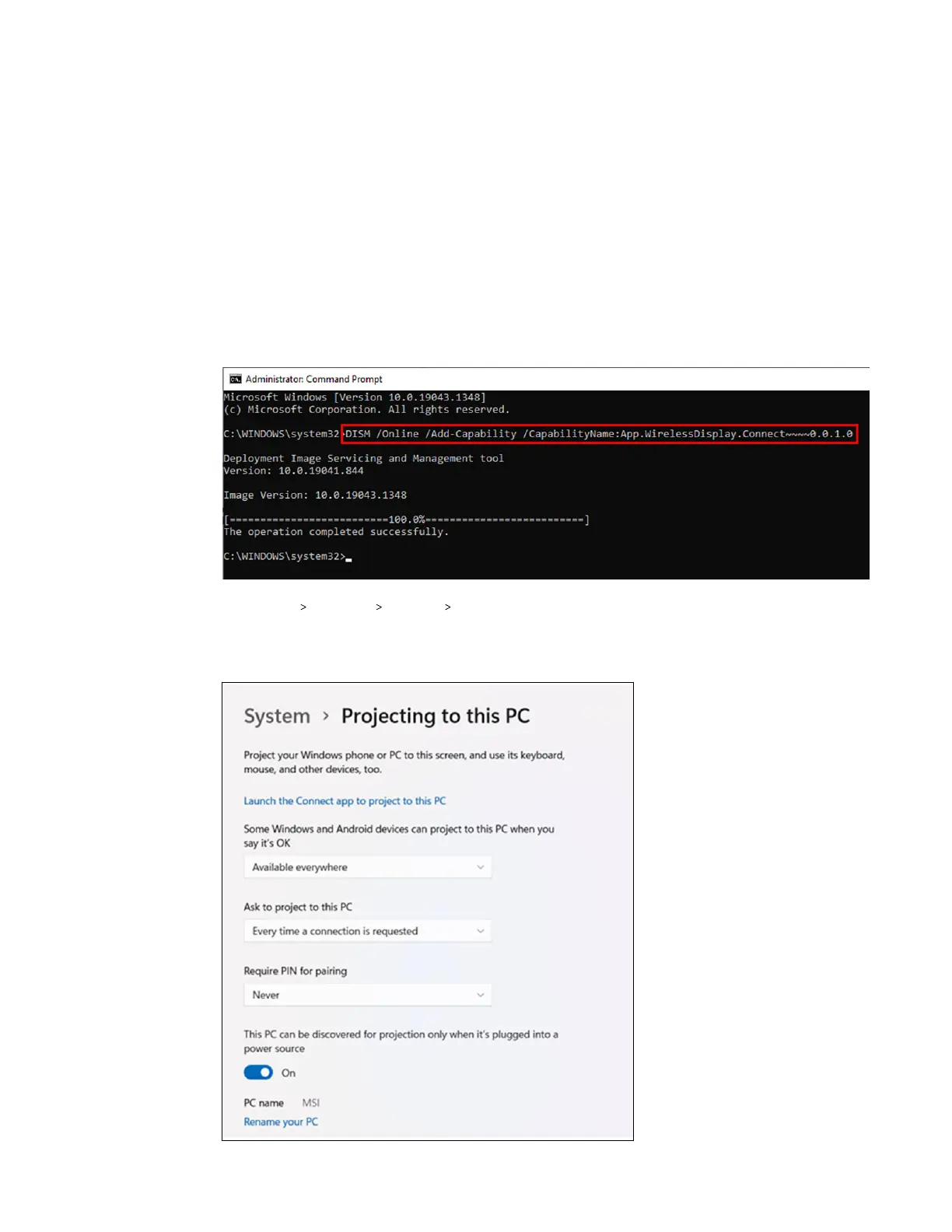
2. In the command prompt window, run the following command and wait for the operation to
complete:
DISM /Online /Add-Capability /
CapabilityName:App.WirelessDisplay.Connect~~~~0.0.1.0
3. Click Start Settings System Projecting to this PC.
4. To allow VIVE Focus Vision to cast to your computer, configure your projection settings as
follows:
100 Solutions and FAQs



 To Next Page