eSpace IAD
Troubleshooting
3 Common Troubleshooting Methods
Huawei Proprietary and Confidential
Copyright © Huawei Technologies Co., Ltd.
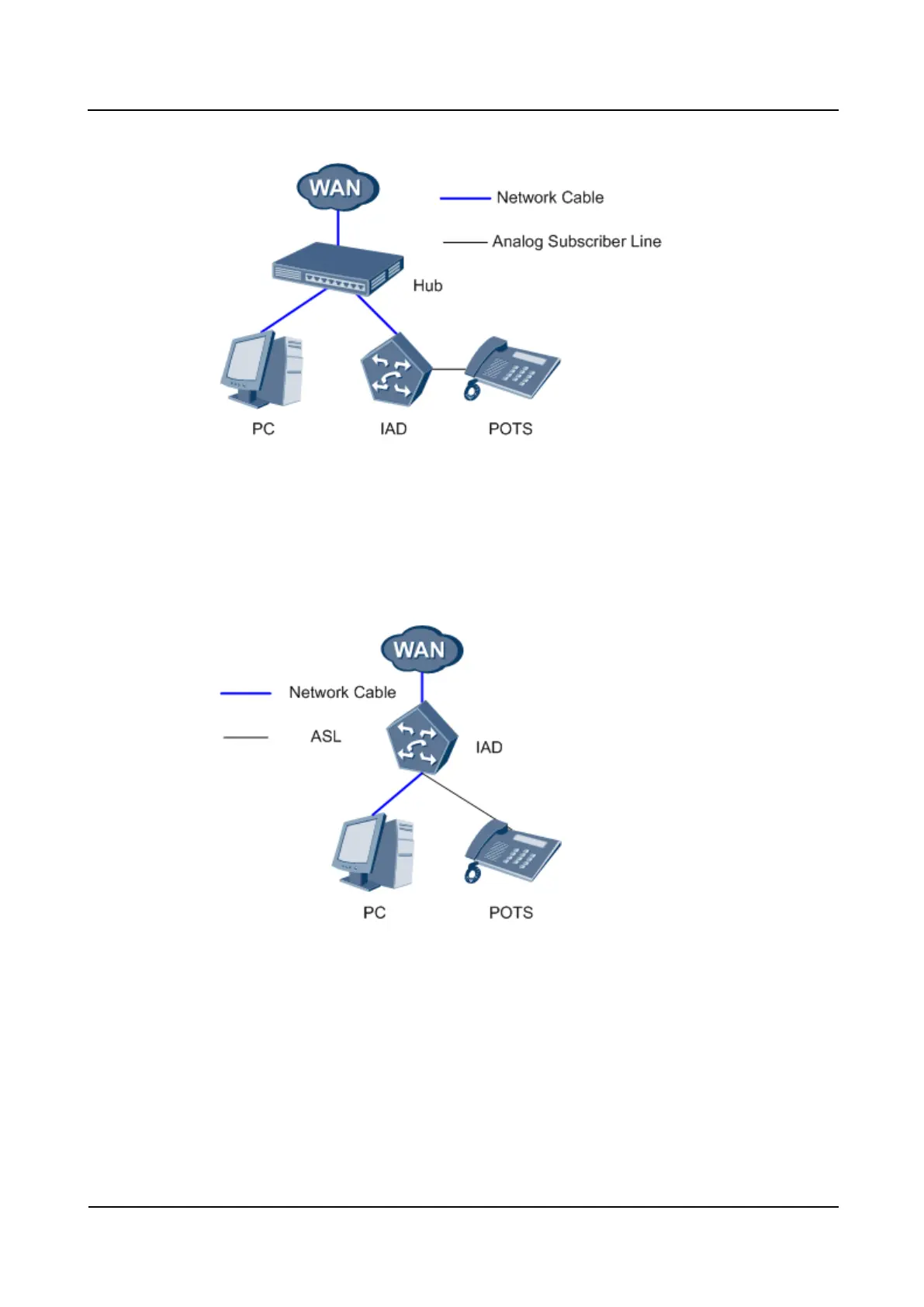
Figure 3-9 Capturing packets by means of the Hub
Capturing packets by using the mirror port on the IAD208E(M), IAD132E(T), and
IAD1224
Connect the PC that is used to capture packets to the IAD. The networking scheme is shown
in Figure 3-10.
Figure 3-10 Capturing packets by using the mirror port on the IAD
Configure the mirror port on the IADs by running the
TERMINAL(lanswitch)#monitorsource-portobserving-portdestination-port command.
Table 3-2 describes the parameters in the command.
For example:
TERMINAL(lanswitch)#monitor 1 observing-port 2
Monitor lsw interface succeed
After configuring the port, port 2 can capture packets of port 1.








 To Next Page