eSpace IAD
Troubleshooting
3 Common Troubleshooting Methods
Huawei Proprietary and Confidential
Copyright © Huawei Technologies Co., Ltd.
Step 4 Use the filter.
Enter filter condition in the Filter textbox under toolbar and then click Apply on the
right (or press Enter). For example, if you enter rtp, only the packets in RTP protocol
are displayed.
Use defined filters:
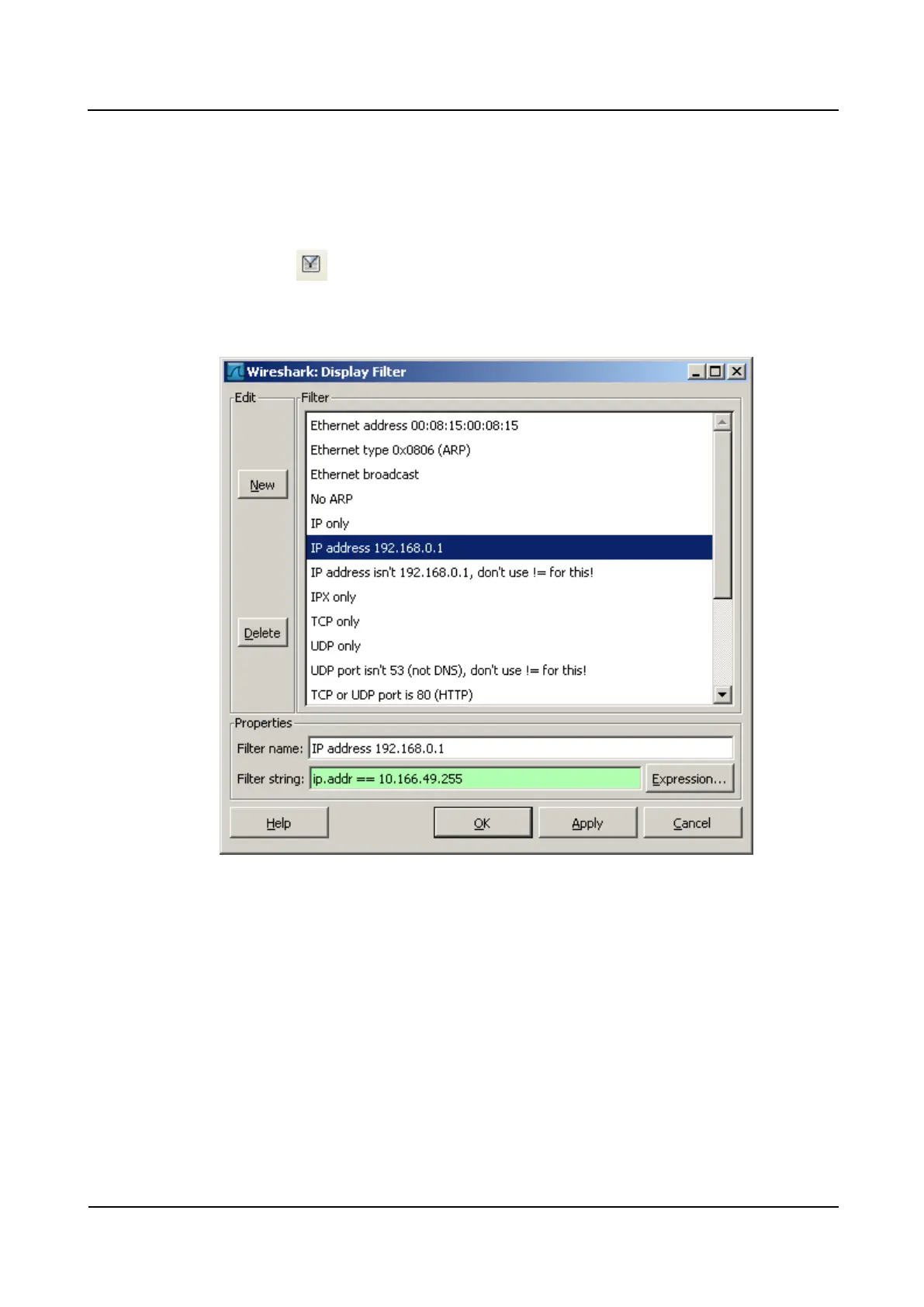
1. Click on the right of the toolbar to enable the common filtering conditions. A
dialog box as shown in Figure 3-13 is displayed.
Figure 3-13 Setting Filtering Conditions
2. For example, to view only the packets whose destination IP address is 10.166.49.255,
you need to select IP address 192.168.0.1 in Filter, change the IP address in the Filter
string text box to 10.166.49.255, and then click OK.
Only the packets whose destination IP address is 10.166.49.255 are displayed on the
main page of Wireshark, as shown in Figure 3-14.








 To Next Page