eSpace IAD
Troubleshooting
3 Common Troubleshooting Methods
Huawei Proprietary and Confidential
Copyright © Huawei Technologies Co., Ltd.
Only one port can be set to the monitoring port on a switch. This port cannot monitor itself.
The method for setting mirror ports on switches varies according to the switch type. Huawei
Quidway S3000 is used as an example.
Step 1 Connect the PC used to capture packets to port 24 to capture packets.
Step 2 Connect the WAN port of the IAD to port 18 on the switch.
Step 3 Log in to the switch through the serial cable.
Step 4 Run the system-view command to enter the system view.
Step 5 Run the monitor-port ethernet 0/24 command to set port 24 as the destination mirror port to
monitor other ports.
Step 6 Run the mirroring-port ethernet 0/18 command to set port 18 as the source mirror port. The
source mirror port is monitored by the destination mirror port.
Step 7 Run the display mirror command to view the configuration result.
You can run the mirroring-port Ethernet 0/1 to Ethernet 0/23 both command to monitor ports 1 to 23
or run the undo mirroring-port Ethernet 0/21 to Ethernet 0/23 both command to cancel the
monitoring on ports 21 to 23.
----End
Using the Wireshark to Capture Packets
Step 1 Open Wireshark (take version 1.0.6 for example), and then click on the left of the
toolbar.
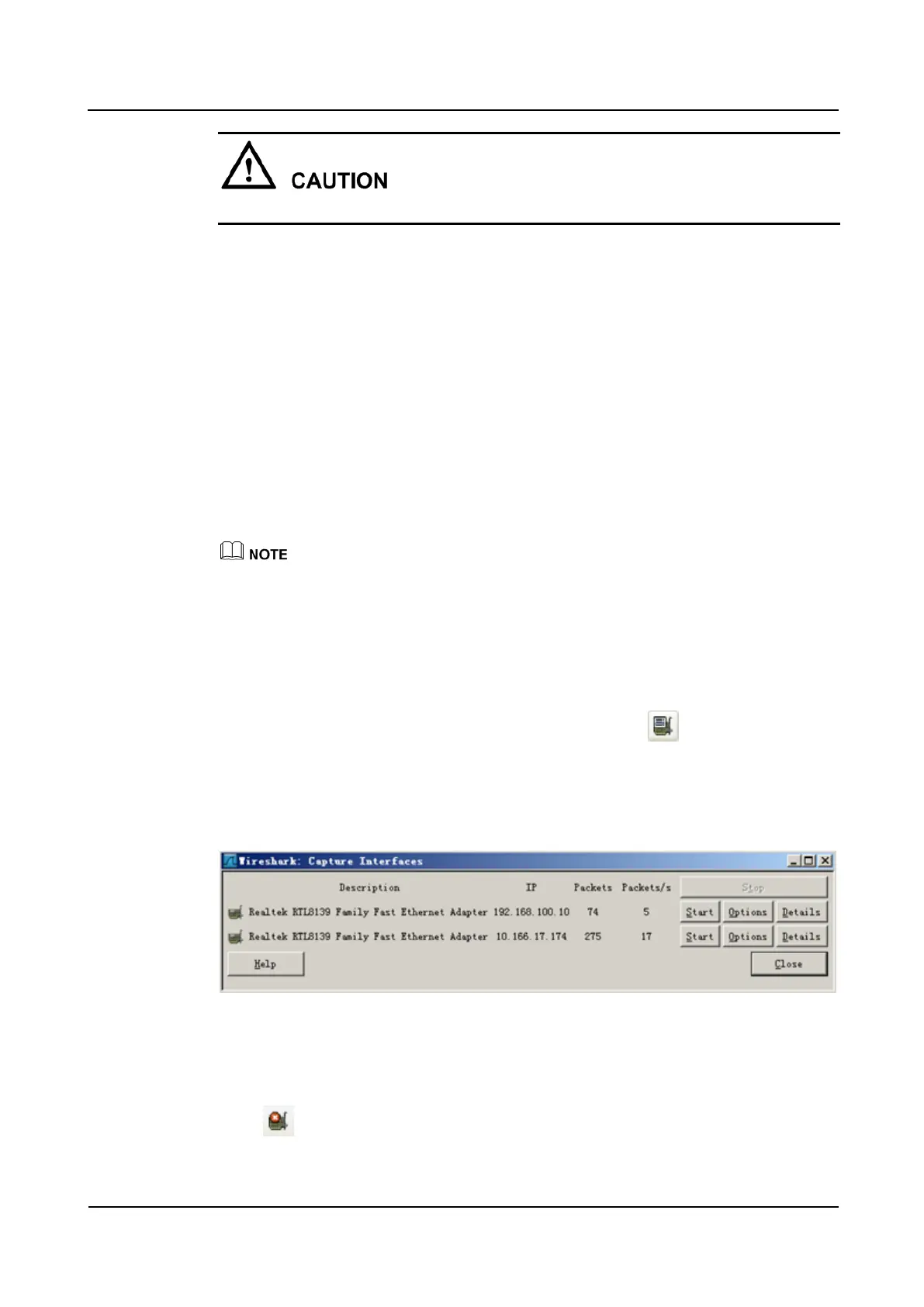
A dialog box as shown in Figure 3-12 is displayed.
Figure 3-12 Selecting network adapters for capturing packets
Step 2 If multiple network adapters are available (in this example, it is dual-network adapter), select
the network adapter whose IP address is in the same network segment as that of the IAD.
Click the corresponding Start to start the packet capture.
Step 3 Click on the left of the toolbar to stop the packet capture when enough packets are
captured.








 To Next Page