eSpace IAD
Troubleshooting
3 Common Troubleshooting Methods
Huawei Proprietary and Confidential
Copyright © Huawei Technologies Co., Ltd.
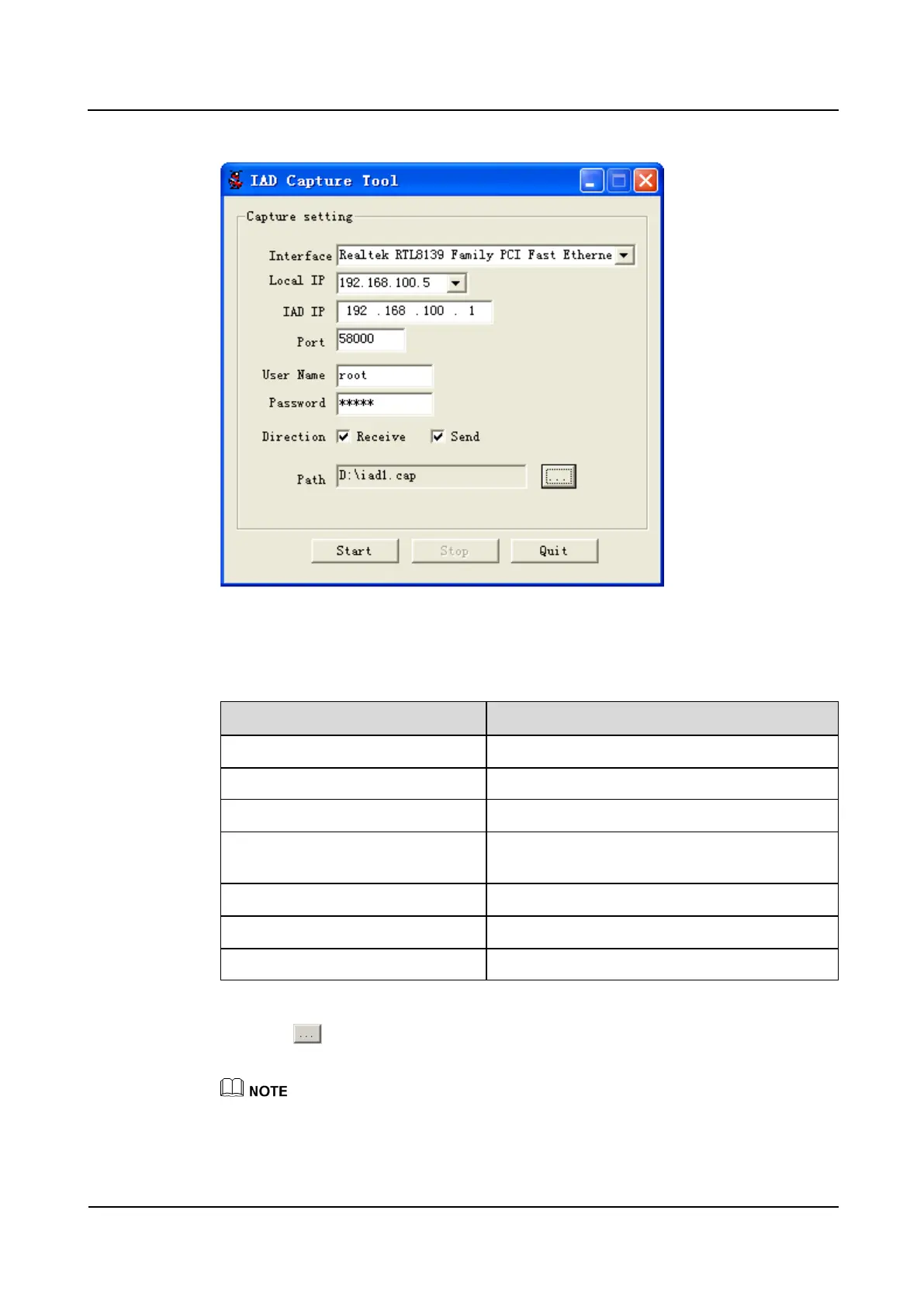
Figure 3-21 Capture tool interface
2. According to Table 3-5 to set the tool.
Table 3-5 setting on the tool
Select the network card style for capturing.
The IP address of the remote packet capture server
The IP address of the IAD.
Port number. The default port number 58000 is
proposed.
The user name for logging in the IAD.
The password for logging in the IAD.
3. click and enter the capture file name, for example, iad1. Then click Save.
4. Click Start to start capturing.
When the size of the file that recvTool captured reaches 30 MB, the tool will create a file and save it,
and then continue capturing flow.








 To Next Page