HUAWEI P6-U06 Smartphone FAQs
Huawei Proprietary and Confidential
Copyright © Huawei Technologies Co., Ltd
Manually adding an email account
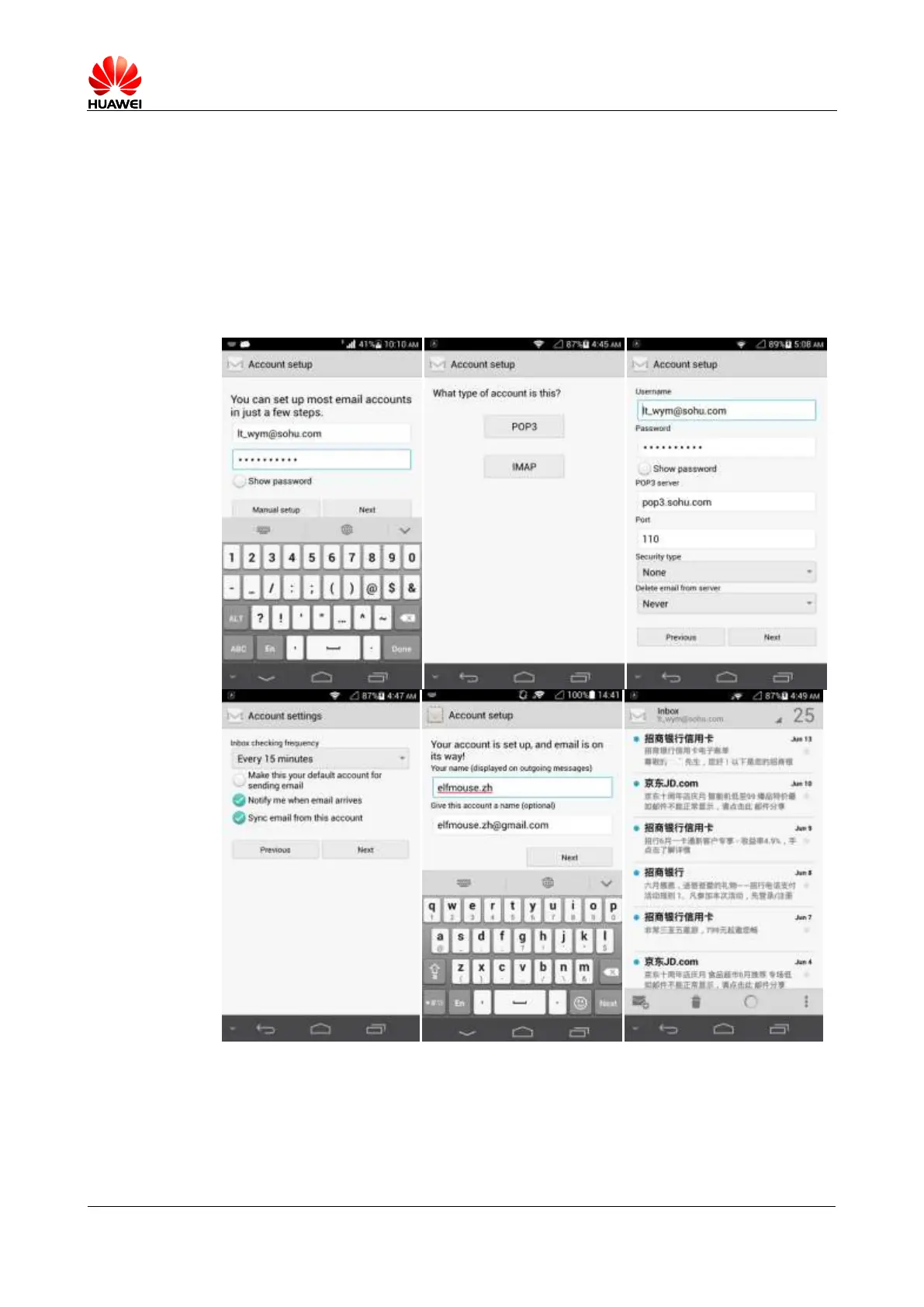
1. On the Account setup screen, enter your email address and password.
2. Touch Manual setup.
3. Touch POP3 and configure the POP3 sending server settings.
4. Touch Next and configure the POP3 receiving server settings.
5. Touch Next.
6. Set the user name and email account.
7. Touch Next. You will then access the inbox of the email account.



 To Next Page