Setting PV Power Parameters
Log in to the F
usionSolar app as an owner, tap the charger icon on the home
screen, choose Settings > Advanced Settings > PV Power
Conguration, and set
related parameters.
● Max Charging Power from Grid: maximum power that the charger can draw
from the power grid during charging in PV power mode.
● Surplus Power to Start Charging: When the PV feed-in power is greater than
this set value, the charger starts to charge the vehicle.
● Switch Between Single and Three Phases: When the charge power of a
three-phase charger is low, the charger can switch to single-phase charging.
You are advised to enable this function in PV scenarios to increase the PV
energy utilization rate.
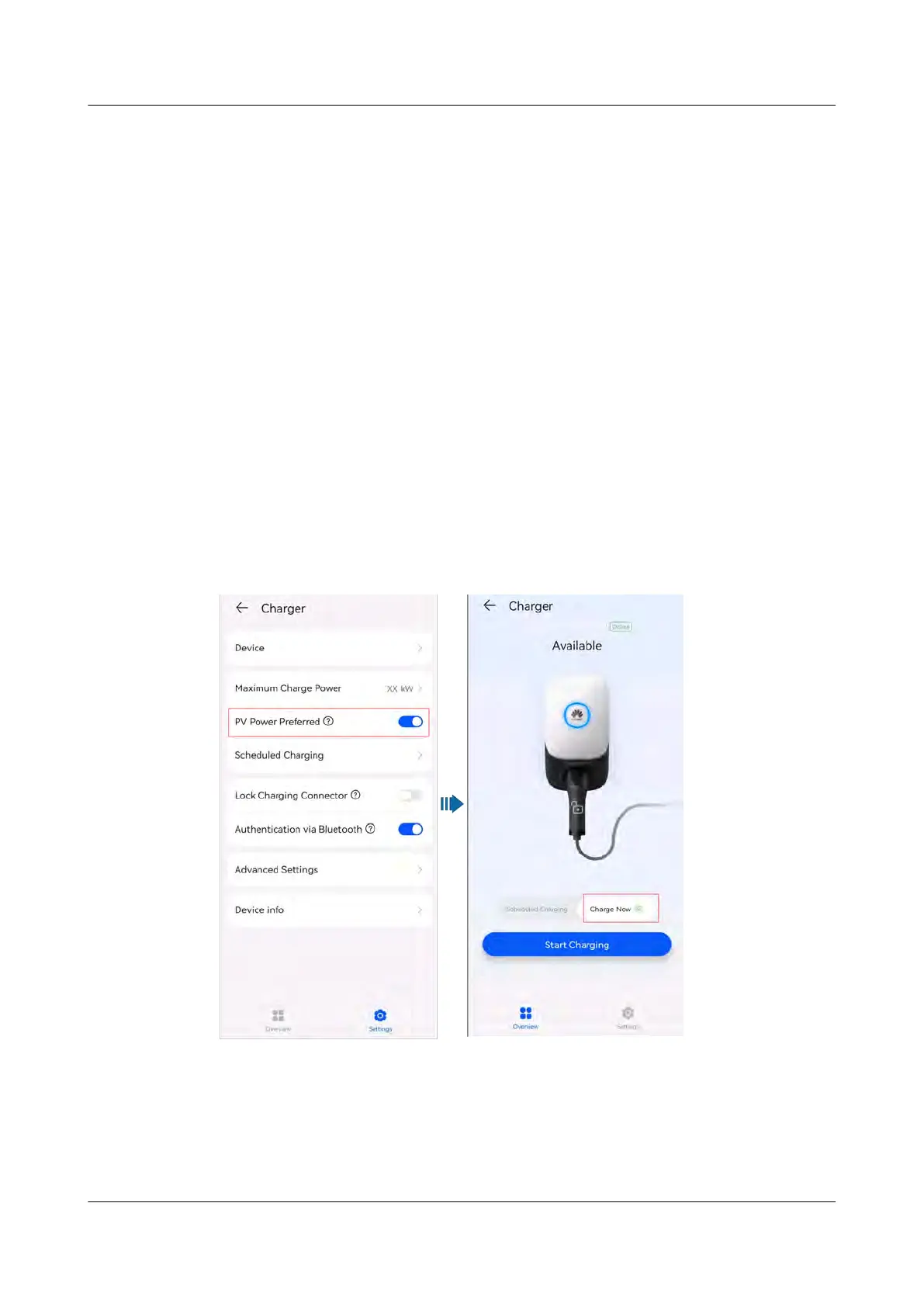
Enabling PV Power Preferred (Charge Now)
Log in to the FusionSolar app as an owner, tap the charger icon on the home
screen, and enable PV Power Preferred on the Settings screen. A green icon is
displayed on Charge Now.
Figure 2-10 Enabling PV power preferred
Enabling PV Power Preferred (Scheduled Charging)
Log in to the F
usionSolar app as an owner, tap the charger icon on the home
screen, tap Settings > Scheduled Charging, add a scheduled time period, and
enable the PV Power Preferred mode in the period.
PV+ESS+Charger Solution
User Manual 2 Solution Overview
Issue 02 (2023-01-13) Copyright © Huawei Technologies Co., Ltd. 27



 To Next Page