4.5.5 Starting and Stopping Charging Using an RFID Card
Pr
ecautions
● Before charging, make sure your RFID card has been added to the system. For
details, see Adding an RFID Card.
● Before charging, you need to completely insert the charging connector into
the charger and vehicle. If the indicator on the charger turns blue on and o
cyclically (on for 4s and o for 1s), the charger is successfully connected to
the v
ehicle.
Starting Charging
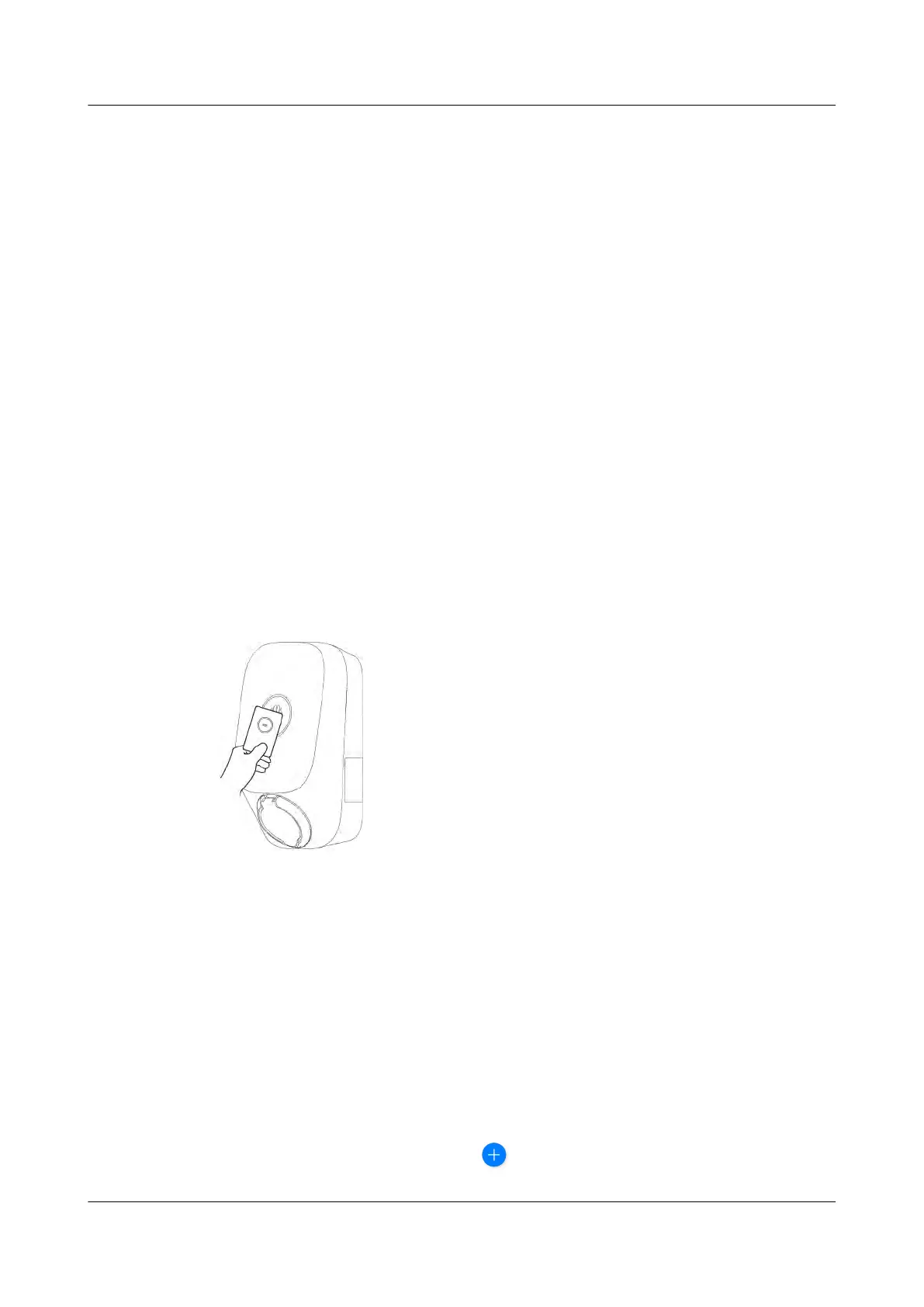
Place the ring pattern on the RFID card in the swiping area. If the indicator blinks
blue fast three times, the card is swiped successfully.
● If scheduled charging is not set, wait until the indicator on the charger turns
blue on and o cyclically (on for 0.5s and o for 0.5s), indicating the charging
state.
●
If scheduled charging is set, the charger enters the waiting state and the
indicator turns blue on and o cyclically (pulsating blue for 4s and o for 1s).
The char
ging automatically starts at the scheduled time. You can also swipe
the card again to start charging immediately.
Figure 4-14 Charging by card swiping
Stopping Charging
Af
ter the vehicle is fully charged, the charger automatically stops charging. In this
case, the indicator is steady blue. You can also swipe the RFID card in the swiping
area to stop charging.
4.5.6 Charger Settings
Plant Management
Owners can log in to the FusionSolar app to bind or unbind a charger.
1. Choose Me > Plant management and tap the target plant.
2. Tap Add device, and then tap
.
PV+ESS+Charger Solution
User Manual 4 System Commissioning
Issue 02 (2023-01-13) Copyright © Huawei Technologies Co., Ltd. 58



 To Next Page