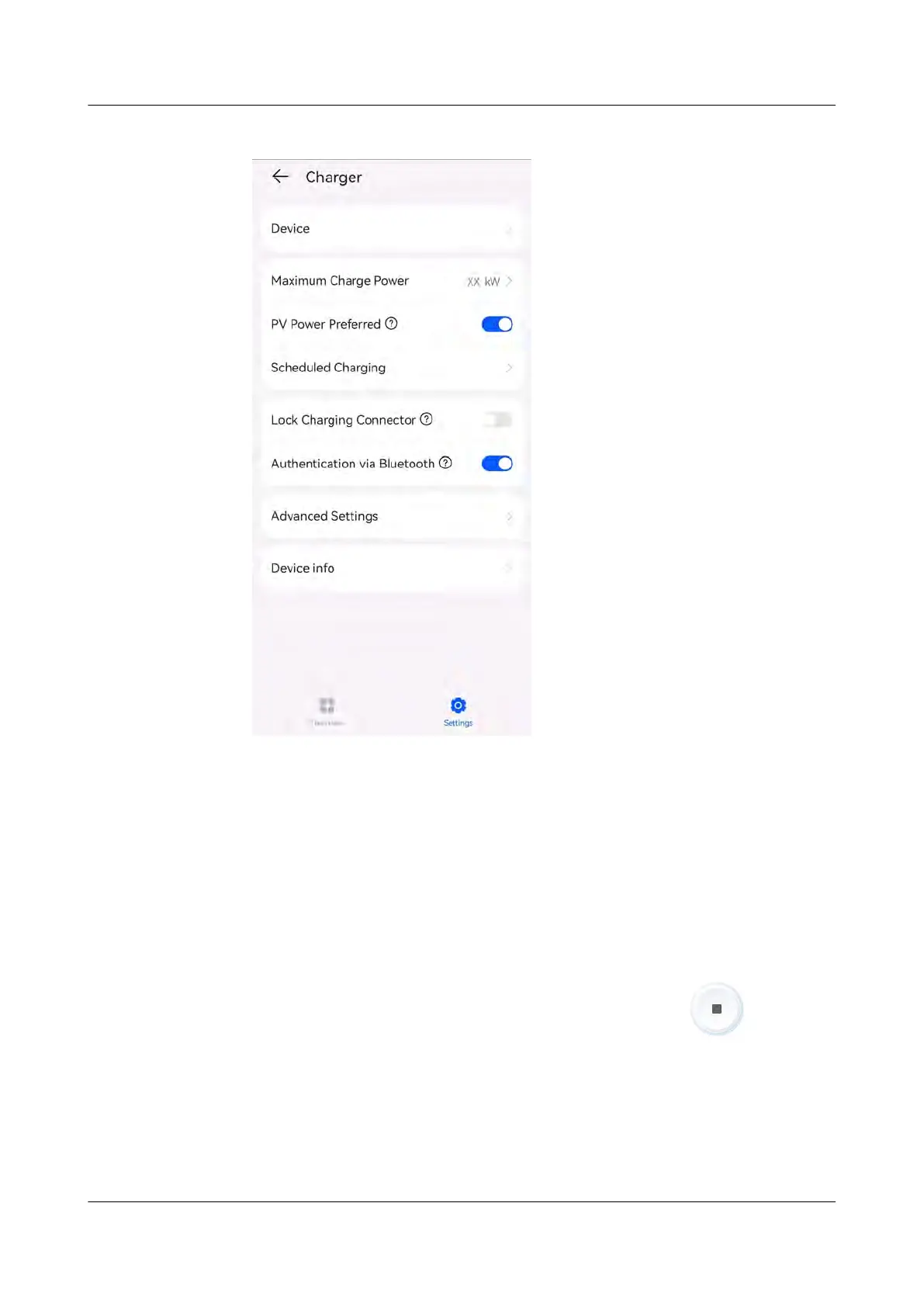
Figure 4-13 Enabling bluetooth authent
ication
Starting Charging
● Enable Bluetooth on your phone, log in to the FusionSolar app (if you did not
log out last time, simply open the app), and move your phone close to the
charger to complete identity authentication and start charging.
● If the indicator on the charger turns blue on and o cyclically (on for 0.5s and
o for 0.5s), the charger is in the charging state.
Stopping Char
ging
After the vehicle is fully charged, the charger automatically stops charging. In this
case, the indicator is steady blue. You can also touch and hold
on the app
or swipe the RFID car
d in the swiping area to stop charging.
PV+ESS+Charger Solution
User Manual 4 System Commissioning
Issue 02 (2023-01-13) Copyright © Huawei Technologies Co., Ltd. 57



 To Next Page