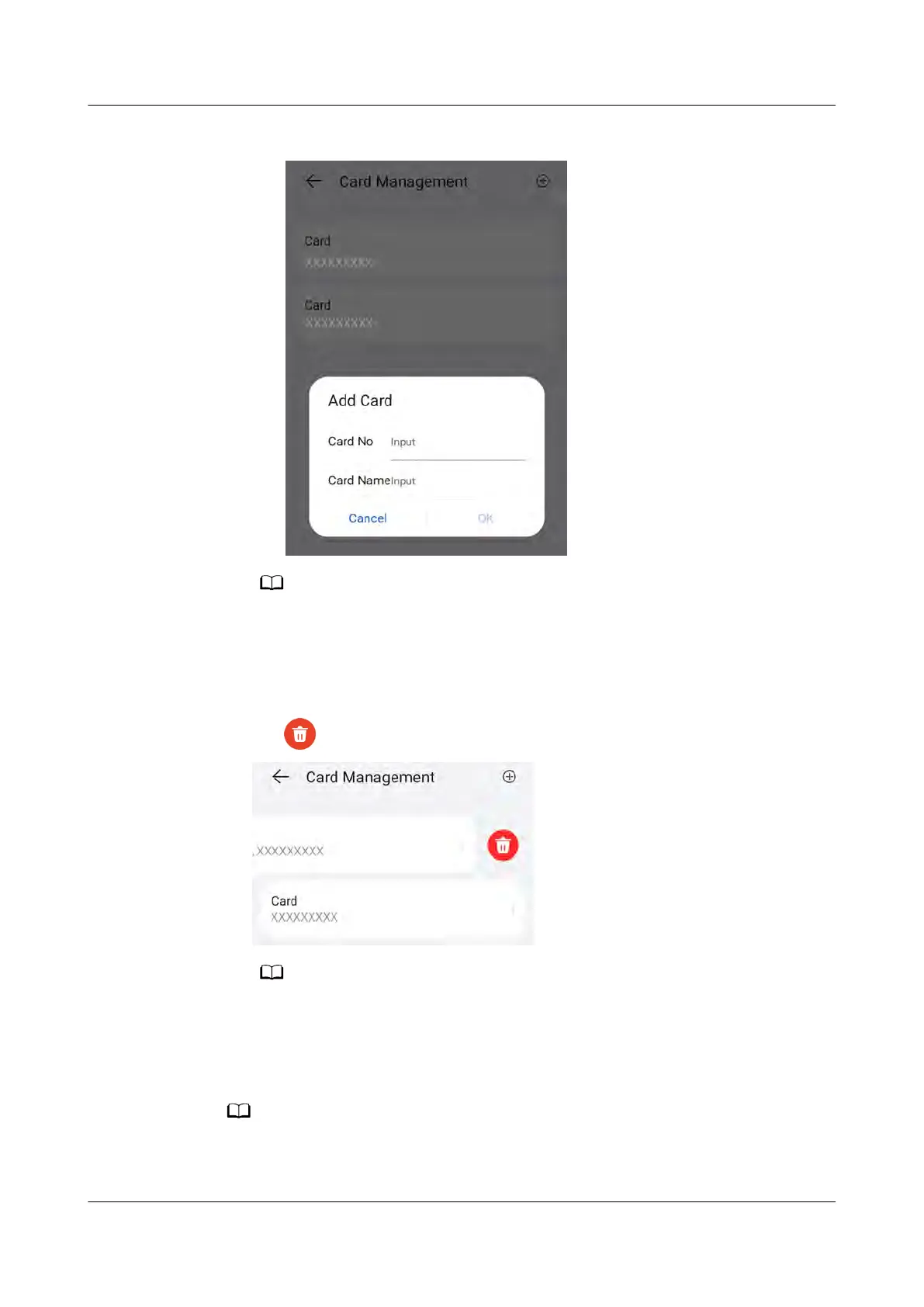
Figure 5-5 Manuall
y adding
A maximum of eight RFID cards can be added to each charger.
Delet
ing an RFID Card
1. Select the card you want to delete, and then press and swipe left.
2. Tap
to delete the card.
You cannot delete all added RFID cards. At least two RFID cards must be retained.
5.6 Restoring F
actory Settings
Before restoring factory settings, unbind the charger from the plant. After factory settings
ar
e restored, connect the charger to the plant.
PV+ESS+Charger Solution
User Manual 5 Maintenance
Issue 02 (2023-01-13) Copyright © Huawei Technologies Co., Ltd. 76



 To Next Page