After factory settings are restored, app login and WLAN passwords, alarms, and
management sy
stem access password of the charger will be cleared.
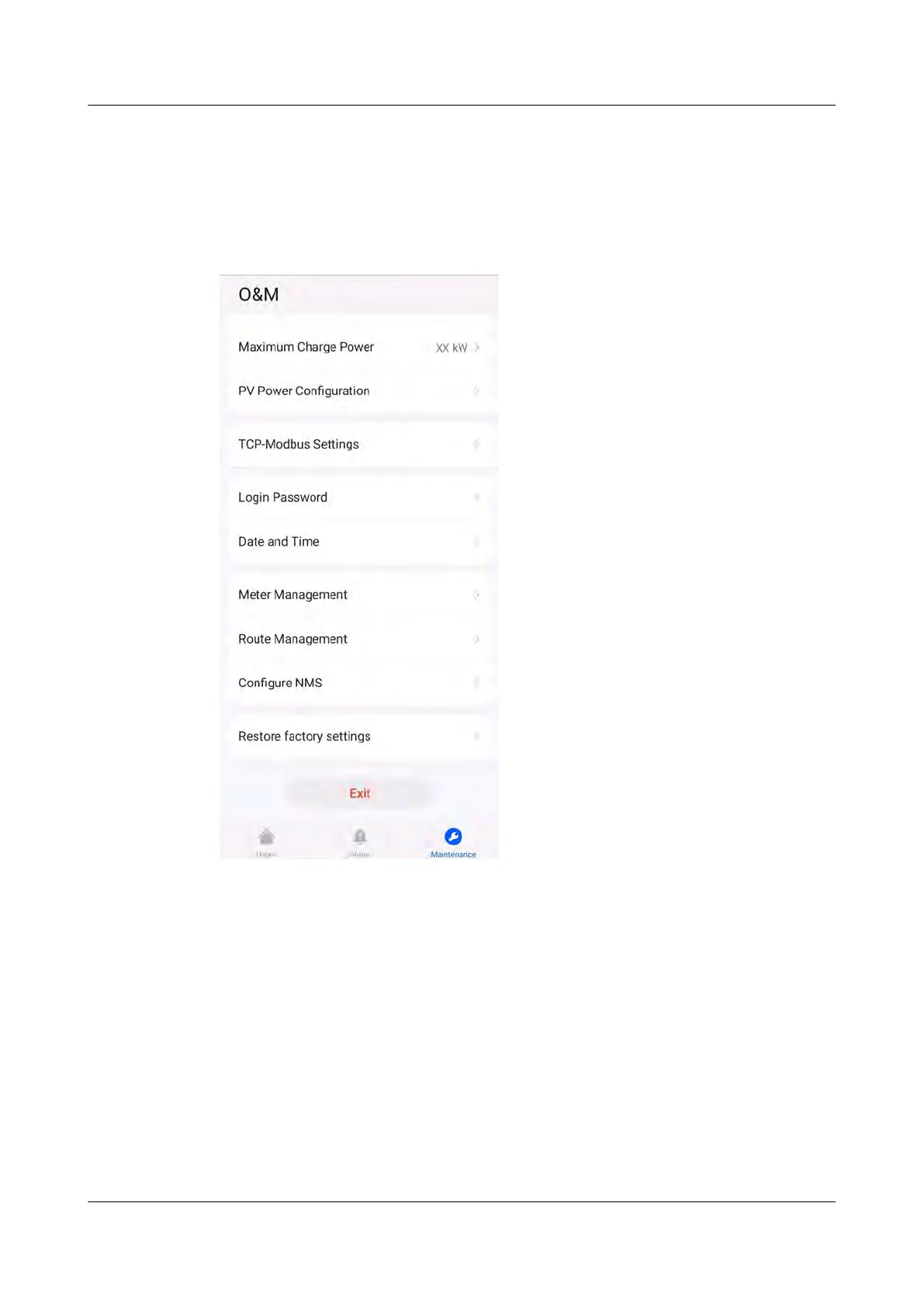
Log in to the FusionSolar app as an installer. After connecting to the charger, tap
Restore factory settings on the maintenance screen.
Figure 5-6 Installer maintenance
Log in to the FusionSolar app as an owner, c
onnect to the charger, choose
Settings > Advanced Settings, and tap Restore factory settings.
PV+ESS+Charger Solution
User Manual 5 Maintenance
Issue 02 (2023-01-13) Copyright © Huawei Technologies Co., Ltd. 77



 To Next Page