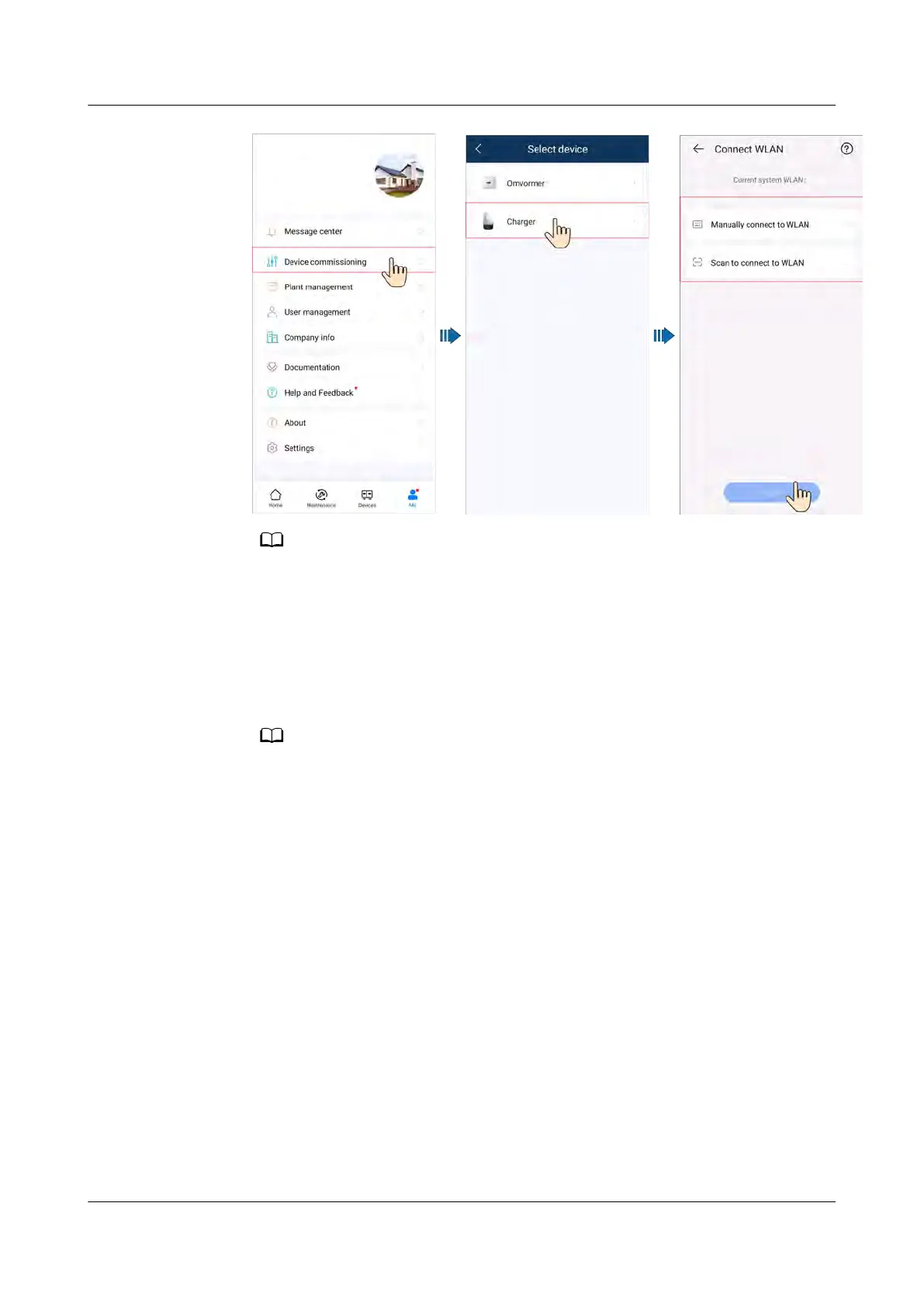
● The last six digits of the product WLAN name are the same as the last six digits of
the pr
oduct SN.
● Use the initial password upon the rst power-on and change the password
immediately after login. To ensure account security, protect the password by
changing it periodically, and keep it secure. Your password might be stolen or
cracked if it is left unchanged for extended periods. If a password is lost, devices
cannot be accessed. In these cases, the Company shall not be liable for any loss.
3. Log in to the app as an Installer or Owner.
For the rst login, the initial password is Changeme. If the sy
stem prompts you to set
a password, set the login password as prompted.
PV+ESS+Charger Solution
User Manual 5 Maintenance
Issue 02 (2023-01-13) Copyright © Huawei Technologies Co., Ltd. 71



 To Next Page