45
Views
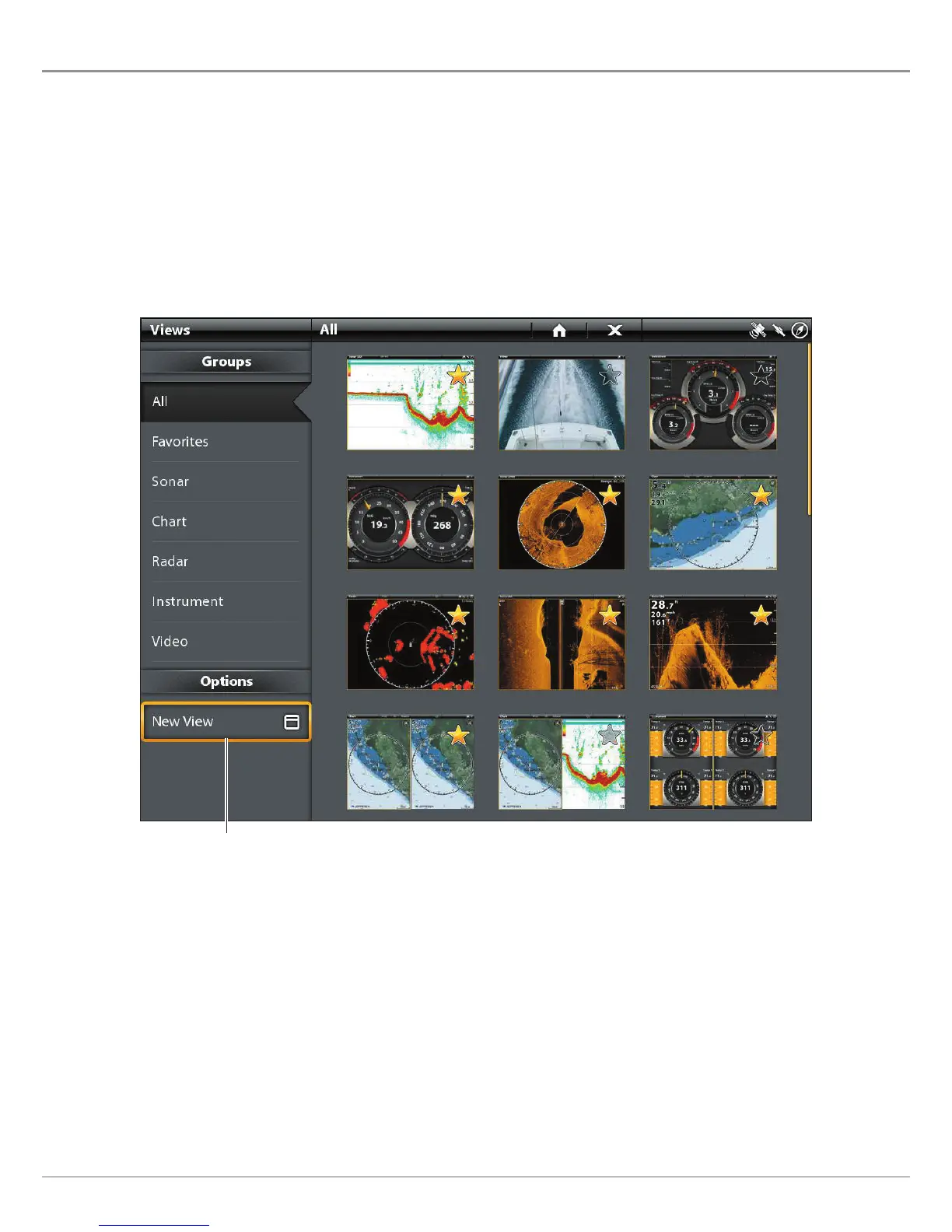
CREATE A NEW VIEW
F
ollow the instructions in this section to create a new view from a blank template.
1. Press the HOME key.
2. Select the Views tool.
3. Select New View.
4. See Edit the View Layout and Application to rename the view, edit the layout, add applications, display digital readouts, and
more.
Creating a New View
select to create a new view












 To Next Page