71
Chart Options
CHART AND RADAR
I
f a radar is connected to the control head network, the radar data can be displayed on the Chart View. To adjust the menu settings
f
or the radar, see Radar Overview for more information.
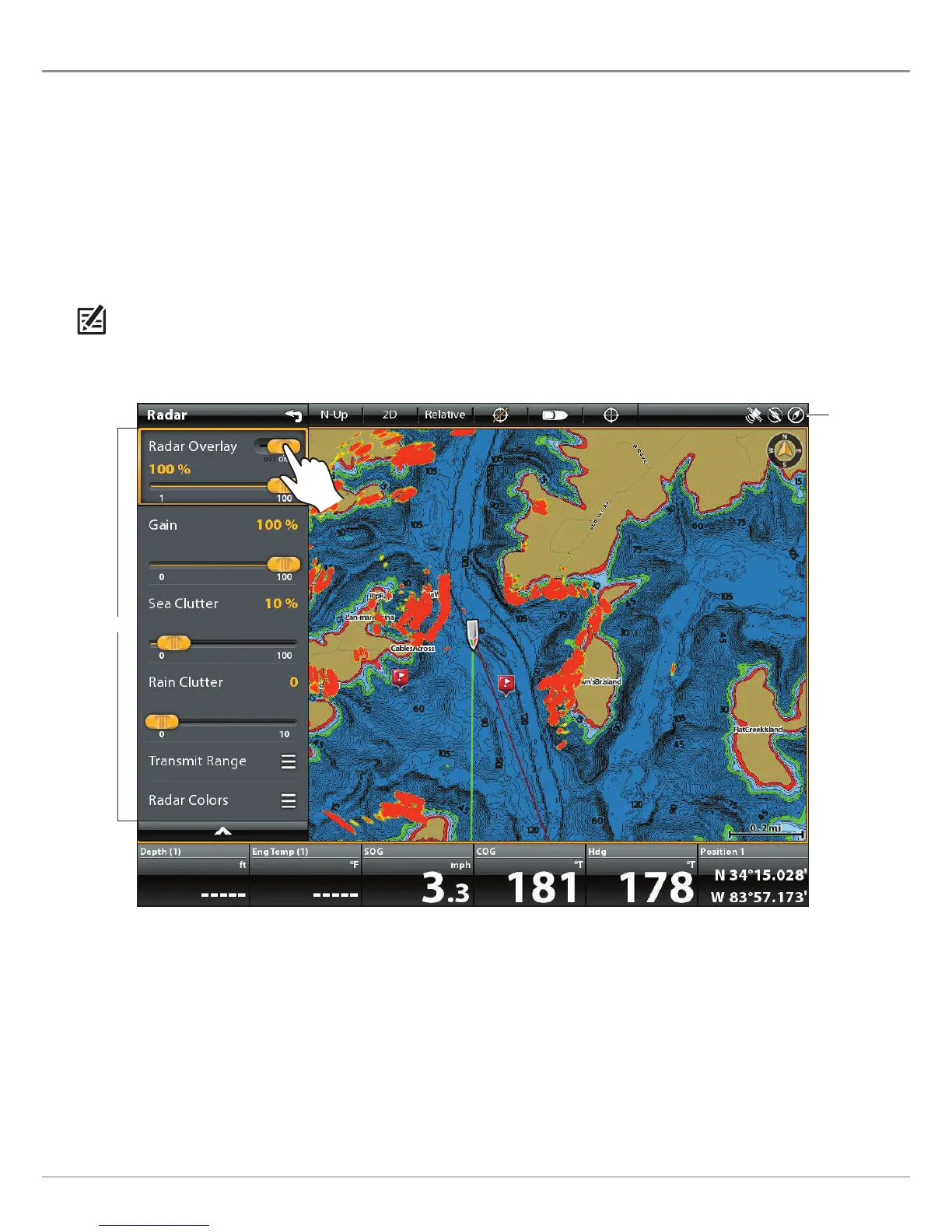
Display Radar on the Chart View
1. Start Radar Transmission: Press the POWER key once. Select Radar Transmit, and turn it on.
2. With a Chart View displayed on-screen, tap Chart in the status bar, or press the MENU key once.
3. Select Radar.
4. Select Radar Overlay. Tap the on/off button, or press the ENTER key, to turn it on.
NOTE: You can also display Range Rings and MARPA Targets on the Chart View. See Change the Chart View Overlays in this section
for more information.
Turning on the Radar Overlay
status bar
radar menu












 To Next Page