60
Navigation Alarms
NAVIGATION ALARMS OVERVIEW
W
hen an alarm is turned on, an alert will sound or display on the control head to indicate the threshold has been exceeded. The
s
ettings in this section describe how to turn on a Navigation alarm, adjust the threshold, and display the limits on the view if they
a
re available. The alarm options are determined by the map source.
N
OTE: To turn on additional alarms that relate to your vessel and navigation, such as Lost Heading, Drift Alarm, Pitch, Roll, and
more, select Home > Alarms > System and Home > Alarms > Vessel.
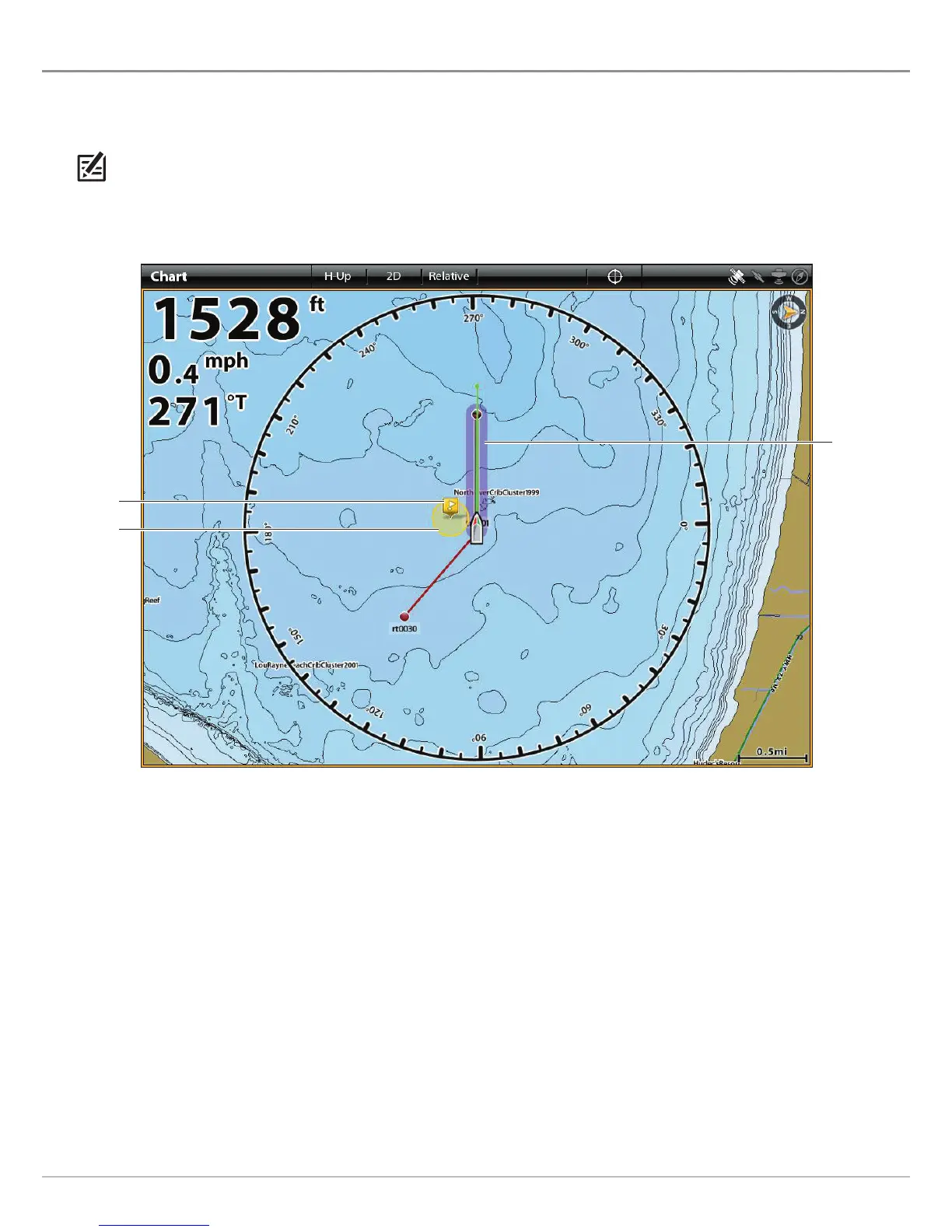
Chart View with Alarm Overlays Displayed (Humminbird)
off course
(XTE) limits
displayed in
purple
waypoint
avoidance
radius
waypoint


 To Next Page
 Loading...











