113
Radar Overview
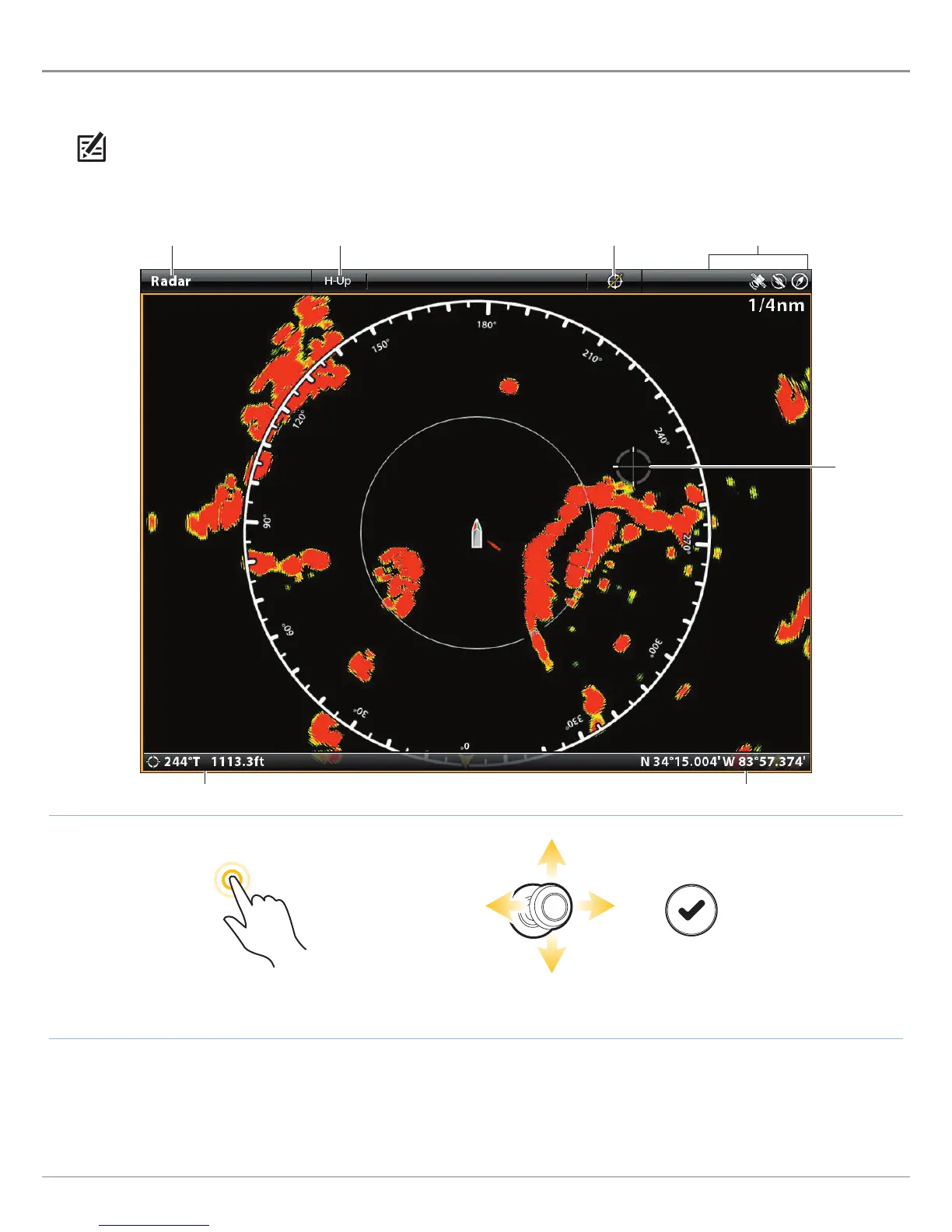
RADAR OVERVIEW
T
he radar scanner must be connected to the control head to enable radar features. Some of the features also require a
c
ompass/heading sensor.
NOTE: To configure the radar after installation or equipment repair, see Configure Radar.
distance and bearing to cursor position
Radar View with Cursor Active
Tap to Activate the Cursor
Move the Joystick to
Activate the Cursor
Open the Cursor Menu
OR
orientation menuRadar X-Press Menu exit cursor
sensor status icons
cursor position
cursor


 To Next Page
 Loading...











