100
Manage Navigation Data
MANAGE YOUR NAVIGATION DATA
U
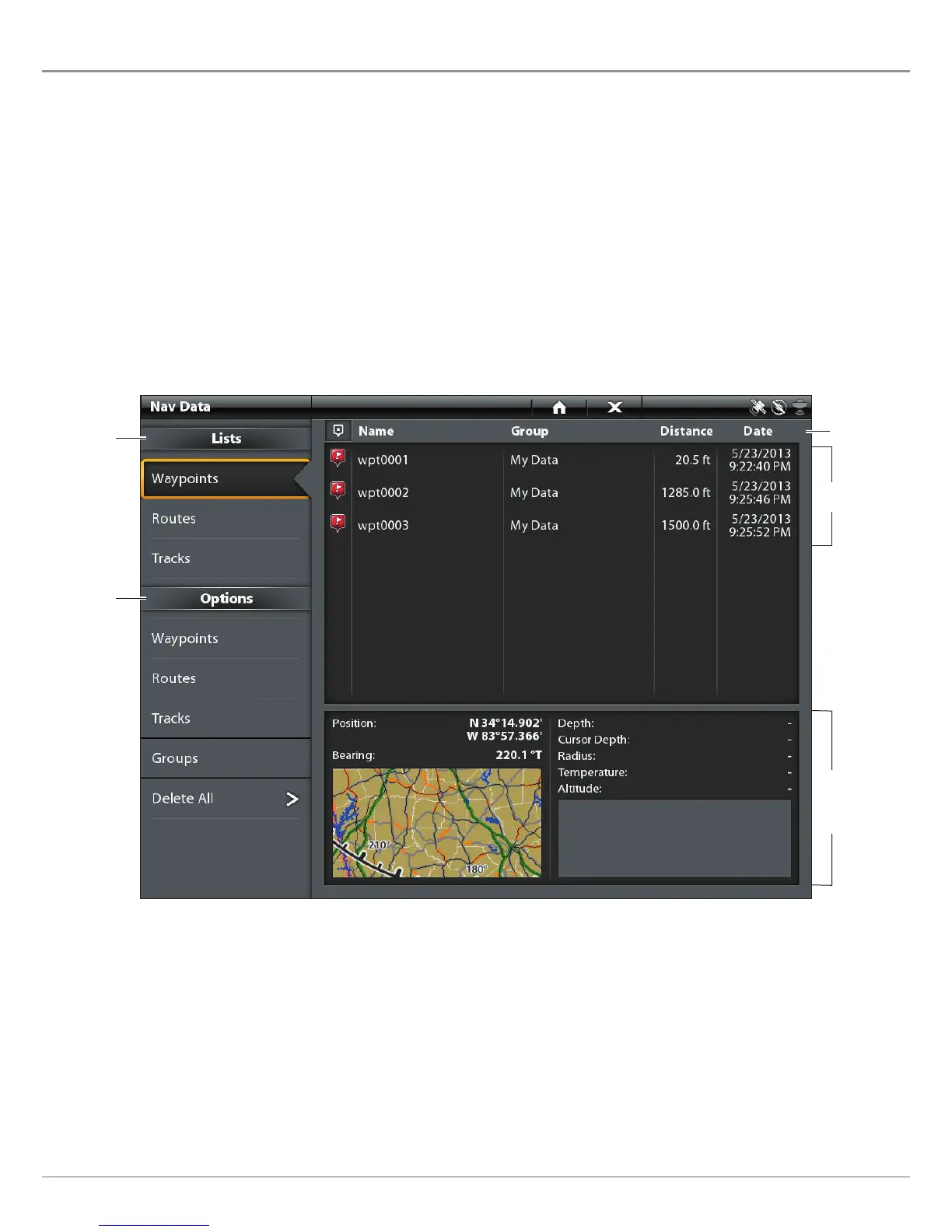
se the Nav Data tool to manage your saved waypoints, routes, tracks, and groups. You can edit your saved navigation data and start
n
avigation from this tool.
Open the Nav Data Tool
1. Press the HOME key.
2. Select the Nav Data tool.
Sort Lists
1. In the sort bar, tap a column name, or move the Joystick and press it on a column name. The first tap/Joystick press will sort
the column low to high or A to Z. The second tap/Joystick press will sort it high to low or Z to A.
Nav Data Tool
saved
waypoints
selected
waypoint and
preview window
summary
list of saved
navigation
data
options
for new
navigation
data
sort bar


 To Next Page
 Loading...










