23
Home Screen
THE HOME SCREEN
T
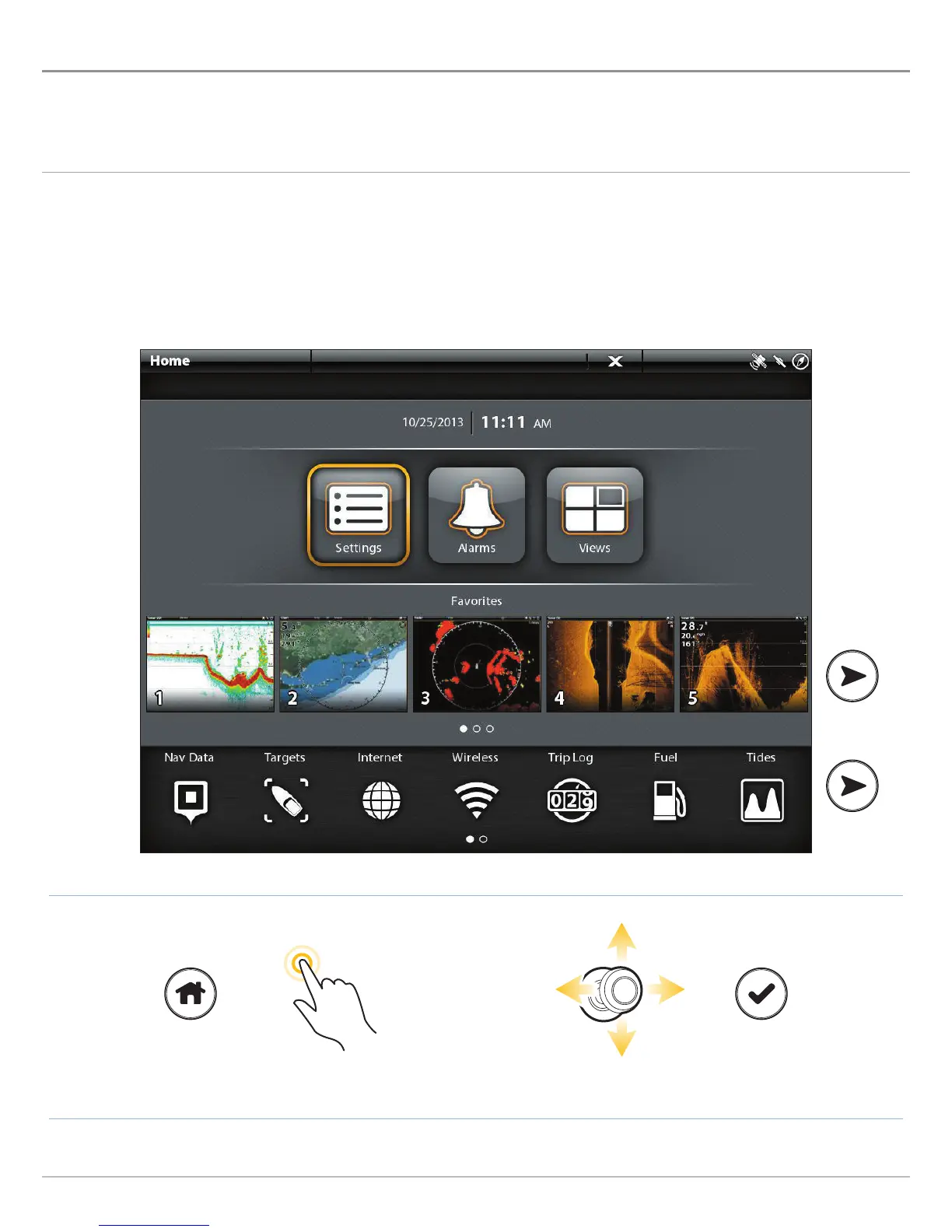
he Home screen is the main control center for your control head. Use the Home screen to access the control head settings, alarms,
f
avorite views, and tools. The tools available on the Home screen are determined by the equipment attached to the control head
n
etwork.
Open the Home Screen
MORE
Open the Home Screen Tap to Select Select Open
OR
Touch Screen
1. With a view displayed on-screen, touch the screen with
two fingers and swipe down.
2. Tap a tool or view to open it.
Keypad
1. Press the HOME key.
2. Use the Joystick to select a tool or view. Press the
ENTER key to open it.


 To Next Page
 Loading...










