112
Autopilot
Send Navigation Data to the Autopilot
When a route is started from the control head, it will communicate with the autopilot to tell it which way to turn to get on course.
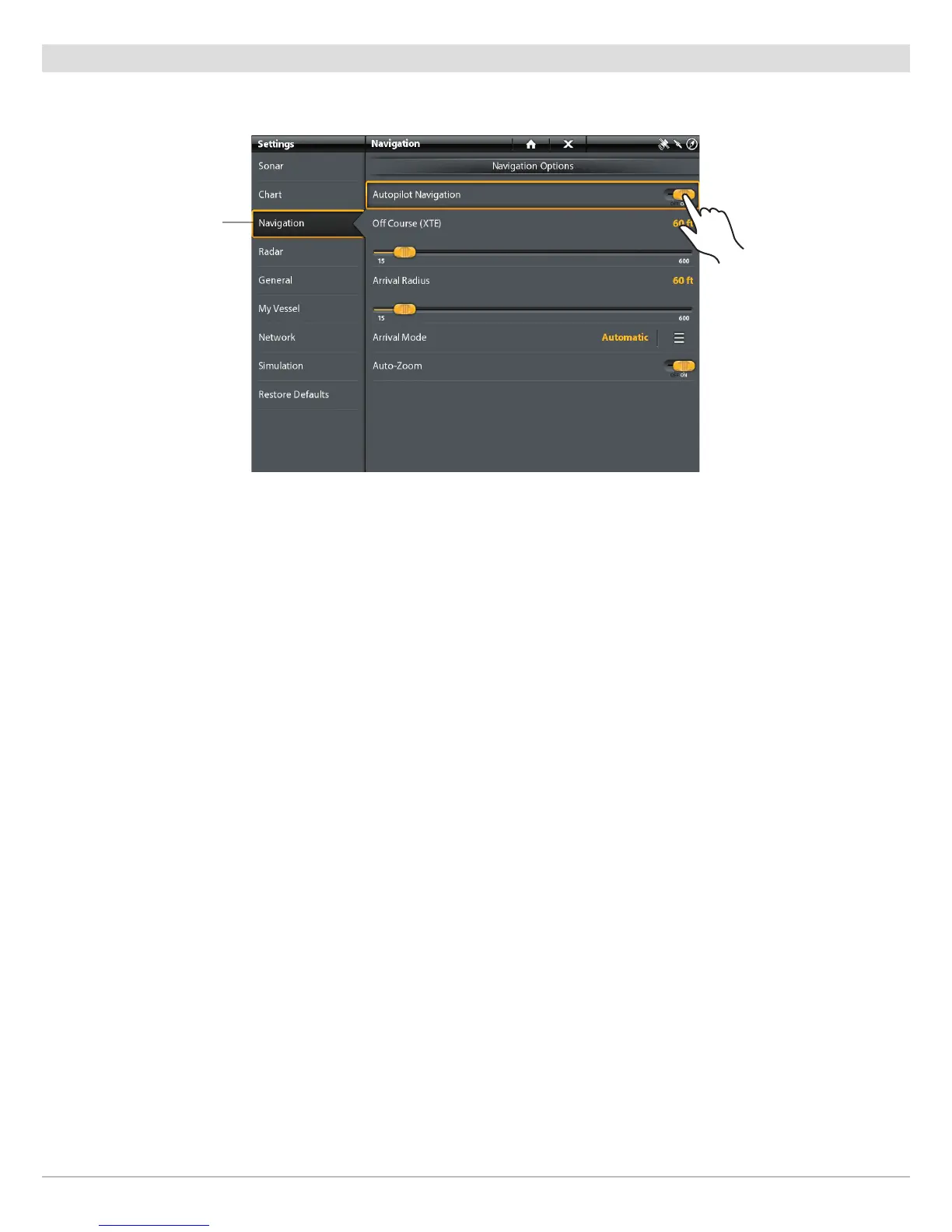
The Autopilot Navigation menu must be turned on to enable this feature on the ION control head.
Enable Autopilot Navigation
Use the following instructions to enable Autopilot on the control head.
1. See Installation Information: Configure the Control Head, Set up Autopilot. The Autopilot must be set up correctly with the
control head when it is first installed.
2. Press the PILOT/STANDBY key.
3. Select Navigation > Autopilot Navigation.
4. Tap the on/off button, or press the ENTER key, to turn it on.
Disable Autopilot Navigation
Use the following instructions to disable autopilot navigation. When Autopilot is disabled, the control head will not send data to the
autopilot.
1. Press the PILOT/STANDBY key.
2. Select Navigation > Autopilot Navigation.
3. Tap the on/off button, or press the ENTER key, to turn it off.
navigation
menu


 To Next Page
 Loading...











