Installation
3
INSTALLATION OVERVIEW
To install your shade, you will need to perform the following three steps:
STEP 1: Install the Brackets
STEP 2: Install the Shade
STEP 3: Connect the Power Source
STEP 1 — INSTALL THE BRACKETS
■
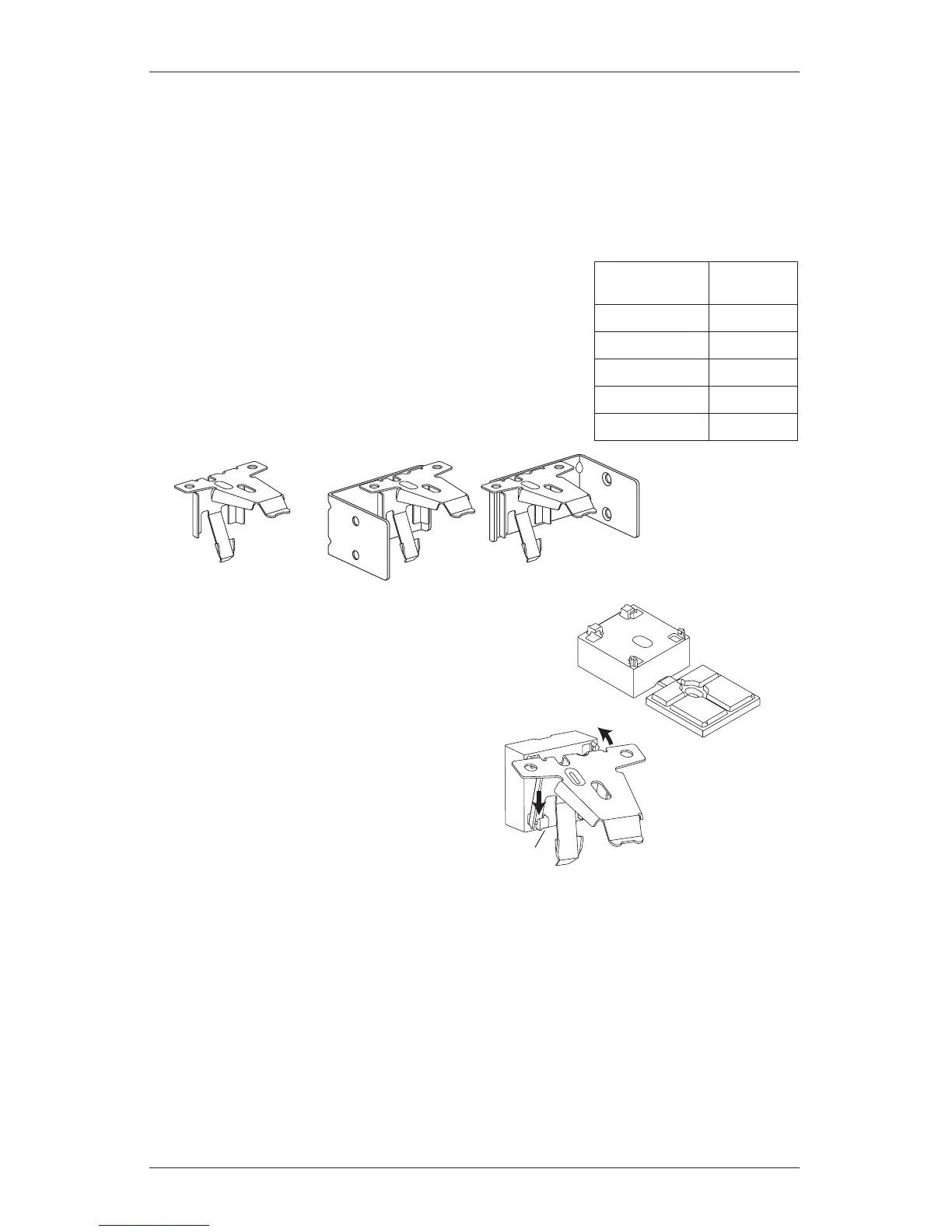
Your order will include the correct number of installation
brackets for your shade width, as shown in the table.
➤
For end mounts, only two brackets are used up to the
maximum width of 72".
IMPORTANT: A
1
/
2
" spacer block is required for shades
using an attached battery wand. The spacer block is
pre-attached to the back of the installation bracket.
■
Should the spacer block become detached, reattach it.
➤
Insert the legs of the installation bracket
into the tabs onthespacer block.
➤
Rotate the installation bracket back,
asshown, to snap it in place.







 To Next Page