Operation
14
TESTING THE SHADE
Testing the shade with the manual control button will allow you to ensure that the motor and
power source are working correctly.
CAUTION: When raising the shade for the first time, observe how the fabric stacks. It should
stack evenly. Immediately stop the shade if the bottom rail is not level or the shade starts to
rub against either window jamb. See “Level the Bottom Rail (If Necessary)” on page 18.
■
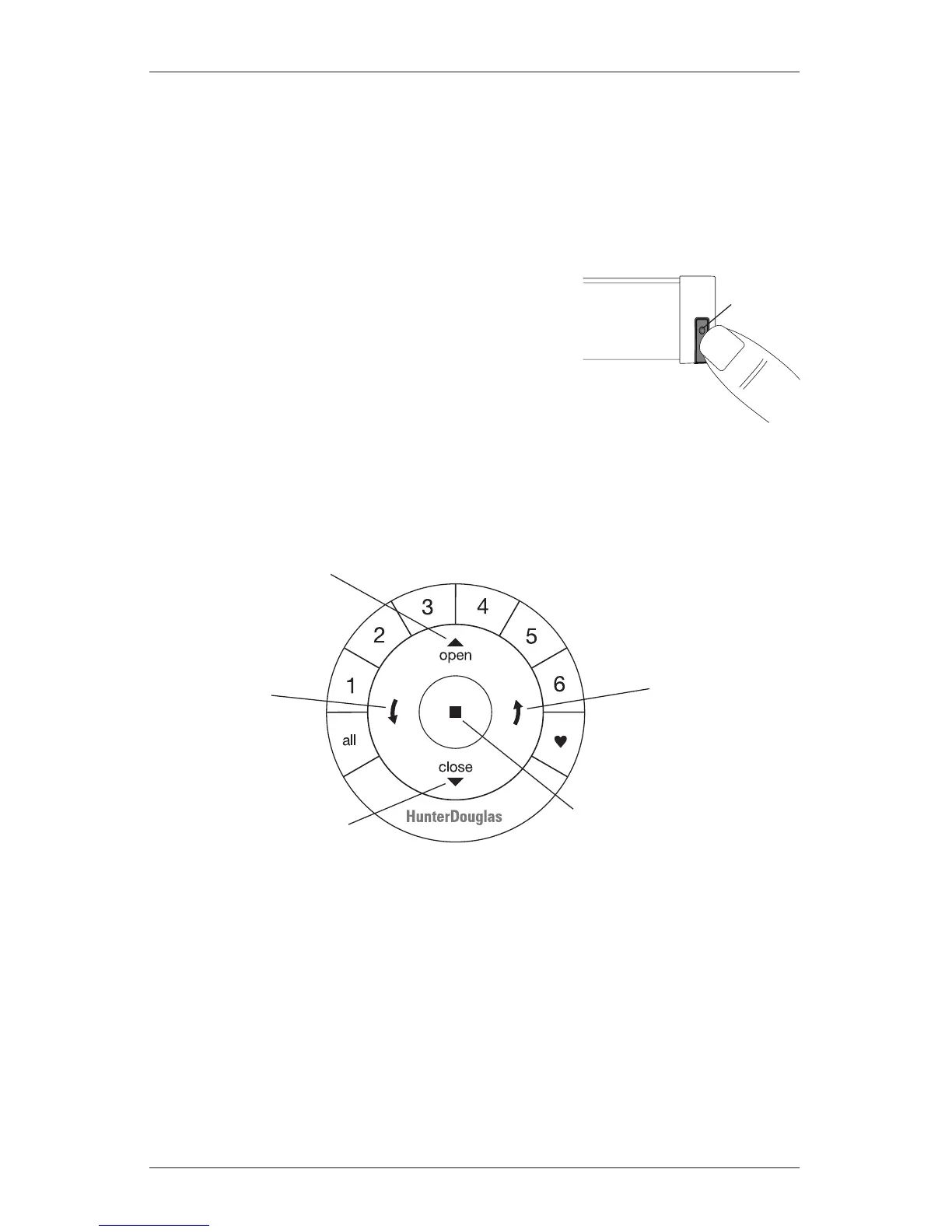
Press the manual control button on the bottom of the
end cap to test operation. If the shade does not operate,
see “Troubleshooting” on page 19.
➤
Press the button to alternately lower, stop, and raise
the shade.
NOTE: With Top-Down/Bottom-Up and Duolite
™
shades, the manual
control button will alternately lower the bottom rail, lower the middle
rail, raise the middle rail, and raise the bottom rail.
USING THE POWERVIEW
™
REMOTE
First, activate the remote by pulling both plastic tabs from the back battery compartment.
IMPORTANT: If you have more than one remote, see “Adding Additional Remote(s) to the
PowerView
™
Shade Network” in the PowerView Motorization Remote Control Guide.
Manual
Control
Button
Front of
Shade
Group 1
Group 2
OPEN
CLOSE
Group 3
Group 4
Group 5
Group 6
Favorite
(Shade position)
LEFT ARROW
Lowers the middle rail on
Top-Down/Bottom-Up and
Duolite shades
RIGHT ARROW
Raises the middle rail on
Top-Down/Bottom-Up and
Duolite shades
STOP
(Press and hold for
programming mode)







 To Next Page