English-40
MAINTENANCE
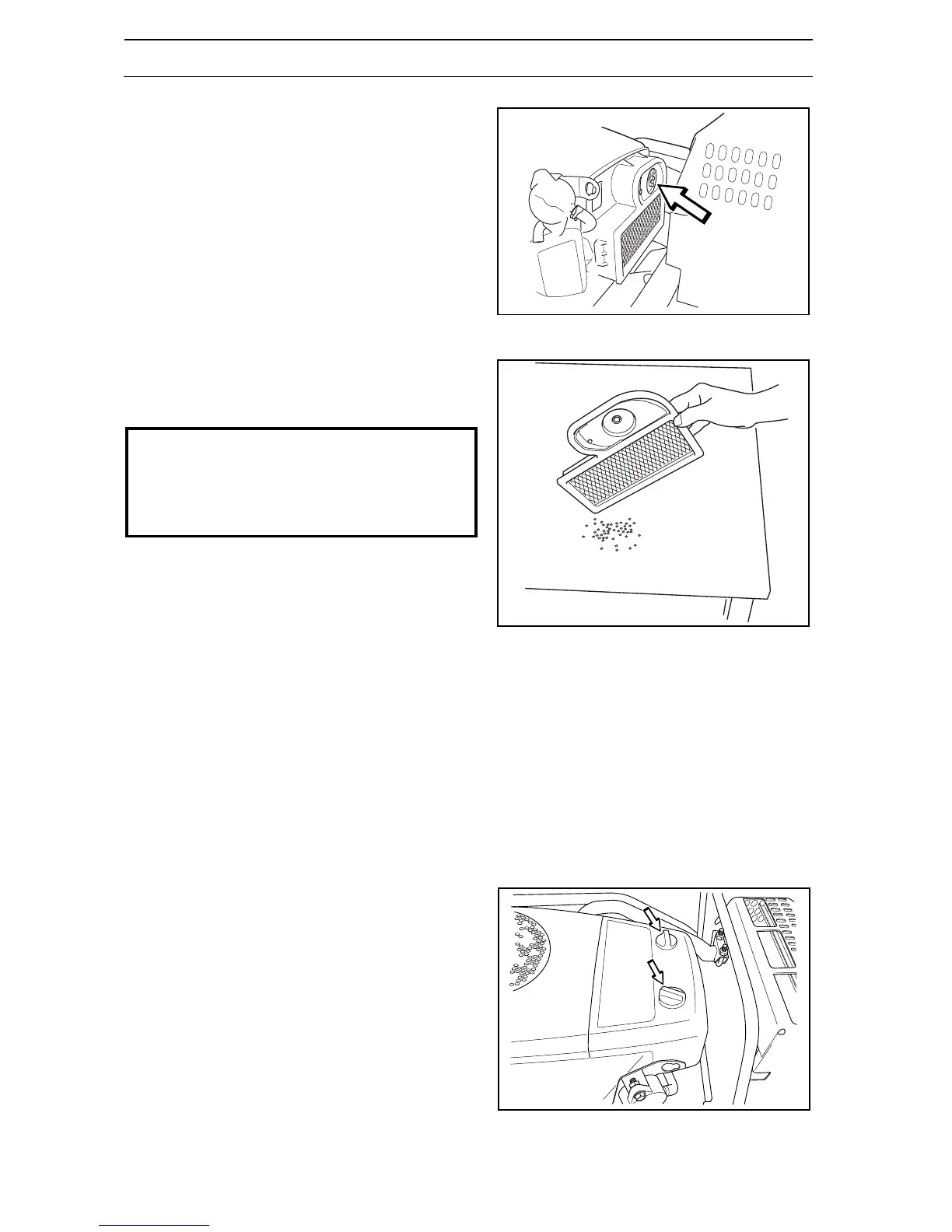
4. Remove the wing nut in the air filter and remove
the paper filter.
5. Tap the paper filter against a fixed surface to
remove dust.
If the paper filter is still dirty, it must be replaced.
6. Refit the air filter as follows:
Fit the paper filter in the air filter housing and
tighten the wing nut.
7. Insert the prefilter on the rectangular part of the
paper filter.
8. Replace the cover over the air filter housing. Move
the cover up from below and ensure that the
prefilter does not fall out of position. Secure with
both snap catches
Replacing the air filter, PF 21
1. Open the engine cover.
2. Remove the two plastic fasteners on the top of the
air filter cover and remove the air filter cover.
8009-150
8009-151
IMPORTANT INFORMATION
Do not use compressed air to clean the paper
filter.
Do not wash the paper filter.
Do not oil the paper filter.
8009-179




 To Next Page