2.13
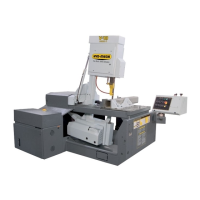
Step 10. Once the queue has been initiated the Auto Mode Status display window will appear and the machine will begin
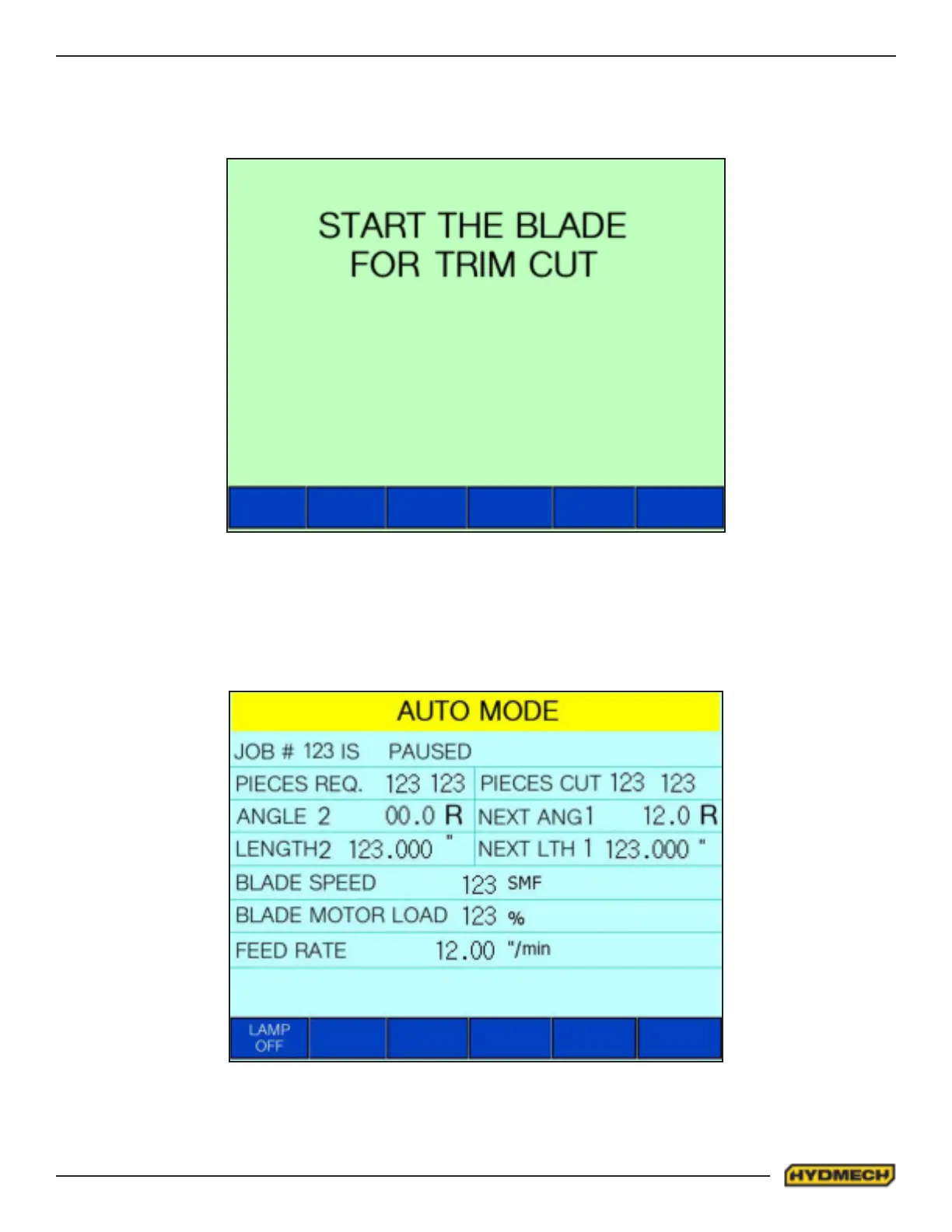
positioning itself for its rst cut. If the blade is not running, the display will prompt you to start the blade. Press the “Blade
Start” button on the keypad to run the blade. The prompt will disappear and the Auto Mode Status display window will
return and the machine will begin to start feeding for the rst cut.
Note: It is recommended that the feed rate be lowered or stopped to allow for adjustments in the blade speed before
increasing the feed rate for the rst cut.
Step 11. To increase the blade speed press and hold the “Blade Speed +” button until the desired speed is displayed on
the touchscreen. To decrease the blade speed press and hold the “Blade Speed -” button until the desired speed is dis-
played on the touchscreen. These buttons are located on the keyboard beside the “Blade Start” and “Blade Stop” buttons.
When the Queue has been completed the machine head will retract, the machine will stop and the hydraulics will power
o. To turn the machine and hydraulics back on press the “Machine Start” button on the keypad.


 To Next Page