HYDAC FILTER SYSTEMS GMBH Operation | 6
MoWa OLF-5 3433222d en-us print 57 / 100
6 Operation
To monitor the service life of the filter element/filter cartridge
during operation, the filter unit/filter housing is fitted with a
clogging indicator (back pressure/differential pressure, optical
or electric).
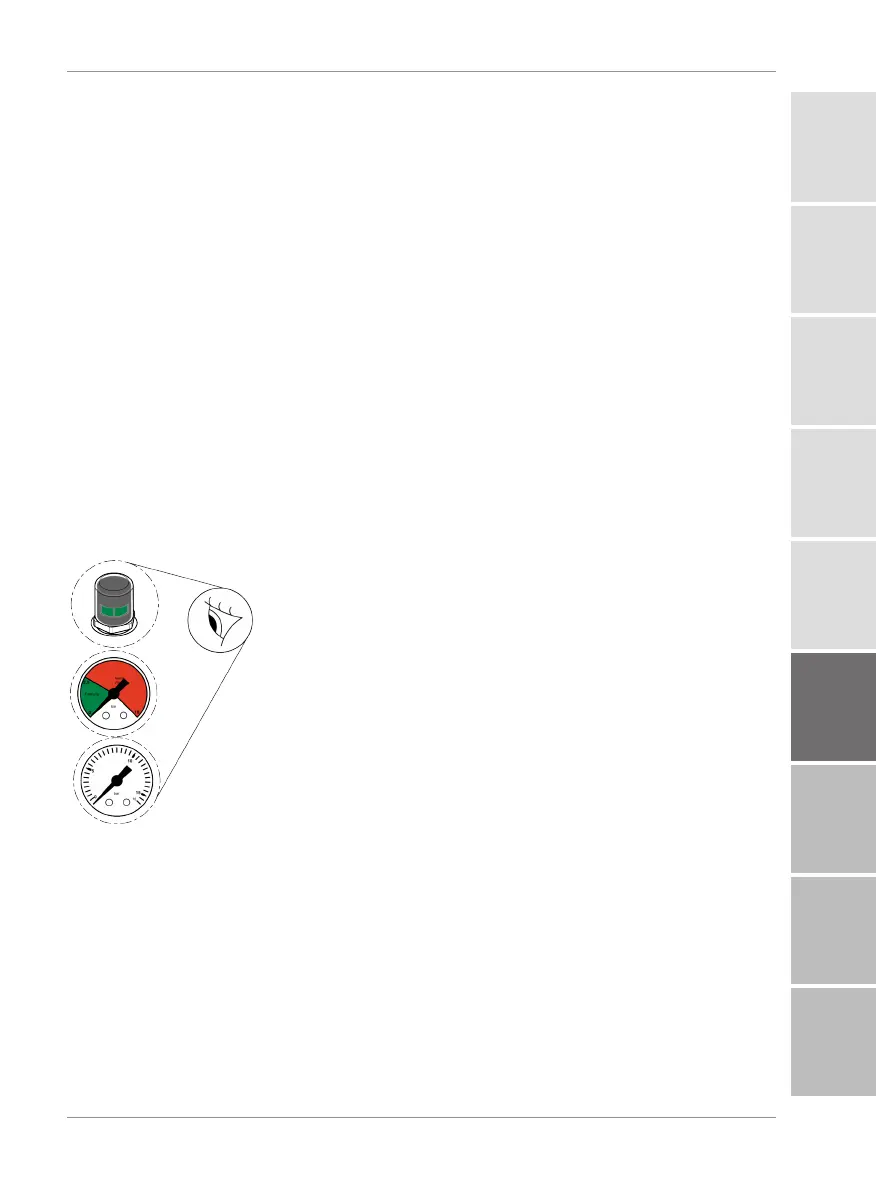
Visually check the optical clogging indicator daily. See chapter
Observing the optical clogging indicator (optional) [}57]
The electric clogging indicator signals the required filter ele-
ment change through an electric switch which notifies the re-
mote control or another sensor.
When the clogging indicator has responded, change the filter
element/filter cartridge. Refer to Performing maintenance
[}60] chapter for detailed information on changing the filter
element.
6.1 Observing the optical clogging indicator (optional)
Fig.19:
Observe the opti-
cal clogging indicator
If the filter unit / filter housing is equipped with an optical clog-
ging indicator, then check it daily.
Change the filter element at a permissible differential pressure
across the filter element or once the clogging indicator enters
the red zone.
1
2
3
4
5
6
7
8
A


 To Next Page