宏宇达数控 & 弘宇达智能
地址:深圳市南山区中山园路 1001 号 E4-6C(TCL 国际 E 城)
TEL:0755-26625800 FAX:0755-26729960 -15-
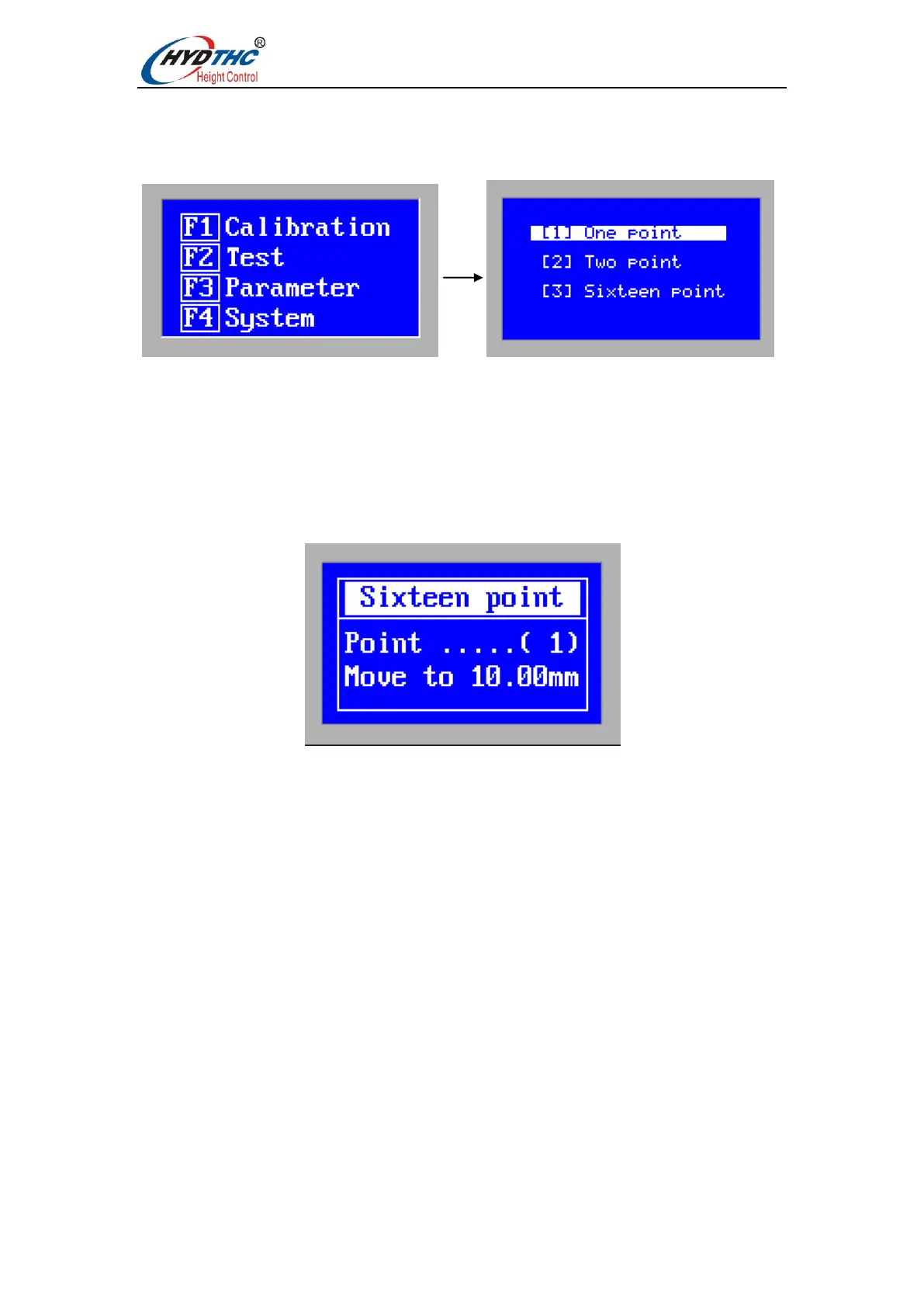
3.4 Calibration interface
In the main menu, press <F1> to enter the [Manual Calibration Interface].
When using the CHC-1000S for the first time, capacitor calibration must be done first.
The accuracy of 1-point calibration and 2-point calibration is lower than that of 16-point
calibration, so the default 1-point calibration and 2-point calibration functions are not yet
open.
In future use, if the capacitance changes due to temperature drift or the like, just need to
redo capacitor calibration.
A 16-point calibration is recommended.
During the manual calibration process, please move the cutting head to the height
corresponding to the board surface refer to prompt interface. During the calibration
process, the user can press the “ESC” button to force the calibration to end.
When the calibration is completed, there are two indicators. The first indicator shows the
range of capacitance after the calibration is completed. The second indicator is that the
status of this calibration is: “Excellent”, “Good” and “Poor”.
The floating head calibration process is briefly divided into the following steps:
(1). Operation floating head move it down slowly to detect the touch panel.
(2). After hitting the panel, move the floating head upwards, follow the distance indicated
by the calibration point on the screen, press “ENTER” button to enter the next point
operation, or press the “ESC” button to force the calibration to end.
The significance of the calibration results is as follows:
Stability: Reflects the static characteristics of the capacitor. If the indicator is not ideal, it
may be plate vibration or external interference. At the same time, it reflects the dynamic


 To Next Page