宏宇达数控 & 弘宇达智能
地址:深圳市南山区中山园路 1001 号 E4-6C(TCL 国际 E 城)
TEL:0755-26625800 FAX:0755-26729960 -17-
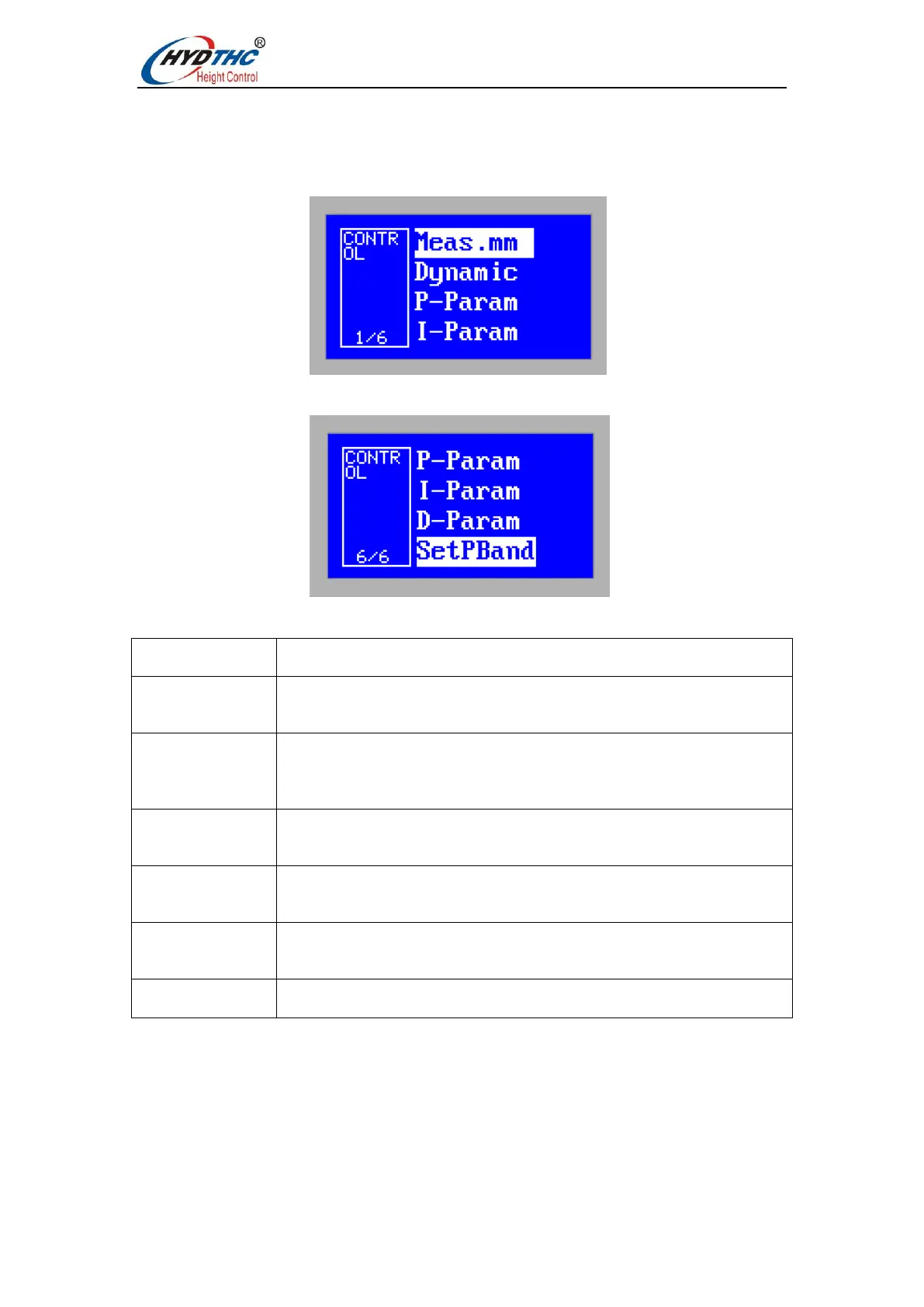
3.6.1 Control parameters
Press <Up> or <Down> to select the target menu item, press <ENTER> to enter the
[Control parameters] interface, the first page is as shown below:
the second page is as shown below:
The meaning of each parameter is shown in the following table:
Set the maximum range that the system can measure. The default is
10mm. You can choose 10mm, 15mm, 20mm, 25mm range.
Set the dynamic response of the system in mV/ms. The larger the
value, the faster the response. This parameter is valid only in sensor
mode (sensor controller only).
Set the PID parameter of the system. This parameter is valid only in
sensor mode (sensor controller only).
Set the PID parameter of the system. This parameter is valid only in
sensor mode (sensor controller only).
Set the PID parameter of the system. This parameter is valid only in
sensor mode (sensor controller only).
Setting the setpoint range (sensor controller only)


 To Next Page