宏宇达数控 & 弘宇达智能
地址:深圳市南山区中山园路 1001 号 E4-6C(TCL 国际 E 城)
TEL:0755-26625800 FAX:0755-26729960 -20-
3.6.4 Network parameter
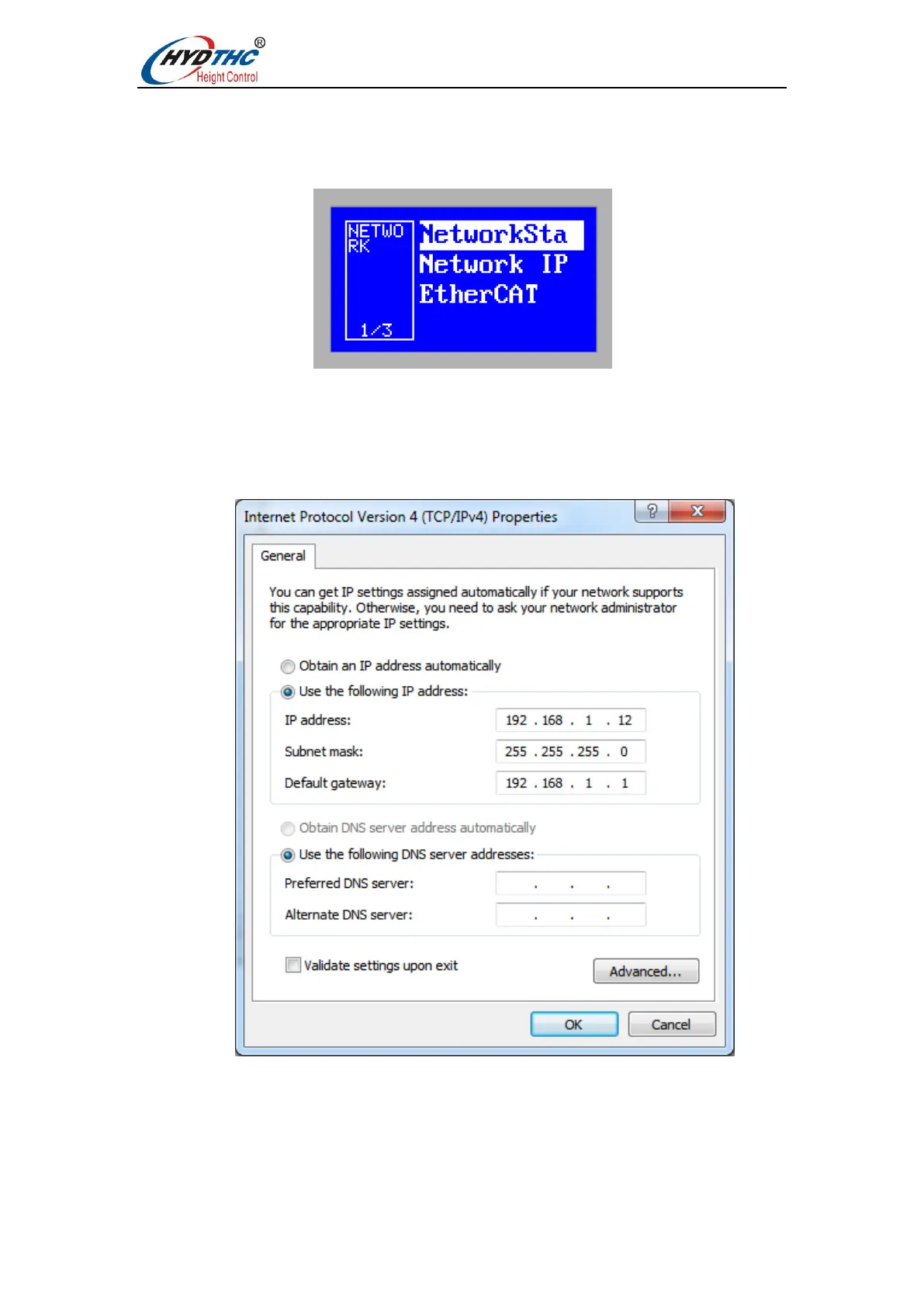
Press <Up> or <Down> to select the target menu item, press <ENTER> to enter the
[Network Parameters] menu, as shown below:
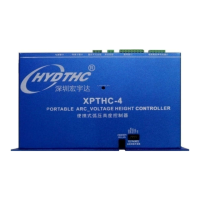
When connecting to a network, it is recommended to connect the PC and CHC-1000S
via a network cable. The IP address of the PC side should be set in the same network
segment as the CHC-1000S (192.168.1.xxx, which cannot be duplicated with the CHC-
1000S). The gateway also needs to be set on this network segment, and the last digit is 1,
such as 192.168.1.1. As follows:
Note: After the computer's network card resets the IP, it must be re-disabled - enable
the network card. Make the NIC's IP settings take effect.


 To Next Page